Apps Games Articles
Square Point of Sale: Payment
Block, Inc.
Rating 4.8star icon
Editor's summary
Editor rating
star icon star icon star icon star icon
half star icon
4.5

One-line summary Square Point of Sale is one of the easiest ways to start taking payments fast, but if you hate interface changes or need a highly tailored workflow out of the box, it can occasionally get in your way.

  • Installs

    10M+

  • Developer

    Block, Inc.

  • Category

    Business

  • Content Rating

    Everyone

  • Latest version

    VARY

  • Package

    com.squareup

In-depth review
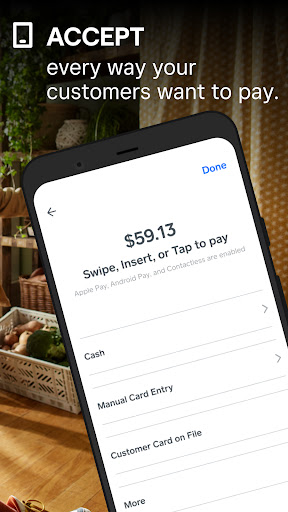
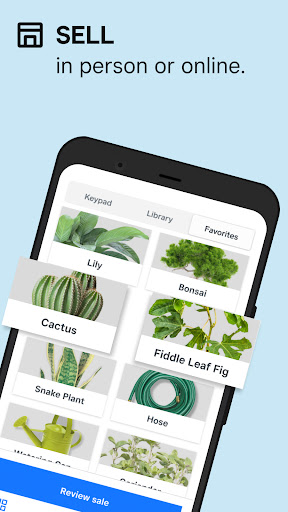
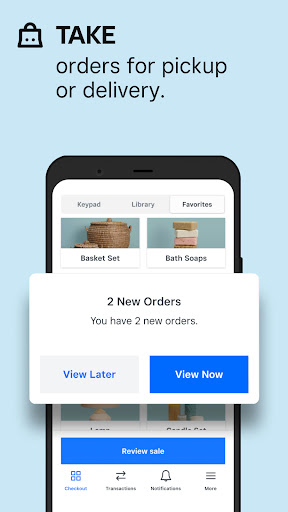
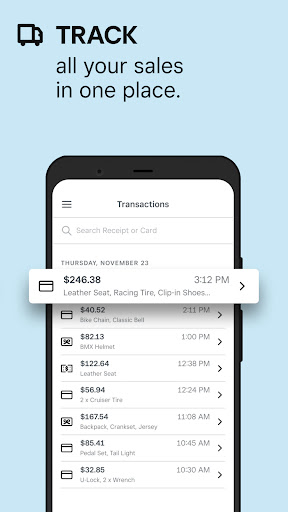
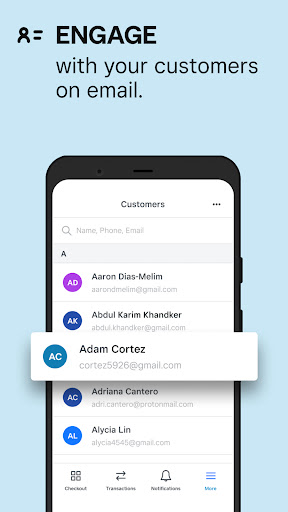
Square Point of Sale: Payment feels like it was built by people who understand a very specific kind of stress: standing in front of a customer, phone in hand, trying to get paid quickly without looking confused. After spending time using it as a mobile checkout tool, invoice sender, and general small-business control panel, my biggest takeaway is simple: this app is at its best when it gets out of your way. And most of the time, it does exactly that. The first thing Square gets right is onboarding. This is one of those rare business apps that doesn’t make you feel like you need a training seminar before making your first sale. The setup flow is straightforward, the language is plain enough, and the core actions are easy to find. If all you want to do is ring up a payment, send a receipt, and move on with your day, you can get there very quickly. That matters more than flashy design in a POS app, and Square clearly knows it. In day-to-day use, the app feels flexible without becoming overwhelming. You can use it as a simple payment collector, but there’s enough depth here to support businesses that need invoices, itemized sales, customer details, tipping, reporting, and industry-specific modes. I especially liked that the app doesn’t force every user into the same checkout mold. A seller doing occasional in-person sales can keep things light, while someone running appointments, services, or a more structured storefront can go deeper. The payment experience is where Square earns its reputation. Card entry, contactless payment options, digital wallets, and phone-based tap functionality all help make transactions feel modern and fast. In testing, the overall payment flow was clean and reassuring. That sense of trust is important. When a customer is waiting, you want big buttons, obvious confirmations, and as little friction as possible. Square generally delivers that. It feels polished in the places where mistakes would be embarrassing. Another strong point is how much utility Square packs into the app without charging upfront just to exist. For smaller operators, seasonal sellers, side hustlers, and service workers who don’t want a monthly platform hanging over them, that usage model is genuinely attractive. You can keep the app ready to go and only really feel the cost when you process a payment. For businesses with uneven sales volume, that makes the app feel practical rather than punishing. I also came away impressed by how much administrative work can be handled from the phone. Invoicing is useful and, more importantly, not intimidating. Estimates can be created and turned into invoices without much fuss. Customer records, item lists, sales history, and basic reporting are easy enough to access in the middle of a workday. The app gives you the feeling that you’re not just taking money; you’re keeping your operation organized. That makes it especially appealing for solo operators who need one app to do a lot. That said, Square is not flawless, and its weak points show up in real-world moments rather than feature checklists. My biggest frustration is that some workflows can become awkward after updates or when you need to move quickly through a very specific checkout routine. The app is broadly easy to use, but not every screen is equally efficient. If your process depends on collecting certain details, adding notes, assigning items, or customizing receipts while a line is forming, a few extra taps can suddenly feel much bigger than they look on paper. Square is simple overall, but it is not always as fast as power users will want. There’s also a slight delay in parts of the communication layer. Sending receipts or invoices is usually painless, but not always instant-feeling. In most cases this is only a minor annoyance, yet in customer-facing situations even a small lag can create uncertainty: did it send, should you retry, is the customer checking the wrong inbox? It’s not a deal-breaker, but it chips away at the otherwise smooth transaction experience. A third issue is that Square can be a little too broad for users who want a deeply specialized industry setup from the start. It offers multiple modes and a lot of flexibility, which is great, but some businesses will still want more hand-holding around their exact workflow. If you run a niche service operation and need everything perfectly aligned to how your field bills, schedules, or documents jobs, Square may require some adaptation on your part rather than feeling custom-built immediately. I also noticed that this is an app you may want to manage carefully on your phone if you’re sensitive to battery life or background activity. It’s functional and capable, but because it does so much, it benefits from a little housekeeping in your device settings if you want to keep your phone running lean. Who is this app for? It’s an excellent fit for small businesses, independent sellers, market vendors, mobile service providers, and anyone who wants to accept payments quickly without investing in a bulky POS setup from day one. It’s especially good for people who value ease, mobility, and a low-commitment starting point. If your business happens in different places rather than behind one fixed counter, Square makes a lot of sense. Who is it not for? If you need a rigid, highly customized workflow optimized for one narrow business type, or if you have zero patience for occasional UI reshuffling and menu hunting, you may find it less satisfying. Very high-speed environments where every tap counts may also want something more specialized. Overall, Square Point of Sale: Payment succeeds because it understands the job. It makes taking payments feel accessible, credible, and portable. It doesn’t hide all the complexity of running a business, but it removes a lot of the friction. For many businesses, that’s exactly the kind of app you want: not glamorous, just dependable, capable, and ready when the customer says, “Can I pay by card?”
Alternative apps
  • Shopify POS
  • PayPal Zettle: Point of Sale
  • Toast Takeout & Delivery / Toast ecosystem