Apps Games Articles
Candy Race Launcher
Gamnest
Rating 4.7star icon
Editor's summary
Editor rating
star icon star icon star icon star icon empty star icon
4.1

One-line summary Candy Race Launcher is easy to like if you want a playful, game-themed home screen with simple customization, but it’s a harder sell if you prefer a cleaner, more neutral launcher that stays out of the way.

  • Installs

    1M+

  • Developer

    Gamnest

  • Category

    Personalization

  • Content Rating

    Everyone

  • Latest version

    1.0.1

  • Package

    com.Gamnest.CandyRace

Screenshots
In-depth review
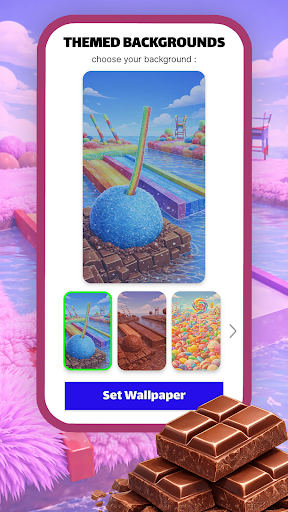
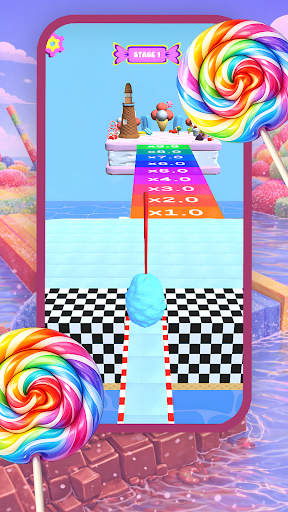
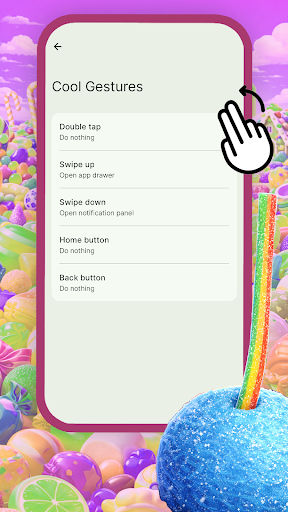
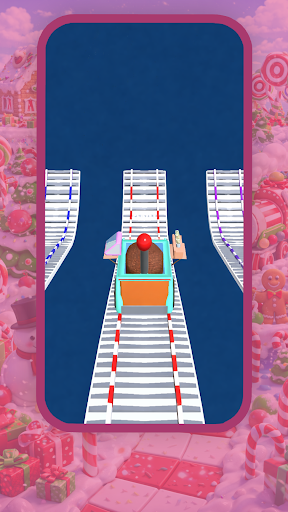
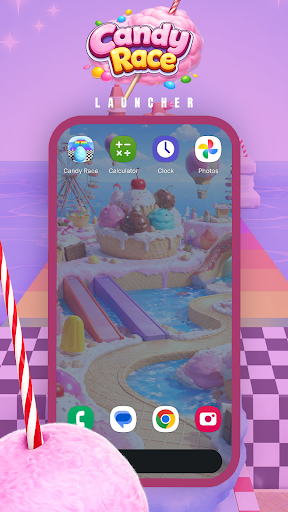
Candy Race Launcher sits in an interesting corner of Android personalization. It is not trying to be a power-user tool first, and it is not pretending to be a minimalist productivity launcher either. The pitch is much simpler: turn your home screen into something brighter, sweeter, and more playful, with a racing-game aesthetic layered over the everyday mechanics of launching apps and moving around your phone. After spending time with it as a daily launcher, that identity comes through clearly. This is a themed launcher first, and whether it works for you depends on how much you want your phone to feel fun rather than invisible. The first thing that stands out is the visual tone. Candy Race Launcher leans hard into colorful, candy-coated styling, and that approach gives it more personality than the average launcher. On a lot of Android launchers, customization means tweaking grids, folders, and icon sizes until everything becomes generic. Here, the point is mood. The themed backgrounds bring a cheerful, game-like energy to the home screen, and if you are tired of the standard Android look, this kind of makeover is genuinely refreshing. It gives the phone an immediately different character without making setup feel complicated. That ease of setup is one of the app’s better qualities. Long-pressing the home screen to open launcher options and settings is intuitive, and the app doesn’t bury its basic customization tools behind a maze of menus. In day-to-day use, that matters more than flashy wording on a store page. We were able to switch themes, test icon shapes, and get a sense of the launcher’s personality without spending half an hour digging through settings. For casual users, especially people who rarely tinker with Android launchers, that accessibility is a real strength. The gesture support is another area where Candy Race Launcher earns points. Being able to assign swipes, taps, or double taps to common actions makes the launcher feel more useful than a simple wallpaper-and-icons skin. These shortcuts can shave a little friction off everyday phone use, especially if you rely on the same handful of apps or actions throughout the day. It is the sort of feature that sounds small on paper but becomes more appreciated over time. Once you build some muscle memory around it, navigation feels quicker and more personal. There is also a nice practical touch in the light and dark theme options. That may not sound exciting, but launchers live or die on how comfortable they are to look at over long stretches. The bright style is in keeping with the candy theme, but dark mode gives the whole experience a more relaxed look when you want something less intense. It helps the app avoid being a one-note novelty. That said, Candy Race Launcher does have limits, and those limits become more noticeable the longer you use it. The biggest one is that the aesthetic is strong enough to become divisive. If you like playful visuals, that is the whole reason to download it. If you do not, the launcher can start to feel busy. This is not the kind of home screen environment that disappears into the background. It has a distinct personality, and there were times when we wanted a calmer, more neutral look than the app naturally wants to provide. A second drawback is that customization appears to be focused on approachable surface-level options rather than deep structural control. You can change themes, icon shapes, and gestures, which covers the basics well, but the app does not present itself like a deeply configurable launcher for enthusiasts who want to micromanage every corner of their interface. That is not necessarily a flaw in design, but it does affect who will be satisfied with it. If you are the type of Android user who treats the launcher as a serious productivity system, Candy Race Launcher may feel more decorative than robust. The third issue is one that comes with many free launchers: the presence of ads. Even when ads are not the defining trait of the experience, their inclusion matters because a launcher is not an app you open occasionally; it is the front door to your phone. Anything that adds friction, distraction, or commercial noise to that layer of the experience feels more intrusive than it would in a casual game or utility. We did not come away thinking ads ruined the app, but their existence is a meaningful hesitation point, especially for people who want their home screen to feel clean and uninterrupted. Another thing worth noting is the transition into using a new launcher in general. Candy Race Launcher reminds you that switching launchers can refresh your layout, and that is true in practice. There is always a small adjustment period when your home environment changes, and with a themed launcher like this, the shift is even more obvious. Some people will enjoy that instant sense of novelty. Others may find it disrupts the familiar rhythm they already have with their phone. So who is Candy Race Launcher for? It is best for users who want a more playful phone, enjoy colorful visual themes, and appreciate simple customization without having to learn a complex system. It also makes sense for younger users or anyone who wants their home screen to feel more game-like and expressive than the usual Android setup. On the other hand, it is not ideal for people who prefer a highly professional look, demand deep launcher-level control, or are especially sensitive to ads and visual clutter. Overall, Candy Race Launcher is a good example of a themed launcher that understands its lane. It is attractive, easy to personalize, and pleasant to use when its style matches your taste. Its gesture tools add enough usefulness to keep it from feeling superficial, and the theme options help it stay fresh beyond the first impression. At the same time, its bold aesthetic, likely lighter depth of customization, and ad-supported model keep it from being a universal recommendation. If the candy-racing vibe appeals to you, though, this is a fun and polished way to make your Android home screen feel less ordinary.