Apps Games Articles
Clean Fix Plus
AppDustBuster
Rating 4.5star icon
Editor's summary
Editor rating
star icon star icon star icon star icon empty star icon
4.2

One-line summary Clean Fix Plus is worth picking if you want a fast, simple junk cleaner that stays mostly out of the way, but I’d hesitate if you’re allergic to ads or expect miracle-level phone optimization.

  • Installs

    5M+

  • Developer

    AppDustBuster

  • Category

    Tools

  • Content Rating

    Everyone

  • Latest version

    1.1.1

  • Package

    com.cleanfix.fixplus

Screenshots
In-depth review
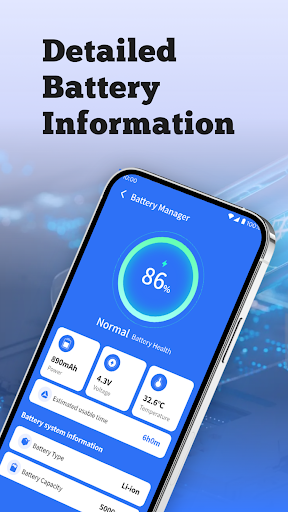
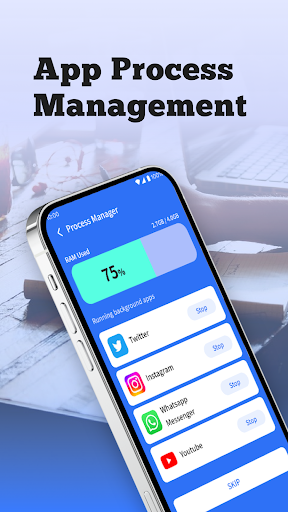
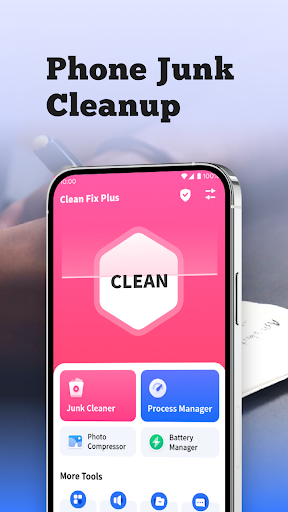
Clean Fix Plus is the kind of utility app that aims for a very specific job: help you clear out clutter, shut down idle background activity, and give you a quick glance at battery status without making the whole process feel technical. After spending time with it, my overall impression is positive. This is not some radically smarter system tool that transforms an old phone into a flagship, but it does a good job delivering the basic maintenance experience many Android users actually want. The first thing I noticed is speed. Clean Fix Plus gets to the point quickly. You open it, and it doesn’t bury the core cleaning tools behind layers of menus or try to overwhelm you with too much jargon. That matters more than it sounds. A lot of cleaner apps overcomplicate the experience or push constant prompts before you can do anything useful. Here, the interface is straightforward enough that even a casual user can understand what to tap next. Scan, review, clean. That basic flow feels smooth. In day-to-day use, the junk cleaning feature is the star. On my test runs, scans completed quickly and gave the sense that the app was focused on disposable clutter rather than trying to make every file on the device look suspicious. That restraint is important. The app presents itself as a cleaner, not an all-powerful repair wizard, and it generally behaves that way. For anyone whose phone is bloated with cache, leftover files, and app residue, Clean Fix Plus makes tidying up feel accessible instead of risky. I liked that it felt practical rather than theatrical. Another strength is that the app is easy to revisit. Some utility apps become annoying because they constantly nag, interrupt, or try to manufacture urgency. Clean Fix Plus feels lighter-touch than many apps in the category. When I came back to it for repeat scans, the process still felt fast and familiar, not like I had to navigate a maze of warnings and upsells just to free some space. That alone gives it a real advantage for people who want a maintenance tool they can use in short bursts. The extra tools are mixed, but some are genuinely useful. The battery information section is basic, but convenient. Being able to quickly check charging status and current power details from within the same app fits the overall “simple maintenance dashboard” idea. There is also background app management, which can be handy if you want a quick look at what is running and want to close obviously idle apps. These aren’t deep power-user tools, but they make sense in context and give the app a little more utility than a one-button cleaner. That said, Clean Fix Plus does have limits, and those limits matter. The biggest one is that this is still a cleaner app in 2025, which means expectations need to stay realistic. It can help remove junk and leftover files, and it may make your phone feel a bit lighter, but it is not going to fix every slowdown, cure every battery problem, or magically optimize Android beyond what the system already handles. If you go in expecting a modest cleanup tool, it performs well. If you expect a deep system tune-up, you may come away underwhelmed. Ads are the other obvious drawback. They are not unusual for a free utility app, but they do affect the experience. I never felt the app was unusable because of them, yet they are noticeable enough to break the sense of flow. A cleaner app really should feel frictionless, and ads inevitably introduce a little friction. If you only clean your phone occasionally, that may be a fair trade-off. If you are sensitive to interruptions, though, this will be one of the first things you notice. I also found that some of the broader “phone improvement” appeal can feel more cosmetic than essential. The app does the basics well, but parts of the experience still carry the familiar cleaner-app vibe of making small maintenance actions feel bigger than they are. The interface is simple and approachable, which I liked, but seasoned Android users may find that the app stops short of offering much depth. There is convenience here, not sophistication. A third weakness is that not every included feature feels equally compelling. Junk cleaning is the clear reason to install the app. Battery info is handy, and background app management is okay, but those secondary tools feel supplementary rather than standout. In other words, if the cleaning function doesn’t matter much to you, there may not be enough else here to justify keeping the app around. So who is Clean Fix Plus for? It is best for everyday Android users who want a simple, quick cleaner that doesn’t demand technical knowledge. If your phone feels a little cluttered, storage is tighter than you’d like, or you just prefer having an easy maintenance tool on hand, this app fits that role nicely. It is especially suitable for people who value speed and clarity over advanced controls. Who is it not for? If you already manage storage manually, distrust cleaner apps in general, or want deep diagnostic features, Clean Fix Plus will probably feel too basic. It is also not ideal for anyone who wants a completely ad-free experience. In the end, Clean Fix Plus succeeds because it understands its lane. It is fast, approachable, and useful for routine cleanup, and it avoids feeling overly complicated. Its weaknesses are familiar ones for the category: ads, modest depth, and the fact that phone cleaning apps can only do so much. But within those boundaries, this is one of the better-executed options I’ve used. I would recommend it to casual users who want a no-fuss cleaner, with the understanding that the app is best at maintenance, not miracles.