Apps Games Articles
Files by Google
Google LLC
Rating 4.6star icon
Editor's summary
Editor rating
star icon star icon star icon star icon
half star icon
4.5

One-line summary Files by Google is the easiest file manager and cleanup tool I’d recommend to most Android users, though power users may still bump into Android’s permission limits and a few rough edges in playback and stability.

  • Installs

    1B+

  • Developer

    Google LLC

  • Category

    Tools

  • Content Rating

    Everyone

  • Latest version

    1.1421.575590873.0-release

  • Package

    com.google.android.apps.nbu.files

Screenshots
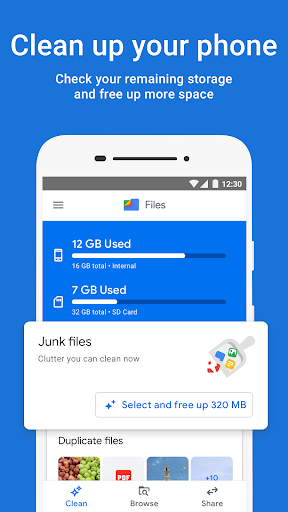
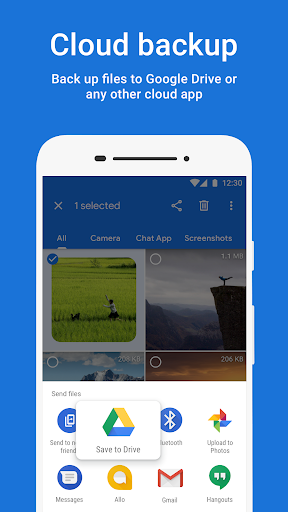
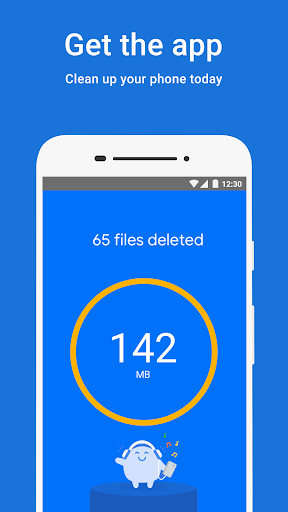
In-depth review
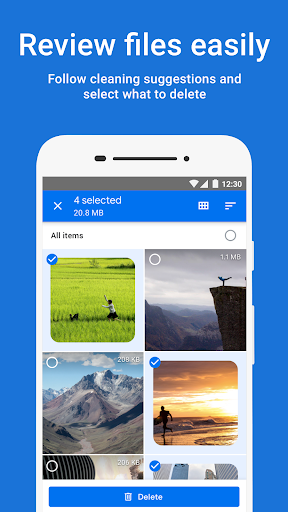
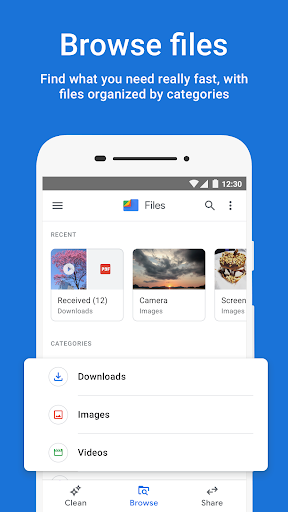
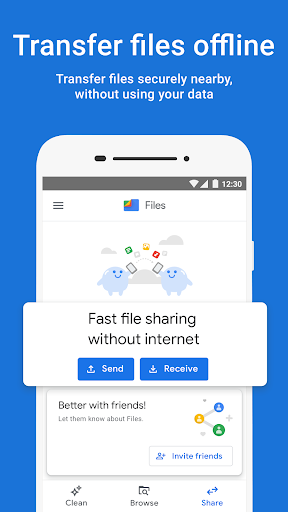
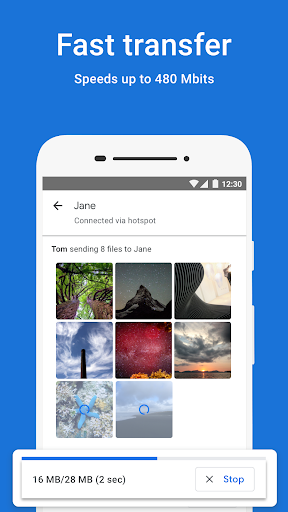
Files by Google is one of those rare utility apps that earns its place on a phone not by trying to do everything, but by making the tasks you actually do all the time feel faster, cleaner, and less annoying. After spending real time with it as a daily file manager and storage cleanup tool, my biggest takeaway is simple: this app removes friction. It helps you find what is eating your storage, move things where they belong, and get rid of clutter without turning basic file management into a chore. The first thing that stands out is the interface. Files by Google is clean in the best possible way. It does not feel bloated, and it does not bury obvious actions under layers of menus. If all you want is to browse downloads, sort through photos, move a document, or delete a batch of old videos, the app gets you there quickly. It is clearly designed for normal people, not just for Android tinkerers, and that is a genuine strength. There is very little intimidation factor here. Even when the app is recommending things to delete, it usually presents them in a way that feels understandable rather than aggressive. That cleanup experience is where the app is at its strongest. On a phone that has been used heavily for months, Files by Google is very good at surfacing the usual storage hogs: duplicates, large files, old screenshots, cached junk, and apps or files you may have forgotten about. What I like is that it does not force blind trust. You can usually inspect items before deleting them, and that matters. A cleanup app becomes dangerous the moment it starts acting like it knows better than you, but Files generally keeps the user in control. In day-to-day use, that means it is useful not just for one dramatic storage rescue, but for regular maintenance. The browsing side is also better than many default file managers that come preloaded on Android phones. Finding recent downloads, jumping into images, locating documents, or checking what is on internal storage versus an SD card feels straightforward. Search is handy, and sorting by size is especially practical when you are trying to understand why your device is suddenly complaining about space. I also appreciated that common file operations like move, copy, rename, and delete are easy to access. This sounds basic, but too many file managers either overcomplicate these actions or hide them behind cluttered interfaces. Another clear win is that Files by Google does not feel like a utility app built around monetization traps. There are no ads getting in the way, and the app keeps a light footprint. That gives it a more trustworthy feel than many file tools on Android, especially the ones that try to pad the experience with junk features you never asked for. That said, Files by Google is not perfect, and the weaknesses become more obvious the longer you use it. The biggest limitation is that this is still an Android file manager operating inside Android’s permission model. If you are the kind of user who expects old-school, unrestricted access to every corner of the file system, this app will sometimes feel constrained. In most everyday scenarios it is capable enough, but it does not always satisfy the more advanced user who wants total control over every hidden folder, every system-adjacent file, or every category of storage that a phone reports vaguely as “other.” I also found that some features feel a little uneven depending on what exactly you are trying to do. Media playback is convenient for basic listening and viewing, but it is not a universal solution for every file type. If you keep a wide mix of audio formats or more unusual files, support can be hit and miss. In those moments, Files by Google feels more like a very good generalist than a true all-purpose media and file powerhouse. The third complaint is polish at the margins. Most of the app is smooth, but not every part feels equally refined. Certain interface changes and deeper features can be a little harder to discover than they should be, and occasional buggy behavior has a way of standing out precisely because the rest of the app is so simple. When a utility app is this close to being the default recommendation for everyone, even small irritations become more noticeable. Quick Share support is useful in the right context, especially when moving files between nearby Android devices or a Chromebook without dealing with cables or cloud uploads. It is one of those features that feels invisible until you need it, and then suddenly very convenient. Backing up or moving files out to cloud storage or removable storage is similarly practical. These features do not redefine the app, but they reinforce its biggest advantage: it helps reduce friction around everyday file tasks. So who is Files by Google for? Almost every regular Android user. If your phone is constantly near full, if your downloads folder is a mess, if you want an easy way to find large files, or if your current file manager feels clumsy, this is a very easy app to recommend. It is especially good for people who want guidance without giving up control. Who is it not for? Users who want deep filesystem access, broad format support for every obscure media file, or a heavily customizable power-user file management environment may eventually outgrow it. For them, Files by Google can feel a little too curated and a little too limited. But judged for what it is meant to be, Files by Google is excellent. It is fast, approachable, practical, and genuinely useful week after week. I would not call it the most powerful file manager on Android, but I would absolutely call it one of the easiest to live with. For most people, that matters more.