Apps Games Articles
Android Ringtone Songs
Ringtone Phone App
Rating 4.7star icon
Editor's summary
Editor rating
star icon star icon star icon star icon empty star icon
4.3

One-line summary Android Ringtone Songs is easy to recommend for its huge, genuinely usable ringtone library and simple setup, but the heavy ad load and limited search experience can test your patience fast.

  • Installs

    5M+

  • Developer

    Ringtone Phone App

  • Category

    Personalization

  • Content Rating

    Teen

  • Latest version

    2.0.2

  • Package

    com.bestapp.entertainment.ringsfree

Screenshots
In-depth review
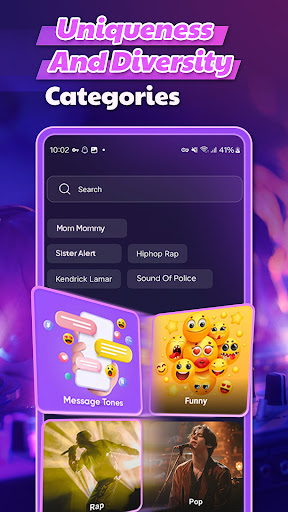
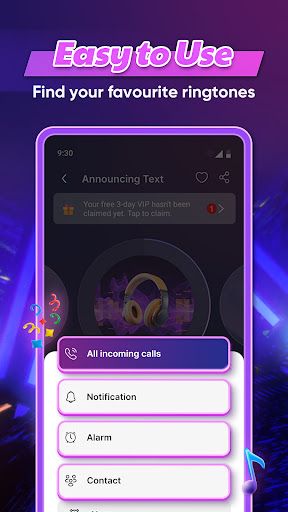
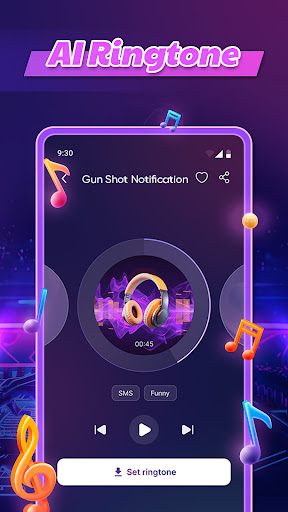
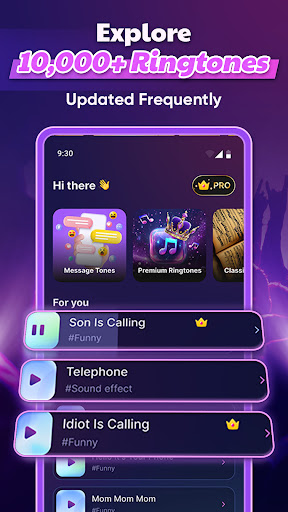
Android Ringtone Songs knows exactly what kind of app it wants to be: a straightforward, low-friction ringtone catalog for people who are tired of the same default sounds and want something more personal without having to mess around with manual file management. After spending time with it, that focus comes through clearly. This is not a flashy personalization suite or a deeply curated music discovery app. It is a practical tool for finding a ringtone, previewing it quickly, and assigning it to your phone with very little effort. The first thing that stands out in actual use is how approachable the app feels. You open it, browse categories, tap a sound, listen, and decide whether it is worth keeping. There is very little confusion about what the app is trying to do, and that matters in a utility like this. Too many ringtone apps bury the main function under clutter, aggressive upsells, or awkward download flows. Here, the basic path from discovery to setup is refreshingly direct. If you find a clip you like, the app lets you move toward setting it as a ringtone, notification, or alarm without sending you through a maze of extra steps. That ease of use is the app’s biggest strength. During testing, it felt designed for people who do not want to think very hard about file locations, audio trimming, or Android settings menus. You browse, preview, and apply. That simple flow makes the app especially friendly for casual users, older users, and anyone who just wants a new ringtone in under a minute. It also helps that the clips themselves tend to be long enough to feel like proper ringtone samples rather than abrupt, low-effort snippets. Many have a cleaner, more natural ending than expected, which makes them sound better in everyday use. The second major strength is sheer variety. The app leans heavily on the size of its library, and in practice that works in its favor. There is enough range here that most people should be able to find something that fits their style, whether they want funny sounds, familiar musical hooks, alarm tones, animal effects, or something more genre-based. The browsing experience is at its best when you are in an exploratory mood rather than hunting for one exact track. As a “show me something better than the default ringtone” app, it is genuinely effective. A third thing it gets right is convenience once you do find something you want. The ability to test tones and set them from within the app makes the whole experience feel self-contained. You are not constantly kicked out to another menu or forced to handle downloads manually. That may sound like a small detail, but it is the difference between an app people keep and an app they delete after one frustrating attempt. Still, Android Ringtone Songs is not especially elegant, and the biggest issue is impossible to ignore: ads are everywhere. This is the tradeoff that defines the app. The ringtones are effectively free if you are willing to pay with your attention, and the app asks for that attention often. Preview a tone, back out, browse another section, decide to download—there is a good chance an ad appears somewhere in that loop. In moderation, that would be tolerable. In repeated use, it becomes the app’s main source of friction. If you are the type of person who likes to compare many tones before choosing one, the interruption level can become exhausting. The second weakness is search and discovery precision. While browsing categories works reasonably well, the app feels less polished when you want something specific. It is better at helping you stumble onto a ringtone than helping you surgically locate one exact artist, song, or niche sound. That means the experience can swing from fun to frustrating depending on your goal. If you just want a fresh ringtone, great. If you already know exactly what you want and expect powerful search tools, you may come away disappointed. The third weakness is that the app’s design priority is function over refinement. It is lightweight and fast enough for what it does, but it does not feel premium in the way the best utility apps do. Between the ad pressure and the somewhat basic content-navigation feel, the app can occasionally seem more transactional than enjoyable. You are there to get a ringtone and leave, not to settle into a polished media experience. Who is this app for? It is for Android users who want a big pool of ringtone options, want them set up quickly, and are willing to tolerate ads in exchange for convenience. It is also a good fit for people who enjoy browsing categories and picking tones based on mood rather than searching with laser precision. If you want to customize calls, notifications, and alarms without learning anything technical, this app is easy to live with. Who is it not for? If you are highly ad-sensitive, demand a slick premium interface, or want advanced search for exact songs and artists, this may wear you down. It is also not ideal for users who expect a music-library experience rather than a ringtone utility. Overall, Android Ringtone Songs succeeds because it solves a simple problem well. It gives you a large library, an easy setup process, and enough variety to make your phone feel more personal again. It stumbles because it monetizes that convenience aggressively and does not always make specific content easy to find. Even so, after using it, I came away thinking the app delivers on its main promise. It is not the most graceful ringtone app, but it is one of the more practical ones, and for many Android users that will matter more.