Apps Games Articles
Maps, Navigation & Directions
Universal Nav
Rating 4.1star icon
Editor's summary
Editor rating
star icon star icon star icon
half star icon
empty star icon
3.8

One-line summary Maps, Navigation & Directions wins points for packing offline navigation and a surprising number of travel tools into one free app, but the cluttered feature mix and occasional nagging behavior make it harder to recommend without reservations.

  • Installs

    5M+

  • Developer

    Universal Nav

  • Category

  • Content Rating

    Everyone

  • Latest version

    1.24

  • Package

    maps.GPS.offlinemaps.FreeGPS

Screenshots
In-depth review
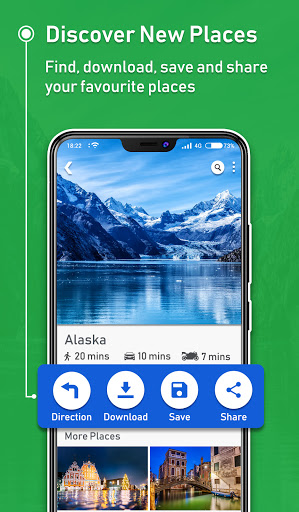
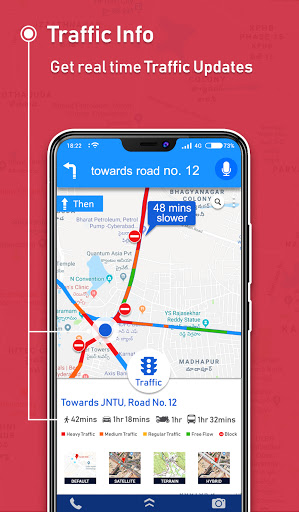
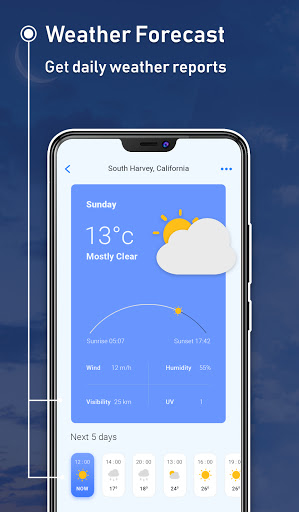
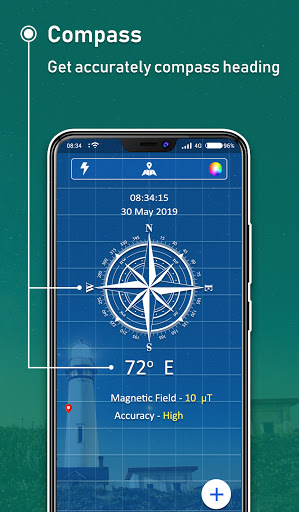
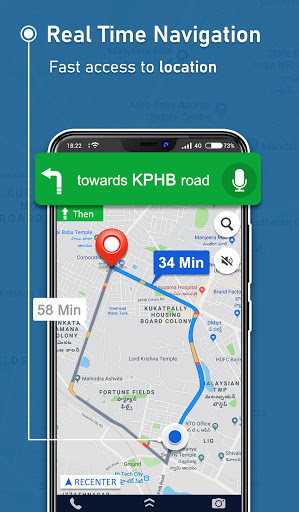
Maps, Navigation & Directions is the kind of app that tries to be more than just a way to get from A to B. After spending time with it as an everyday navigation companion, what stands out immediately is that it is not built around a minimalist, one-purpose philosophy. It wants to be your route planner, offline map companion, compass, speedometer, alarm, weather check, and general travel utility belt all at once. Depending on what you want from a maps app, that can either feel generous or a little exhausting. In day-to-day use, the app’s core appeal is clear: it gives you navigation help without leaning entirely on a constant data connection. That matters more than ever when you are traveling, moving through patchy coverage areas, or simply trying to avoid burning mobile data on every trip. In testing, the app felt most useful when used with that expectation in mind. Route guidance and map access are the headline attraction, and there is a practical convenience in knowing you can keep moving even when your connection is unreliable. For drivers and travelers who value offline support, this is the feature that gives the app its real identity. The second thing that works in its favor is how much it packs in. If you are the kind of user who likes having several travel tools under one roof, there is a lot to appreciate here. Extras like a digital compass, altimeter, area calculator, traffic-related functions, and other utility-style features make the app feel like a Swiss Army knife for navigation. During casual use, that all-in-one approach can be genuinely handy. Instead of bouncing between multiple apps, you can handle basic direction-finding and a few adjacent tasks from one place. There is also an undeniable appeal in how lightweight and straightforward the app feels at first glance. It does not present itself as a complicated, professional-grade navigation suite. It feels more like a practical app designed to get ordinary people moving quickly. That ease of use is the third major strength. For basic destination searches and route following, the app is approachable. The learning curve is not steep, and it does not demand much patience before you can start using it. Voice guidance, where available in navigation flow, adds to that sense of convenience. On a simple drive, that matters more than an impressive feature list. An app that can be opened quickly, pointed toward a destination, and trusted to talk you through the journey is already doing the most important part of the job. But this is also where the app’s limitations start to show. The first weakness is that its design feels pulled in too many directions. There is a difference between being feature-rich and feeling crowded, and Maps, Navigation & Directions sometimes lands on the wrong side of that line. Instead of a clean experience focused on the map and route, there is a constant sense that the app is trying to remind you of everything else it can do. The result is a navigation app that can feel less polished than it should. If all you want is a calm, refined mapping experience, the extra tools become visual and mental clutter. The second weakness is that the app can be annoying in use in ways that matter more than they should. Navigation software lives or dies by trust and by how unobtrusive it feels when you are on the move. Here, there are moments where the app does not feel as graceful as the best in the category. Alerts or repeated messages can become grating, especially when something goes wrong with signal handling or when you simply want the app to stop talking after a trip. That sort of rough edge sounds minor on paper, but in practice it has an outsized effect on comfort. A navigation app should reduce stress, not create new forms of it. The third weakness is that while the app is broad, it does not always feel deep. Many of the bonus features are nice to have, but they also contribute to the sense that the app is trying to win you over with quantity. The core navigation experience is decent and useful, yet not so polished that it completely eclipses specialized alternatives. In other words, the app is at its best when you treat it as a convenient free toolkit, not when you expect a premium, highly refined mapping experience. Who is this app for? It is best suited to casual drivers, budget-conscious travelers, and users who specifically want offline-friendly route access plus a bundle of extra navigation tools in one download. If you like utility apps and appreciate having things like compass-style functions and travel helpers available without installing half a dozen separate apps, this one makes sense. Who is it not for? If you prefer a clean, modern interface with a laser focus on mapping and navigation alone, this probably will not be your favorite. It is also not ideal for people who are easily irritated by repetitive alerts or by apps that feel a little busy. Overall, Maps, Navigation & Directions is a capable free navigation app with a practical offline angle and a generous pile of tools. It succeeds most when you approach it as a handy, flexible companion rather than a polished best-in-class navigator. I came away thinking it is useful, sometimes surprisingly so, but also a little rough around the edges. That keeps it from being an easy blanket recommendation, yet for the right user, especially someone who values offline access and utility over elegance, it can absolutely earn a place on the phone.
Alternative apps