Apps Games Articles
VIZIO | WatchFree+
VIZIO
Rating 4.3star icon
Editor's summary
Editor rating
star icon star icon star icon star icon
half star icon
4.5

One-line summary VIZIO | WatchFree+ is easy to recommend if you own a VIZIO TV and want a genuinely useful remote-plus-free-TV app, but it’s a less compelling download if you just want a pure live TV experience without the account setup and ecosystem focus.

  • Installs

    10M+

  • Developer

    VIZIO

  • Category

    Entertainment

  • Content Rating

    Teen

  • Latest version

    4.11.1.rc-1.20251215.22.release

  • Package

    com.vizio.vue.launcher

Screenshots
In-depth review
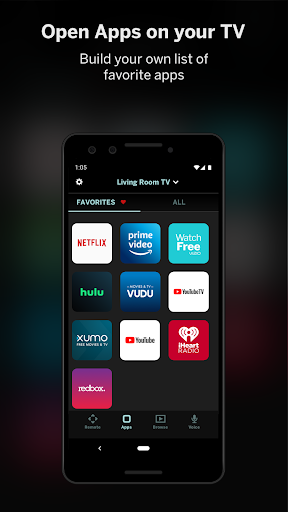
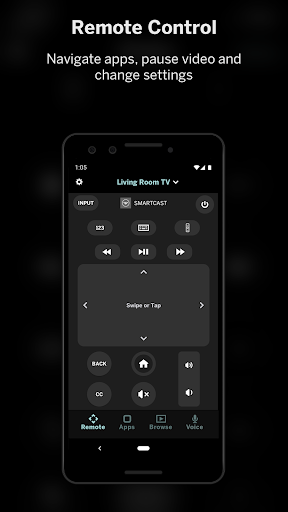
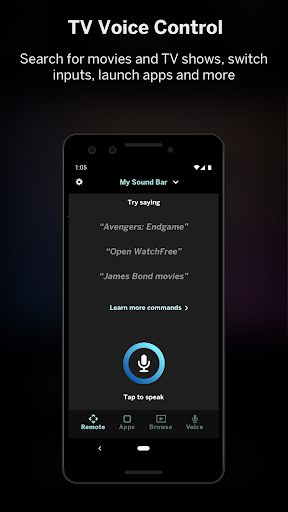
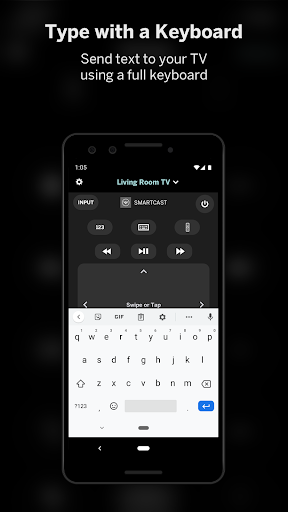
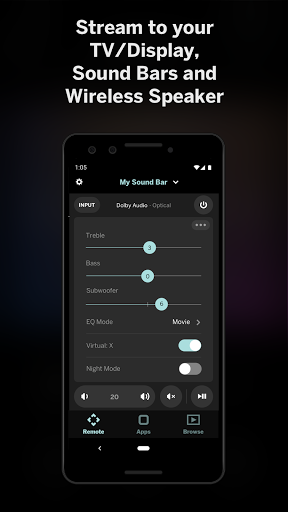
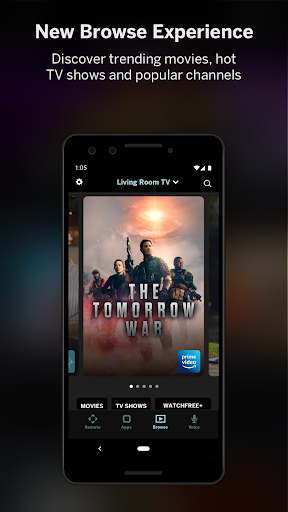
VIZIO | WatchFree+ is one of those apps that makes the most sense the moment something goes wrong in your living room. Lose the physical remote, have a button stop responding, or just get tired of juggling menus on the couch, and suddenly this app goes from optional extra to essential tool. After spending time with it as both a TV companion and a standalone free live TV app, my impression is that VIZIO has built something more useful than flashy. It doesn’t feel like a novelty. It feels like an app designed to solve everyday annoyances. The first thing that stood out in use was how practical the remote side of the app is. Pairing and controlling a compatible VIZIO device is straightforward enough that it quickly becomes second nature. Once connected, the app does exactly what you want a remote app to do: it gives you immediate control without making you think too hard. Navigation is responsive, and for basic playback, menu movement, and quick adjustments, using a phone often feels faster than hunting for the actual clicker. There’s a real convenience here that goes beyond backup use. Even when the physical remote is nearby, the app can become the one you reach for because your phone is already in your hand. The second major piece is WatchFree+ itself, and this is where the app broadens from utility to entertainment hub. Being able to stream hundreds of free live channels without needing a VIZIO TV is a smart move, and in practice it gives the app value even outside the living room. The experience feels very much like modern free ad-supported TV: quick access, lots of channels, a mix of news, movies, sports, and background-friendly browsing. It’s not curated in the way a premium service is, but that’s not really the point. The appeal is volume and accessibility. Open the app, pick something, and start watching with minimal friction once your account is set up. I also liked that the app is trying to connect the dots between discovery and control. Universal search and recommendations give it a broader role than just being a remote. Instead of only handling inputs and volume, it nudges you toward something to watch, which makes the app feel more complete. On a good day, that makes the whole VIZIO setup feel more cohesive. If you use a VIZIO TV or soundbar regularly, having device controls, content discovery, and free channels in one place is genuinely convenient. That said, the app is not perfect, and its rougher edges show up in a few predictable places. The biggest weakness is that it can feel a little too broad for its own good. There are really multiple apps living inside this one: remote control, entertainment discovery, WatchFree+ streaming, soundbar management, and extra casting/social-style functions. That sounds great in theory, but in practice it can make the experience feel busier than necessary. If all you want is a simple remote, the extra layers can feel like clutter. If all you want is free live TV, the device-control framing can make the app feel more ecosystem-driven than viewer-focused. A second drawback is that some convenience is gated behind account creation and device integration. That’s understandable, but it does reduce the immediate simplicity that the best utility apps have. There’s a difference between “download and use” and “download, sign in, connect, and learn the layout,” and VIZIO lands somewhere in the middle. It’s not difficult, but it’s also not quite as frictionless as the best single-purpose remote apps. The third weakness is that while the app is useful, it doesn’t always feel deeply refined in every corner. Certain features are excellent, especially the core remote controls and the straightforward free-TV playback, but the overall package can come across as slightly uneven. Some parts feel focused and polished; others feel more like nice extras than must-have tools. That doesn’t ruin the app, but it does keep it from feeling truly elegant. Where VIZIO | WatchFree+ works best is in real household use. If you have a VIZIO TV, this is an easy app to justify. It can save you when the hardware remote is missing, compensate for a flaky one, and add a smarter, more flexible way to control your setup. If you also have a compatible soundbar, being able to tweak audio settings from the same app makes the whole thing even more worthwhile. And if you like free live channels, WatchFree+ adds enough viewing value that the app doesn’t feel like dead weight on your phone. Who is it for? Primarily VIZIO owners, especially anyone who wants a backup remote, better day-to-day control, or a simple way to browse free live TV on mobile. It also suits casual viewers who like channel surfing without paying for another subscription. Who is it not for? People outside the VIZIO ecosystem will get less out of it, and anyone looking for a clean, minimalist live-TV-only app may find the device-centric design a bit distracting. Overall, VIZIO | WatchFree+ succeeds because it solves practical problems first and adds entertainment value second. The remote features are the real reason to install it, and they’re strong enough to carry the app. The free live TV is a welcome bonus rather than the main attraction, though for some users it may become the feature they use most. It’s not the sleekest all-in-one entertainment app I’ve used, but it is one of the more genuinely handy ones. For VIZIO households, that makes it an easy recommendation.