Apps Games Articles
App Hider-Hide Apps and Photos
Hide Apps (NO ROOT)
Rating 4.1star icon
Editor's summary
Editor rating
star icon star icon star icon
half star icon
empty star icon
3.8

One-line summary App Hider is easy to understand and genuinely useful for keeping apps and private media out of casual view, but I’d hesitate to recommend it to anyone who wants a seamless, elegant, no-compromise privacy tool.

  • Installs

    10M+

  • Developer

    Hide Apps (NO ROOT)

  • Category

    Personalization

  • Content Rating

    Everyone

  • Latest version

    3.2.0_06a706451

  • Package

    com.app.hider.master.pro

Screenshots
In-depth review
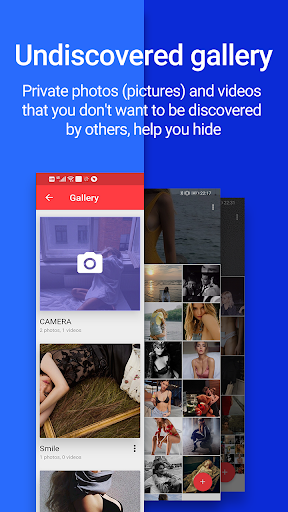
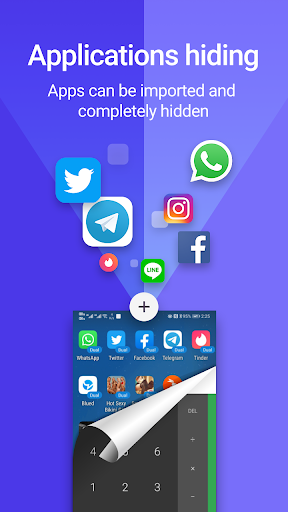
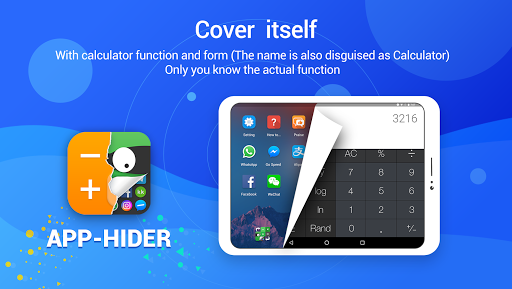
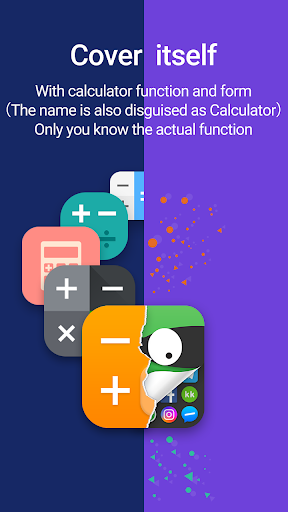
App Hider-Hide Apps and Photos is the kind of Android utility that targets a very specific everyday anxiety: not full-scale security, but privacy from curious eyes. After spending time with it as a practical tool rather than a gimmick, my impression is that it succeeds more often than it fails. It is useful, approachable, and surprisingly functional for a free app, but it also carries the rough edges that are common in this category. If you go in expecting a polished, invisible extension of Android, you will probably come away slightly frustrated. If you go in wanting a simple way to tuck away sensitive apps and personal photos from casual access, it does a respectable job. The first thing that stood out in use was how straightforward the app feels conceptually. Privacy tools can sometimes overwhelm people with jargon, layered permissions, and menus that make basic actions feel technical. App Hider does not really lean in that direction. Even without overthinking it, the purpose is clear from the moment you start using it: create a private space, move selected content into it, and keep that content away from the normal view of the phone. That clarity is one of the app’s biggest strengths. It lowers the barrier for people who are not especially tech-savvy but still want a bit more control over what is visible on their device. In day-to-day use, the most convincing part of the experience is the basic privacy workflow. Hiding apps or keeping private photos separate feels practical rather than theatrical. This is not one of those apps that seems designed only for novelty value. There is a real everyday audience for it: people who share a device with family, lend a phone to friends, or just do not want their gallery and app drawer telling their whole story at a glance. Used in that context, App Hider feels genuinely helpful. You stop thinking about the app itself and start appreciating the simple fact that certain things are no longer sitting out in plain sight. Another strength is that the app appears to be built around convenience rather than complexity. In my time with it, that made it easier to return to than many privacy tools that demand too much setup discipline. The interface is not beautiful in a premium, modern-design sense, but it is generally readable and functional enough to keep you moving. Buttons tend to communicate their purpose clearly, and the app is usable without a long adjustment period. For a utility app, that matters. You are not here for visual drama; you are here to get in, hide what you need, and move on. A third positive is that the app combines two kinds of privacy needs in one place: apps and photos. That sounds obvious from the name, but in practice it makes the tool more convenient than having separate solutions for media and app-level privacy. For many people, that combination is enough to make the app worthwhile. It centralizes a common set of concerns into a single, understandable tool. That said, App Hider never completely escapes the feeling that you are using a workaround rather than a deeply integrated feature. That is its biggest weakness. The experience can feel slightly artificial, as if you are managing a private environment alongside your phone instead of simply extending the phone’s own privacy controls. For some users, that is fine. For others, especially those who want everything to feel seamless and native, this will be the point where the app loses its appeal. It works, but it does not always feel elegant. The second issue is polish. While the app is mostly easy to navigate, it does not consistently deliver the refined smoothness that would make it feel premium or invisible. There are moments where the interface seems more functional than thoughtfully designed, and that affects confidence. With privacy tools, trust is partly about clarity and partly about how solid the app feels in your hands. App Hider is not confusing, but it can feel a bit utilitarian. That is acceptable for a free app, though not especially impressive. The third weakness is that this kind of app naturally asks for a degree of patience from the user. If you expect one-tap magic, you may be disappointed. Managing hidden content is inherently less direct than using your phone normally, and App Hider does not fully remove that friction. You are making a trade-off: more privacy in exchange for a slightly less natural routine. During testing, that trade-off felt reasonable, but it was always present. I would not recommend it to someone who wants background simplicity and never wants to think about the system again. So who is this app for? It is for Android users who want practical privacy from everyday snooping, not necessarily enterprise-grade security or a beautifully minimal experience. It is especially suitable for people who want one app to handle both hidden apps and private photos without a steep learning curve. It is also a decent fit for users comfortable with utility-style Android apps that prioritize purpose over polish. Who is it not for? It is not for users who want a deeply native-feeling privacy layer, nor for people who are extremely sensitive to interface roughness or extra steps in their workflow. If you want your privacy solution to feel effortless, elegant, and completely integrated into the phone’s normal behavior, this app may feel a little too mechanical. Overall, App Hider-Hide Apps and Photos earns its place by being useful first. It does not feel luxurious, and it does not fully disappear into the Android experience, but it addresses a real need in a practical way. I came away thinking of it as a solid, imperfect privacy utility: not the kind of app you rave about for its design, but the kind you keep installed because it solves a problem you actually have.
Alternative apps