Apps Games Articles
Control Center Simple
TD Application
Rating 4.7star icon
Editor's summary
Editor rating
star icon star icon star icon star icon
half star icon
4.5

One-line summary Control Center Simple is easy to recommend if you want faster access to everyday phone controls with almost no learning curve, but it is less appealing if you dislike overlay-style utilities or want something that feels deeply integrated with the system.

  • Installs

    50M+

  • Developer

    TD Application

  • Category

    Personalization

  • Content Rating

    Everyone

  • Latest version

    1.1.1

  • Package

    com.tools.control.center.simplecontrol

Screenshots
In-depth review
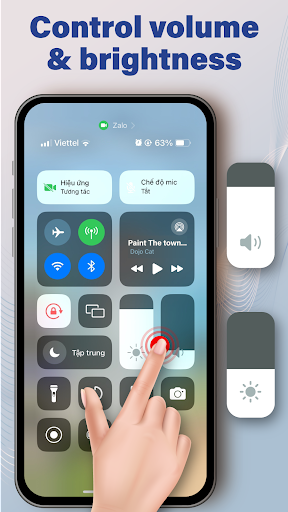
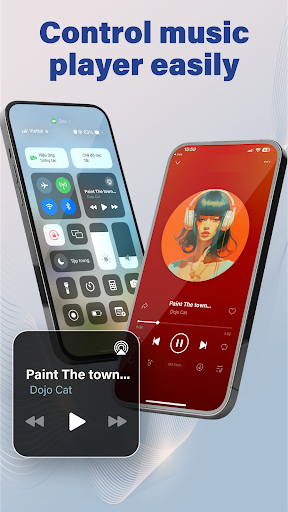
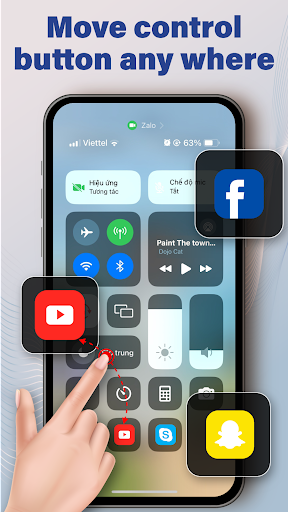
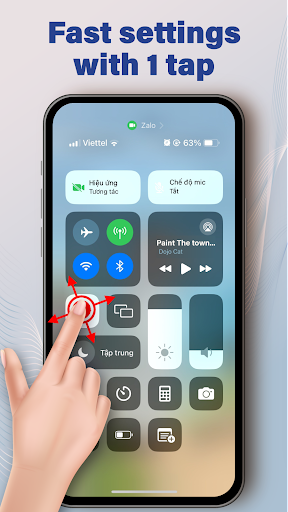
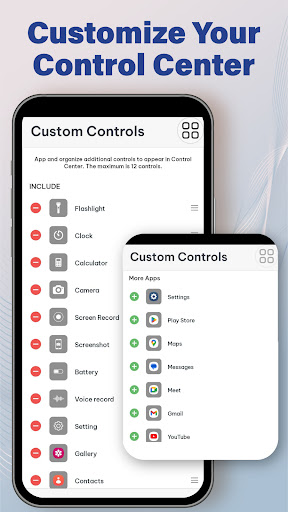
Control Center Simple is one of those Android utility apps that lives or dies by a very basic question: does it make your phone feel quicker and easier to use, or does it just add another layer between you and the settings you already have? After spending time with it as a daily-use utility rather than a novelty install, I came away mostly impressed. It does what a control-center app should do: it puts common toggles and shortcuts within easy reach, and it does so in a way that feels lightweight enough to keep around. The first thing that stood out in actual use was how little mental effort the app demanded. Apps in this category can become fiddly very quickly, especially when they are overloaded with customization or try too hard to mimic another platform. Control Center Simple feels more practical than showy. The basic interaction is straightforward, and once it is set up, reaching for frequent controls becomes a habit almost immediately. That ease of adoption is easily one of its biggest strengths. You do not spend your first hour wondering where things are or trying to decode a complicated layout. It is meant to save taps, and in routine use it generally succeeds. The second thing I liked was the convenience factor in everyday moments. Over a few days of using it, the app proved most useful in exactly the small situations where Android’s usual navigation can feel one step longer than necessary: adjusting quick settings, jumping to common functions, or accessing controls without digging through menus. That may sound minor on paper, but this category is built on shaving off friction. If you are someone who constantly tweaks settings throughout the day, that convenience adds up fast. It makes the phone feel more responsive to you, even though the underlying system has not changed. A third strength is that the app seems designed to appeal to people who want utility first. The experience feels approachable rather than technical. You do not need to be a power user to understand why it exists. In that sense, it is a solid recommendation for mainstream users who want a simpler way to reach everyday controls, older users who benefit from predictable access points, or anyone who likes the idea of a quick-access overlay without spending time customizing every detail. That said, Control Center Simple is not perfect, and its downsides are tied directly to the same design choices that make it easy to use. The first weakness is that overlay-based tools are always balancing convenience against intrusion. In my use, there were moments when the app felt genuinely helpful and moments when it felt like one more thing sitting on top of Android. If you like your phone to behave exactly as the manufacturer intended, or if you are sensitive to anything that changes the feel of navigation, this kind of app may bother you more than it helps. Even a well-behaved control panel can occasionally feel like an extra layer rather than a natural extension of the OS. The second weakness is that simplicity can cut both ways. While the app’s straightforward design is part of its appeal, it also means people looking for a highly tailored experience may find it a little limited in spirit. This is not the kind of utility that feels exciting or endlessly flexible. It is focused on being accessible and immediate. For many users, that is exactly right. For enthusiasts who want deep control over every visual and behavioral detail, the experience may feel functional rather than exceptional. The third complaint is more about long-term fit than any obvious failure: this is an app you need to feel improving your routine every day, or else it starts to feel optional. During testing, when I was actively using quick toggles often, it felt useful. On lighter-use days, I was more aware that Android already provides its own paths to many of these actions. That does not make Control Center Simple redundant, but it does mean the app is best for people who value speed and shortcut access enough to justify a persistent utility. If your phone habits are minimal and you rarely touch settings, the benefit may not feel dramatic. Performance-wise, the app left a positive impression simply because it stayed out of the way when I wanted it to and was fast enough to become part of muscle memory. That matters more than flashy design in this category. A control-center app should feel dependable, not theatrical. Control Center Simple largely understands that. It does not try to reinvent Android; it tries to smooth out repetitive interactions. Who is it for? It is for users who want fast, familiar access to everyday controls, people who enjoy practical phone customization, and anyone who finds the default path to common settings slightly slower than they would like. It is especially good for users who value convenience over complexity. Who is it not for? It is not for minimalists who dislike overlays, users who prefer the stock Android experience untouched, or people expecting a deep, system-level transformation. If you want your utilities invisible or perfectly native-feeling, this app may always feel a bit separate from the operating system. Overall, Control Center Simple earns its high rating by being exactly what its name suggests: simple, accessible, and useful often enough to justify its place on the phone. It does not feel revolutionary, but it does feel handy. And for a utility app meant to save time in small but frequent ways, that is a very good outcome.
Alternative apps
  • Assistive Touch for Android
  • Mi Control Center
  • Power Shade