Apps Games Articles
APUS Launcher: Theme Launcher
APUS Group
Rating 4.5star icon
Editor's summary
Editor rating
star icon star icon star icon
half star icon
empty star icon
3.9

One-line summary APUS Launcher is easy to like if you want a fast visual refresh and lots of themes, but I’d hesitate to recommend it to anyone who prefers a clean, minimal Android home screen without extra clutter.

  • Installs

    100M+

  • Developer

    APUS Group

  • Category

    Personalization

  • Content Rating

    Everyone

  • Latest version

    3.10.88

  • Package

    com.apusapps.launcher

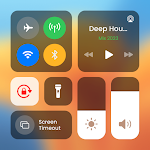
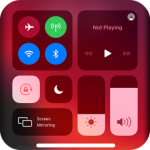
Screenshots

In-depth review
APUS Launcher: Theme Launcher is the kind of Android app that makes a strong first impression. The moment I installed it and switched over from a more standard home screen setup, it was obvious what the app is trying to do: make your phone feel livelier, more customized, and a bit more visually exciting than the default launcher that ships with many devices. If your main reason for installing a launcher is to change the personality of your phone, APUS immediately speaks your language. In day-to-day use, the biggest strength of APUS Launcher is how quickly it transforms the look of the device. You do not need to spend an hour tweaking icon packs, gestures, folders, and page layouts before seeing results. It feels designed for instant gratification. The interface leans heavily into themes and a stylized presentation, so even a few minutes of setup can make an older phone feel refreshed. That ease matters, especially for casual users who want a different look without learning the deeper customization logic that some more enthusiast-oriented launchers expect. The second thing that stood out during use was that APUS generally feels light on its feet. Navigation across home screens, opening the app drawer, and settling into a new arrangement all felt reasonably quick. I would not call it the most elegant launcher I have used, but it rarely felt sluggish in normal use. That matters because launchers live at the center of the Android experience. If they are slow, you feel it constantly. APUS succeeds by keeping things responsive enough that its visual flair does not immediately become a burden. A third strength is that it clearly knows its audience. This is not a launcher pretending to be stock Android. It is aimed at people who enjoy visual change, decorative themes, and a busier style of home screen. In that sense, it has a consistent identity. If you like your phone to feel expressive rather than restrained, APUS offers a more playful experience than the default launcher on many devices. It can make the phone feel less generic, and for some users that alone is a major win. That said, living with APUS for more than a quick setup session also reveals its trade-offs. The biggest issue is that the interface can feel over-eager. There is a fine line between helpful customization and too much happening at once, and APUS does cross that line at times. Depending on your taste, the home screen can feel crowded rather than curated. It is not that the app lacks personality; it is that the personality can become a little loud. For users who want a simple, quiet launcher that gets out of the way, APUS is probably the wrong fit. The second weakness is that the polish is uneven. Some parts of the experience feel slick and intentionally designed, especially when you are applying visual changes and moving around the launcher for the first time. But as I spent more time with it, I noticed that the overall experience is not always as refined as the strongest launchers in the category. It works, and it often works well, but there are moments where it feels more focused on making an impression than on delivering a deeply streamlined workflow. The third complaint is tied to long-term usability. A launcher is not just something you admire for a day; it is something you rely on dozens or even hundreds of times daily. APUS can be fun in short bursts, but if your priorities are efficiency, low distraction, and a predictable layout, its design approach may wear thin. I found myself appreciating the customization while also wanting a little more restraint. That tension defines the app: it is enjoyable when you are in the mood for flair, but less impressive when judged purely as a productivity-first home screen. Who is this app for? It is for Android users who are bored with their current home screen, want a free launcher, and care more about themes and visual variety than about a minimalist interface. It is also a reasonable choice for people with older devices who want their phone to feel refreshed without diving into complicated manual setup. APUS is approachable, and that accessibility is part of its appeal. Who is it not for? If you prefer a clean, stock-like Android experience, value calm design, or want a launcher that fades into the background while you work, APUS may feel too busy. It is also not the best fit for tinkerers who want precise, granular control over every small behavior and aesthetic detail in a more disciplined interface. Overall, APUS Launcher earns respect because it delivers on its core promise: it gives Android a quick, visible makeover and makes customization feel easy. I enjoyed how fast it could change the mood of a device, and I think that explains its broad appeal. But I also came away feeling that its strongest qualities are also its limitations. The same boldness that makes it exciting can make it feel cluttered, and the same emphasis on style can sometimes come at the expense of calm, long-term usability. I would recommend it to users who want their phone to look lively and different right away. I would be more cautious with anyone who wants a launcher that feels invisible, efficient, and quietly refined.