Apps Games Articles
Themes - Wallpapers & Widgets
Lutech Ltd
Rating 4.6star icon
Editor's summary
Editor rating
star icon star icon star icon star icon empty star icon
4.4

One-line summary Themes - Wallpapers & Widgets is easy to recommend if you want a fast visual refresh for your phone, but I’d hesitate if you dislike busy design apps or anything that slows a simple wallpaper change into a longer browsing session.

  • Installs

    50M+

  • Developer

    Lutech Ltd

  • Category

    Personalization

  • Content Rating

    Everyone

  • Latest version

    152

  • Package

    com.lutech.theme

Screenshots
In-depth review
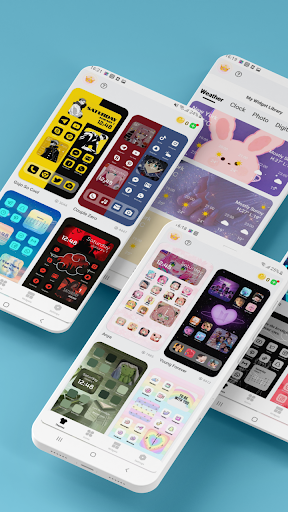
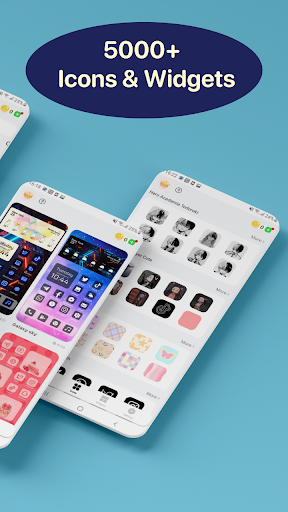
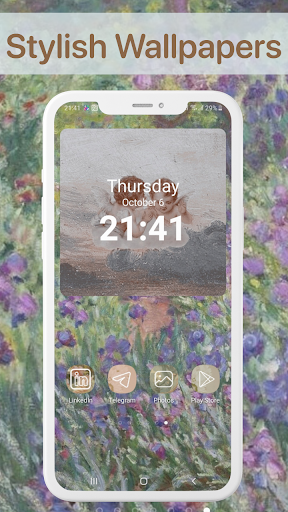
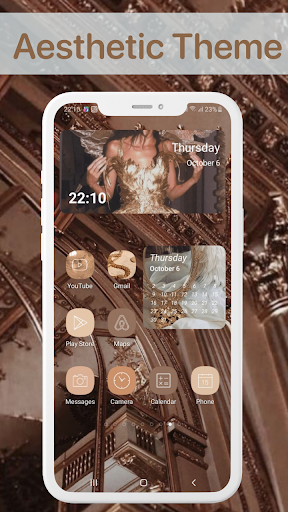
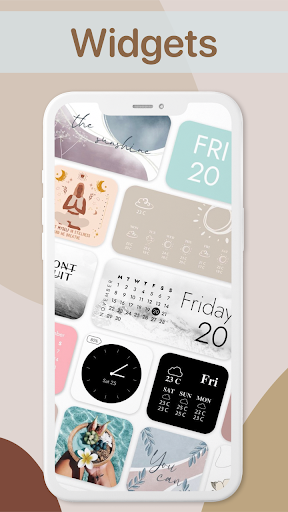
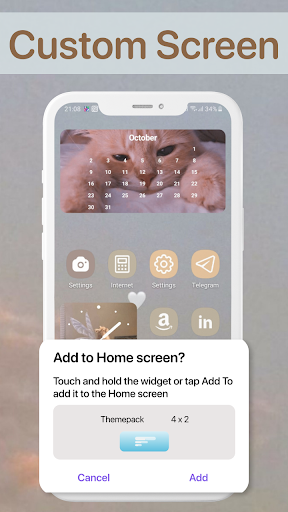
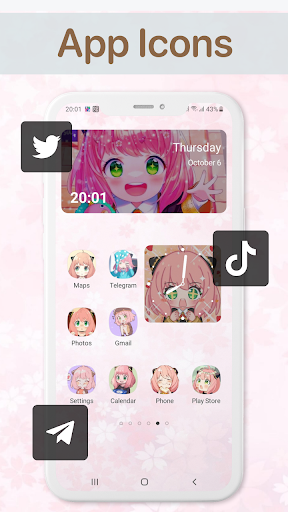
Themes - Wallpapers & Widgets is the kind of Android customization app that knows exactly why most people install it: they are bored with how their phone looks and want a faster, more stylish way to change it without digging through multiple apps. After spending time with it, that purpose comes through clearly. This is not a utility-first app built for minimalists. It is a visual playground designed to help you reshape the look of your home screen with wallpapers, themed elements, and widgets in one place. The first thing that stood out in daily use was how approachable it feels. Many customization apps make a strong first impression with flashy previews, then become awkward once you actually try to apply something. Here, the general flow is easier to grasp than expected. Browsing is straightforward, categories are obvious enough to move through quickly, and the app makes a solid effort to keep the focus on visuals rather than menus. That matters because this kind of app lives or dies by how quickly it gets you from “I want a new look” to “my phone now feels different.” On that front, Themes - Wallpapers & Widgets does a good job. The app’s biggest strength is variety. If you like rotating your setup often, it gives you enough style options that the experience does not feel repetitive right away. Some customization apps feel like they are showing the same aesthetic in slightly different colors. This one gives off a broader mood board feel. Whether you lean toward cleaner looks, softer designs, or more eye-catching themes, there is enough here to make browsing feel rewarding. I found myself opening it not because I urgently needed a wallpaper, but because it was easy to keep discovering combinations that made the phone look fresher. Its second strength is convenience. Having wallpapers and widgets grouped under one umbrella makes the app more useful than a simple wallpaper gallery. Even when I did not want to completely redesign my screen, I could still use it to make smaller cosmetic tweaks. That makes it practical for everyday users, not just phone-customization hobbyists. The app lowers the effort involved in changing your setup, and that convenience is a large part of its appeal. The third strength is that it generally understands presentation. In a category where visual overload is common, this app is polished enough to stay engaging. The preview-driven browsing experience makes sense for the content, and the app does a decent job of selling the end result before you commit to changing anything. It feels built to inspire casual experimentation, and that works in its favor. That said, using Themes - Wallpapers & Widgets also highlighted a few familiar pain points that come with highly visual personalization apps. The first is that the app can feel a little too eager to keep you browsing. If your goal is simply to grab one wallpaper and be done, the experience can feel more drawn out than necessary. There is a difference between rich selection and excess scrolling, and at times the app lands closer to the latter. I enjoyed the range, but I also had moments where I wanted the app to get out of the way and let me finish faster. The second weakness is that the overall style leans heavily toward aesthetic-first design, which will not work for everyone. If you want a restrained, utility-focused customization tool, this may feel too decorative. Some screens and design choices give the impression that the app wants to be part showroom, part toolkit. That is fun when you are in the mood to browse, but less appealing when you want quick, practical control. In other words, the app is strongest when you treat customization as entertainment, not just maintenance. The third issue is that apps in this category can sometimes create a small gap between preview excitement and actual home-screen satisfaction, and I felt that here too. A wallpaper or widget may look great inside the app’s polished presentation, but once applied, the real-world result depends heavily on your icon pack, launcher setup, and phone layout. That is not exactly the app’s fault, but it does affect the experience. You still need a bit of personal taste and patience to make everything feel cohesive. This is not a one-tap miracle for every phone. In day-to-day use, I found Themes - Wallpapers & Widgets most enjoyable in short sessions. Open it when your phone feels stale, browse for a few minutes, try a new look, and close it. Used that way, it is satisfying. It gives you a sense of novelty without demanding much technical knowledge. I would especially recommend it to younger users, style-conscious Android owners, and anyone who likes changing their home screen often but does not want to piece everything together manually from multiple apps. I would not recommend it as strongly for people who prefer a minimal, distraction-free experience or for users who almost never customize their devices. If your ideal wallpaper app is simply a fast list of images with no extra flair, this one may feel too busy for your taste. Likewise, if you are very particular about having a perfectly coordinated setup, you may enjoy the browsing but still find yourself doing additional work outside the app to get the exact result you want. Overall, Themes - Wallpapers & Widgets succeeds because it makes phone customization feel accessible, attractive, and low-effort. It is not the most stripped-down experience, and it can sometimes turn a simple task into a longer aesthetic detour, but that is also part of its charm. For the right user, it makes changing your phone’s look feel less like a chore and more like a habit you actually enjoy.