Apps Games Articles
Easy Mail - Email Launcher
App Lab Studios
Rating 4.1star icon
Editor's summary
Editor rating
star icon star icon star icon star icon empty star icon
4.1

One-line summary Easy Mail is genuinely handy if you want your inbox one swipe from the home screen, but its launcher-first design will be a deal-breaker for anyone who just wants a normal email app without changing how their phone works.

  • Installs

    1M+

  • Developer

    App Lab Studios

  • Category

    Personalization

  • Content Rating

    Everyone

  • Latest version

    1.02.52

  • Package

    com.applabstudios.ai.mail.homescreen.inbox

Screenshots
In-depth review
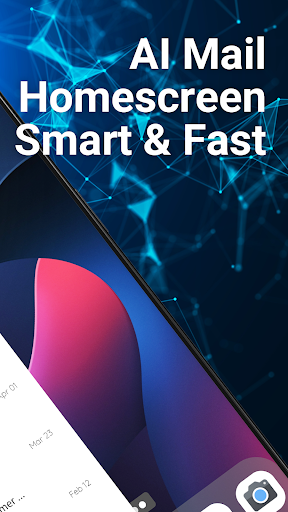
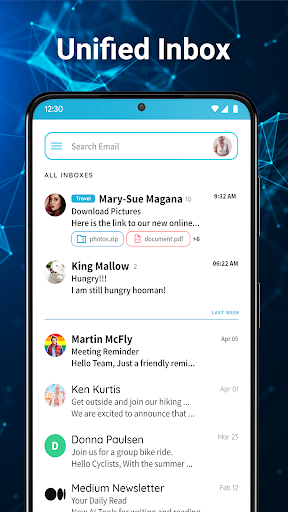
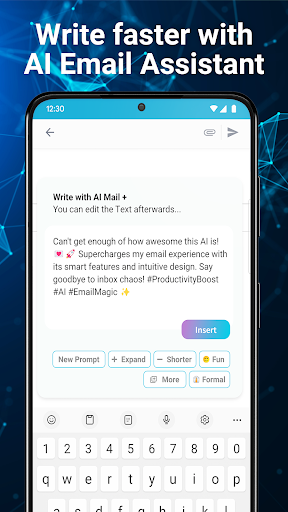
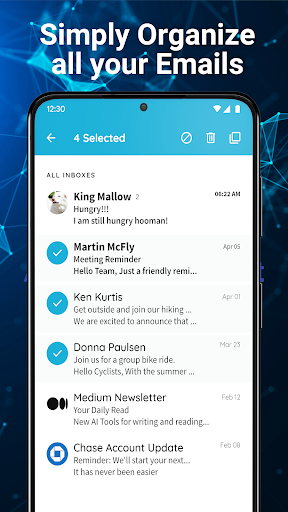
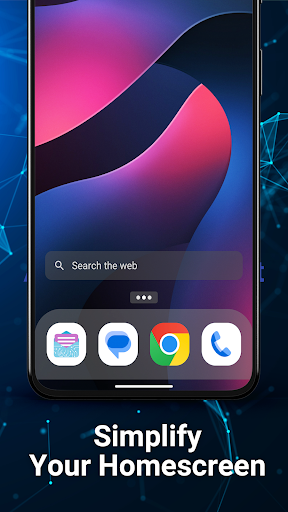
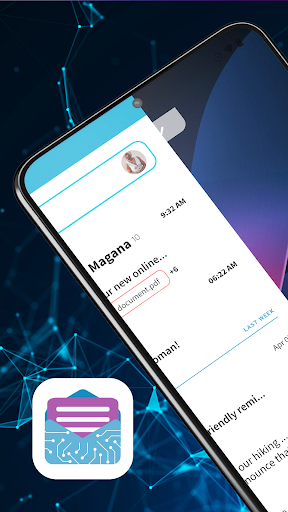
Easy Mail - Email Launcher is not really trying to be just another inbox app, and that becomes obvious within the first few minutes. This is a launcher-style experience built around email, which means the app changes the rhythm of using your phone rather than simply giving you another place to read messages. After spending time with it, that distinction ended up being both its biggest strength and its biggest source of friction. The core idea is smart. Instead of treating email like a destination you open and close all day, Easy Mail tries to make it part of your home screen flow. Swiping into the inbox feels quick and immediate, and on a busy day that convenience does matter. If you live in your email, the app can shave off a lot of the tiny annoyances that come from jumping between launcher, app icon, inbox, and back again. That swipe-access design is the best thing here: it lowers the mental cost of checking mail and makes unread messages feel more visible without being buried in a conventional app grid. What surprised me most in daily use was how approachable it feels. There are plenty of apps in this category that overcomplicate the promise of productivity, but Easy Mail mostly keeps things understandable. The basic navigation is easy to grasp: home screen, swipe for inbox, swipe up for apps, pull for content. It does not take long to understand what the app wants your phone experience to be. For users who struggle with cluttered layouts or who simply want a more obvious path to their inbox, that simplicity is a real advantage. Another strong point is the multi-account angle. The app is clearly designed for people juggling several email addresses, and it makes that use case feel central rather than bolted on. The idea of a unified inbox paired with quick account switching is useful in practice, especially if you move between personal and work mail throughout the day. I also liked that the app’s overall tone is focused on speed and clarity rather than visual excess. It feels more functional than flashy, which is the right choice for something you may open dozens of times a day. The AI writing assistance is the most modern piece of the package, and while it is not the reason I would install Easy Mail, it does fit the app’s theme of reducing friction. If you often dash off replies from your phone, having help to rephrase or tighten a message can save time. It is not a revolutionary feature on its own, but in an app that is all about making email easier from the phone’s front door, it makes sense. That said, Easy Mail comes with a big condition: you have to be comfortable with the launcher concept. This is not a light-touch utility sitting quietly inside your existing setup. It wants to be part of how your phone works. For some people, that is exactly the appeal. For others, it will feel intrusive. If you already love your current home screen, widget layout, gestures, and visual organization, switching to an email-centered launcher may feel like overkill. I found the convenience compelling, but I also felt the trade-off immediately. You are not just adopting an inbox tool; you are accepting a different home screen philosophy. That leads to the app’s first real weakness: it can feel too broad for users who only wanted email convenience. There is an app drawer, a content feed, search integration, and a larger launcher structure around the inbox. Some of this is useful, but some of it also creates the sense that the app is trying to become your environment rather than just solve your mail problem. If your ideal email app is one that stays in its lane, Easy Mail may feel like it asks for too much. The second weakness is that the interface occasionally prioritizes accessibility over precision. It is easy to understand, but not always elegant. At times, the experience feels a little blunt rather than refined, especially if you are used to more mature mail clients with tightly tuned message views and controls. The app’s convenience is obvious, yet there were moments when it felt more like a practical utility than a polished communication workspace. The third drawback is that some features around the launcher ecosystem may distract from the clean email-first promise. The content feed and search tools may be welcome for users who want a central hub, but I found them less compelling than the inbox itself. They broaden the app, but they also dilute its focus. Easy Mail is at its best when it helps you get to mail fast and stay organized; it is less convincing when it tries to be your all-in-one home screen companion. So who is this for? It is best for Android users who check email constantly, manage multiple accounts, want simpler navigation, and do not mind letting an app reshape the home screen experience. It is especially good for people who find standard phone layouts messy or inefficient and who want their inbox visible and close at hand. Who is it not for? Anyone who is attached to their current launcher, wants a traditional email client, or prefers a minimal app that does not influence the rest of the phone experience should probably look elsewhere. If the idea of changing your home screen for better email access sounds excessive, that instinct is probably right. In the end, Easy Mail succeeds because its main idea works. Having email just a swipe away is useful, and the app makes that feel easier than expected. But it also asks for a fairly specific kind of commitment. If the launcher-based approach clicks with you, this can feel like a genuinely practical productivity upgrade. If it does not, the same design will feel like an unnecessary takeover. For the right user, it is clever and convenient. For everyone else, it may simply be too much app around the inbox.
Alternative apps