Apps Games Articles
Text Font Generator
Dricodes
Rating 4.2star icon
Editor's summary
Editor rating
star icon star icon star icon star icon empty star icon
4.3

One-line summary Text Font Generator is an easy, surprisingly versatile styling toolbox for bios, nicknames, and decorative text, but its plain interface and a few clumsy interactions keep it from feeling truly polished.

  • Installs

    5M+

  • Developer

    Dricodes

  • Category

    Personalization

  • Content Rating

    Everyone

  • Latest version

    2.7.0

  • Package

    com.dricodes.fontgenerator

In-depth review
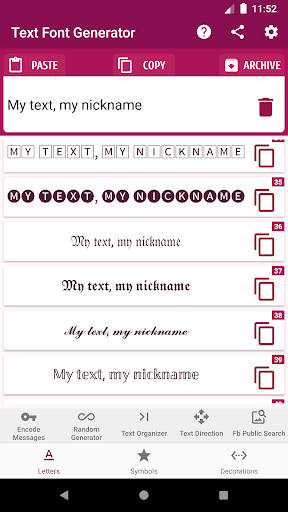
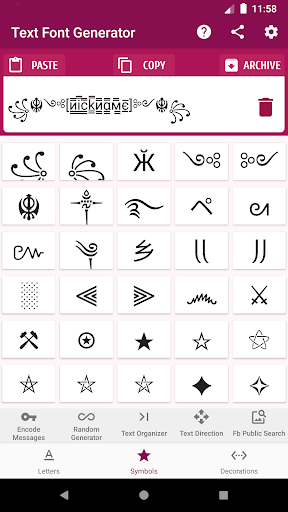
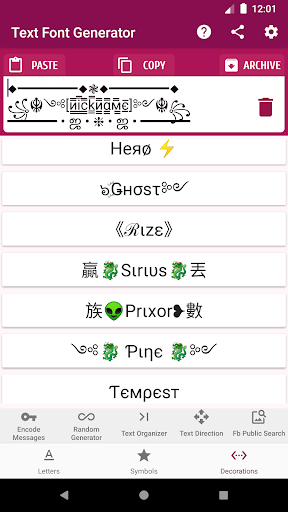
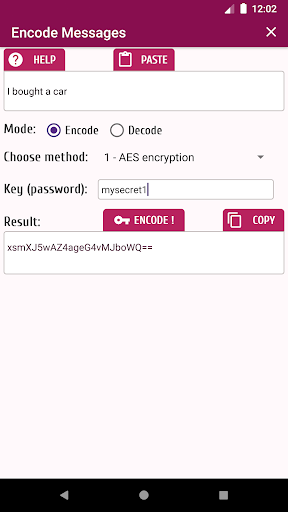
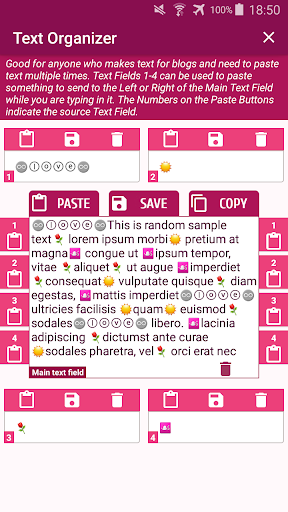
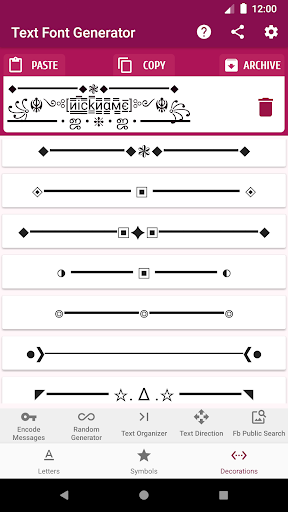
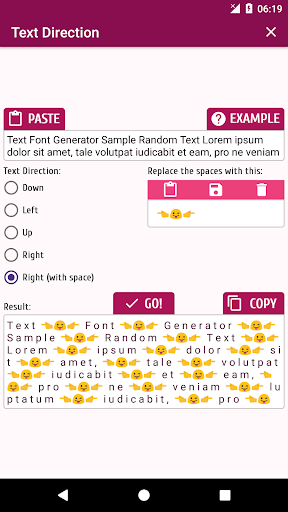
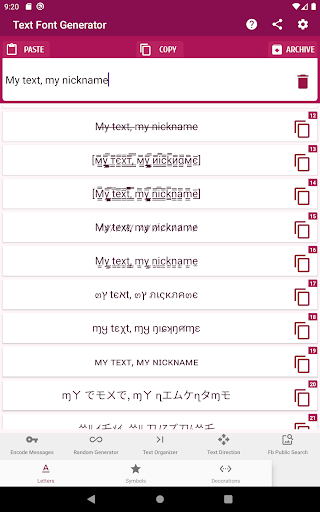
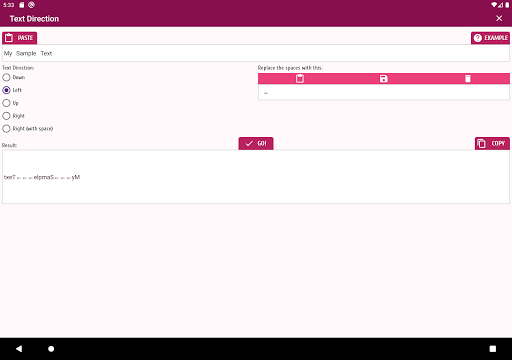
Text Font Generator is one of those Android utilities that does not look flashy at first glance, but becomes more useful the longer you spend with it. I went in expecting a basic fancy-text converter for social bios and game names. What I found instead was a broader text toolbox: font styles, symbols, decorative elements, directional text tweaks, and even a small set of classic encryption and cipher tools. That extra range gives it more staying power than the average novelty font app. In day-to-day use, the app’s biggest strength is that it gets to the point quickly. You type text, browse through stylized variations, and copy what you want. There is very little mystery to the workflow. If your main goal is to make an Instagram caption look cleaner, create a more decorative nickname for a game, or build a more eye-catching profile bio, the app is effective almost immediately. I never felt like I had to fight through a complicated setup or a bloated tutorial just to produce results. The font output is the obvious draw, and it does the job well enough for casual use. You get a healthy mix of clean Unicode transformations, playful stylized lettering, spacing effects, and decorative options that help text stand out without forcing you into one aesthetic. Some styles are subtle enough for a profile or status line; others are dramatic enough for gaming aliases or fandom communities. Alongside that, the symbols section adds real value. Instead of hunting online for obscure icons, arrows, stars, borders, or ornamental characters, you can grab them in one place and quickly combine them with your text. That convenience matters more than it sounds. A second strength is that the app feels broad without becoming overwhelming. The extras could have easily turned it into a cluttered mess, but most of the add-ons make sense within the theme of text customization. The text direction tools, for example, are niche, but useful if you want to create vertical-ish spacing, unusual layouts, or decorative formatting. The text organizer is also more practical than it sounds. If you repeatedly paste the same prefixes, suffixes, or decorative pieces around a main phrase, having helper fields nearby saves time. It is a small workflow feature, but one that makes the app feel built by someone who actually writes and rearranges stylized text often. The encryption and cipher tools are the most unusual part of the package. They are not a reason alone to download the app, but they do make it feel more distinctive than many font generators. If you want to encode a note, use a Caesar or Vigenère-style transformation for fun, or simply experiment with text beyond appearance, these tools are a nice bonus. I would not treat the app as a serious security suite, but as an educational and casual utility feature, it is genuinely interesting to have here. That said, the app is not especially elegant. Its biggest weakness is presentation. The interface feels functional first and stylish second, and sometimes not stylish at all. Menus and controls do the job, but they do not create a premium or modern impression. That is not fatal for a utility app, but it does affect how smooth the experience feels. This is the kind of app you use because it is handy, not because it is beautifully designed. The second issue is that not every generated style will display consistently everywhere. That is partly the nature of Unicode-based font apps rather than a failure unique to this one, but it still affects the user experience. Some characters look great inside the app and copy cleanly, while certain platforms, games, or older devices may fail to show them as intended. If you are creating names for social apps, games, or messaging platforms, you will need some trial and error. In other words, the app can generate plenty of stylish text, but it cannot guarantee universal compatibility. The third annoyance is that a few interactions feel a little too easy to trigger. During testing, I found the workflow mostly fast, but not always forgiving. Actions around clearing or replacing text can be irritating if you are moving quickly, especially when you are experimenting with longer text blocks. This is not a deal-breaker, but it does make the app feel slightly rough around the edges. A better sense of spacing, confirmation, or protection around destructive actions would help. Ads are present, but in my use they were not so aggressive that they overshadowed the app. More importantly, the app remains usable as a free tool, which is exactly what a font generator should be. This is not the sort of utility where you want every tap interrupted. Who is this app for? It is for people who regularly dress up text: social media users, gamers making nicknames, blog writers who like decorative formatting, and anyone who frequently copies symbols or fancy text into other apps. It is also a good fit for users who enjoy having multiple text-related tricks in one place instead of installing separate symbol, font, and cipher apps. Who is it not for? If you want a sleek keyboard replacement that applies styles system-wide as you type, this is not that kind of experience. It is also not ideal for anyone who needs guaranteed compatibility across every platform, or for users who want a minimalist, polished design-first app. Overall, Text Font Generator succeeds because it is useful more often than it is annoying. It may look plain, and it occasionally reminds you that it is a utility rather than a refined design product, but it offers a lot in one free package. For making bios prettier, nicknames more distinctive, and plain text less boring, it is easy to recommend.
Alternative apps