Apps Games Articles
Find Phone Anti-theft No Touch
Esame Marketing Limited
Rating 4.4star icon
Editor's summary
Editor rating
star icon star icon star icon star icon empty star icon
4.2

One-line summary Find Phone Anti-theft No Touch is easy to set up and genuinely useful for finding a misplaced phone or deterring casual snooping, but its alarm-based tricks can feel noisy, hit-or-miss, and a little gimmicky if you expect flawless detection.

  • Installs

    10M+

  • Developer

    Esame Marketing Limited

  • Category

    Personalization

  • Content Rating

    Everyone

  • Latest version

    1.4.5

  • Package

    com.findphone.clap.antitheft.donttouch.alarm

Screenshots

In-depth review
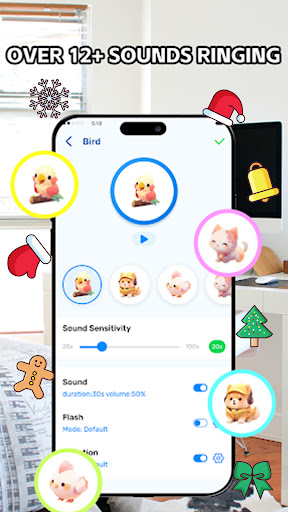
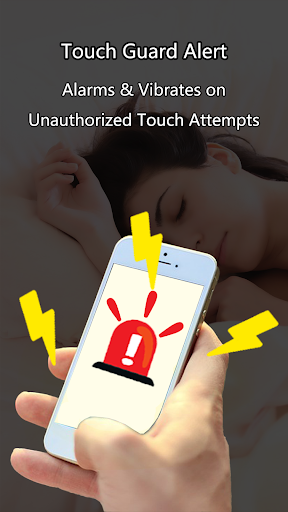
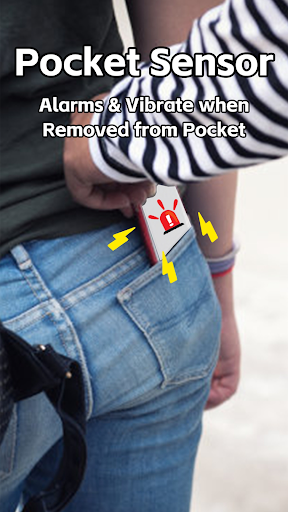
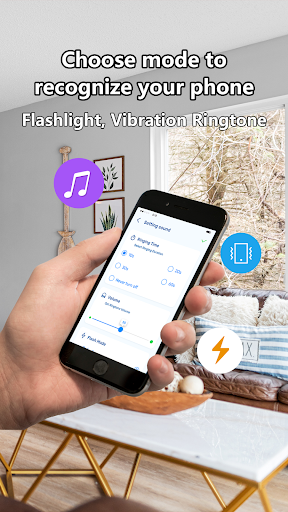
Find Phone Anti-theft No Touch is one of those Android utilities that sounds slightly silly until you actually live with it for a few days. A phone-finder that reacts to claps or whistles, plus anti-theft tricks like touch alerts and pocket detection, sits right on the border between practical tool and novelty app. After spending time with it in everyday situations around the house and while moving around with the phone in a pocket or on a table, I came away thinking it is more useful than its playful branding suggests, even if it is not nearly as magical as the title implies. The first thing this app gets right is approachability. You do not need to dig through a maze of menus to understand what it does. The core modes are straightforward: make the phone ring when you clap or whistle, trigger an alarm when someone touches it, and sound off when it is removed from a pocket or covered space. That simplicity matters because this is the kind of app people install when they are already frustrated. If you have just misplaced your phone between couch cushions or you want a quick deterrent while napping, the last thing you want is a complicated setup process. Here, getting started is fast, and the controls are easy enough that most people will understand them immediately. In actual use, the app’s biggest strength is that it addresses very common, very ordinary problems. I found the clap-and-whistle locator most useful at home, where phones have a habit of disappearing into blankets, bags, or the wrong room. When it works, it feels wonderfully low-effort: make a noise, hear the alarm, follow the sound. That convenience is the main reason this app earns a recommendation. There is also something reassuring about the anti-touch mode. Leave your phone on a desk, arm the feature, and there is at least an audible consequence if someone picks it up out of curiosity. It is not enterprise-grade security, but for casual environments it can be enough to make a snoop think twice. Pocket mode is the app’s most ambitious idea and, in the right scenario, probably its most appealing one. The concept is simple: keep the phone covered in a pocket, and if someone removes it, the alarm starts. In practice, it feels like a situational feature rather than an always-on safety net. I could imagine using it while traveling or in a crowded setting where you want a little extra peace of mind. It adds a layer of awareness that stock Android does not really provide in this specific form. As a lightweight anti-theft deterrent, it has real appeal. That said, living with the app also exposes its limitations quickly. The biggest weakness is consistency. Sound-triggered features like clap and whistle detection are inherently sensitive to environment, microphone quality, background noise, and how your particular phone handles audio input. In a quiet room, results can be fairly solid. In messier real-world conditions, they become less predictable. Sometimes it responds quickly; sometimes you find yourself repeating the sound louder or closer than you expected. This does not make the app useless, but it does mean you should treat it as a convenience feature, not a guaranteed rescue system. The second weakness is that the app can become annoying faster than you expect. Its whole job is to make noise, and it does that enthusiastically. If the selected alarm sound is not to your taste, or if the volume feels underwhelming on your device, the experience can swing between too shrill and not loud enough. That balance matters more than it sounds on paper. A phone-finder alarm needs to be unmistakable without becoming unbearable, and this app sometimes lands a little awkwardly in that space. The good news is that there are settings to explore, and spending a few minutes there improves the experience considerably. The third issue is that some of the anti-theft framing oversells what is basically a deterrent app. “Don’t touch” and pocket alerts are useful, but they are not substitutes for proper phone security features like lock screens, tracking from system tools, or remote device management. If you install this expecting ironclad theft protection, you are going to be disappointed. It is better understood as an attention-grabbing alarm layer that helps in everyday situations: a friend reaching for your phone, a coworker picking it up, or someone casually trying to move it. For serious loss or theft, this is only one small part of the toolkit. I also noticed that the app’s personality is a little louder than its design maturity. There is a cheerful, almost playful quality to the feature set that makes it accessible, but it also gives parts of the app a slightly gimmicky feel. The passcode-by-voice idea, for example, sounds clever in theory, though features like this depend heavily on surrounding conditions and your expectations. The app works best when you stick to the simple use cases it can support reliably rather than treating every feature as equally dependable. Who is this app for? It is for forgetful users, busy households, students, travelers who want a basic alarm deterrent, and anyone who regularly misplaces their phone at home. It is also a decent fit for people who value quick setup over deep technical complexity. Who is it not for? Anyone expecting military-grade anti-theft protection, perfectly accurate sound recognition in noisy environments, or a polished utility that always works invisibly in the background without any fuss. Overall, Find Phone Anti-theft No Touch succeeds because it solves a real annoyance with almost no learning curve. Its strongest moments are small but practical: the phone rings, you find it, problem solved. Its weakest moments come from inconsistency and the unavoidable bluntness of alarm-based security. If you go in with realistic expectations, this is a handy, often effective utility. If you expect precision and reliability under all conditions, it will feel more like a clever trick than a must-have safeguard.
Alternative apps