Apps Games Articles
Easy Homescreen
Homescreen Apps
Rating 3.9star icon
Editor's summary
Editor rating
star icon star icon star icon star icon empty star icon
4.2

One-line summary Easy Homescreen is an easy recommendation for anyone who wants bigger buttons and less clutter, but I’d hesitate if you dislike setup friction, emergency shortcuts, or a launcher that can feel a little too opinionated.

  • Installs

    10M+

  • Developer

    Homescreen Apps

  • Category

    Personalization

  • Content Rating

    Everyone

  • Latest version

    1.8.44

  • Package

    easy.launcher

Screenshots
In-depth review
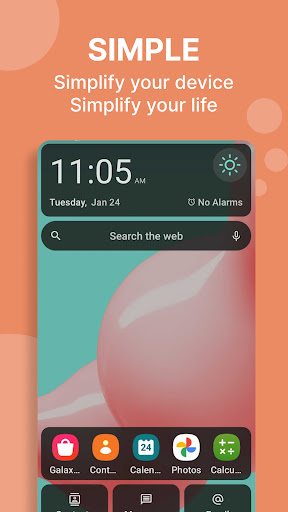
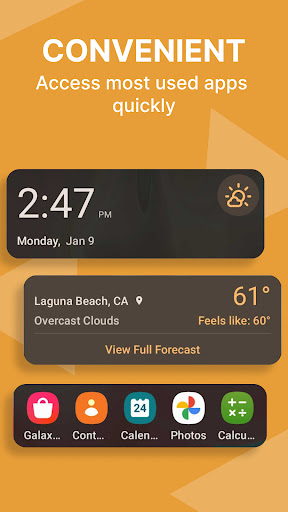
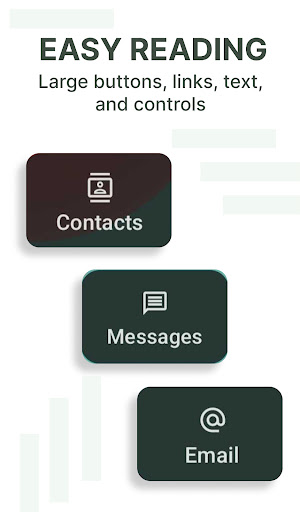
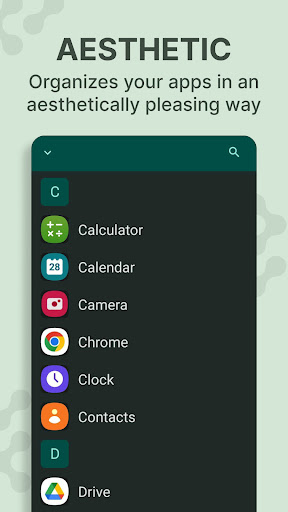
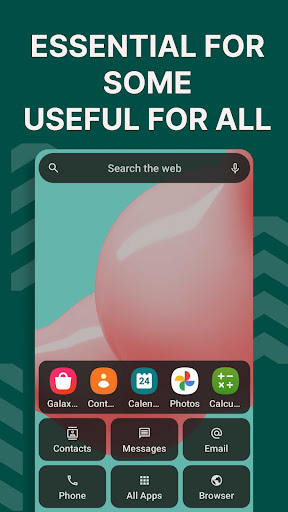
Easy Homescreen is one of those Android apps that makes its case within the first few minutes. The moment I switched over to it as my main launcher, the appeal was obvious: larger targets, cleaner grouping, less visual noise, and a layout that tries hard to remove the tiny annoyances that make some phones feel busier than they need to be. This is not a launcher aimed at people who want to endlessly tweak grids, gestures, and animations for sport. It is built for people who are tired of hunting for apps, tired of cramped icons, and tired of a home screen that somehow manages to look full even when it is supposed to be helping you get things done. In daily use, its biggest strength is simply readability. Text is easier to parse at a glance, buttons are comfortably large, and important functions are surfaced in a way that reduces hesitation. I never felt like I was squinting or trying to tap a tiny icon with surgical precision. That sounds basic, but it changes the mood of using a phone. Easy Homescreen makes Android feel calmer. Instead of treating the home screen like a canvas for decoration, it treats it like a control panel. For seniors, users with vision issues, shaky hands, or anyone overwhelmed by the default Android sprawl, that approach feels thoughtful rather than patronizing. The second thing it gets right is organization. During my time with it, I found the “frequently used apps first” philosophy genuinely useful. The apps I cared about most stayed close at hand, and the launcher did a good job of making the phone feel more predictable. That matters more than flashy customization. A launcher succeeds when it lowers friction, and Easy Homescreen often does exactly that. Opening messages, jumping into common apps, and getting back to regular tasks felt faster because there were fewer choices competing for my attention. The guided feel of setup is another plus. This is not a launcher that dumps you into a blank screen and expects you to understand what changed. It tries to walk you through the basics, and that makes the transition easier than many launcher replacements. Even if changing your launcher initially feels disruptive, Easy Homescreen does a decent job of reducing that anxiety. Once it is in place, it feels less like a novelty and more like a practical accessibility layer over Android. That said, Easy Homescreen is not friction-free. My first complaint is that setup can still feel more involved than it should for an app whose whole identity is simplicity. There is enough onboarding and permission-style hand-holding to make less patient users wonder why “easy” requires so much getting started. None of it is especially complex, but the app does ask for a degree of buy-in up front. If you enjoy switching launchers and already know your way around Android settings, you will likely tolerate it. If you are setting this up for someone who is already intimidated by phones, the beginning may require help. My second issue is that some parts of the interface feel a little overprotective or too assertive. The emergency swipe element, in particular, is the sort of feature that can reassure one person and unsettle another. In practice, I understand why a launcher focused on ease and safety would surface emergency access prominently. But there is a thin line between accessibility and anxiety, and this is one place where Easy Homescreen edges closer to the latter. It made me more conscious of accidental gestures than I wanted to be. Third, while the app pitches customization with fonts, icons, and themes, it does not always feel as flexible as power users may hope. This is a launcher that shines most when you accept its structure. If you want deep control over widget sizing, fine-grained layout adjustments, or a highly tailored information feed, you may hit its limits faster than expected. The customization exists, but the soul of the app is guided simplicity, not infinite control. That is a sensible tradeoff for its target audience, though it still means some users will outgrow it. I also noticed that Easy Homescreen works best when you lean into its worldview. If your ideal Android setup is quiet, legible, and direct, it feels refreshing. If your ideal setup is dense, information-rich, and fully personalized down to every corner of the screen, it can feel restrictive. That is the dividing line. Who is it for? It is for seniors, accessibility-minded users, people with hand or vision strain, and anyone who finds standard Android launchers too cluttered. It is also for users who want a phone to feel organized without investing time in learning launcher jargon. It is not for hardcore Android tinkerers, minimalists who want total manual control rather than guided simplification, or anyone who gets irritated by onboarding steps and strong UI suggestions. After living with it, I came away with a favorable impression. Easy Homescreen succeeds because it solves a real problem in a tangible way. It makes the phone easier to read, easier to tap, and easier to navigate. That is more valuable than many launchers that offer beauty without relief. At the same time, it is not perfect: the setup has some friction, a few safety-oriented interface choices can feel awkward, and its customization ceiling is lower than enthusiasts may want. Still, as a practical launcher for clarity and comfort, it does what its name promises more often than not.