Apps Games Articles
fitpro
Shenzhen Jusheng Intelligent Technology Co., Ltd.
Rating 3.2star icon
Editor's summary
Editor rating
star icon star icon star icon empty star icon empty star icon
3.4

One-line summary Fitpro is easy to forgive when it finally clicks—it's a capable companion for ultra-budget Bluetooth bands, but the setup friction and rough edges make it hard to recommend to anyone who expects plug-and-play polish.

  • Installs

    100M+

  • Developer

    Shenzhen Jusheng Intelligent Technology Co., Ltd.

  • Category

    Tools

  • Content Rating

    Everyone

  • Latest version

    2.4.2

  • Package

    cn.xiaofengkj.fitpro

In-depth review
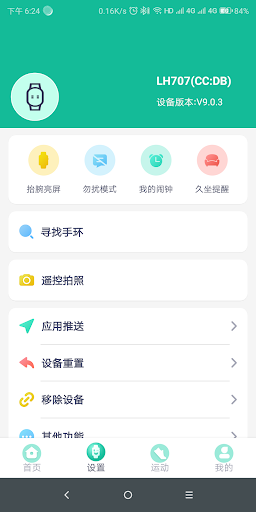
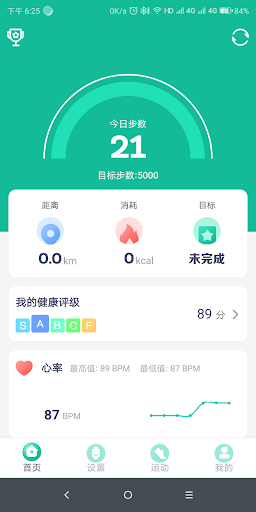
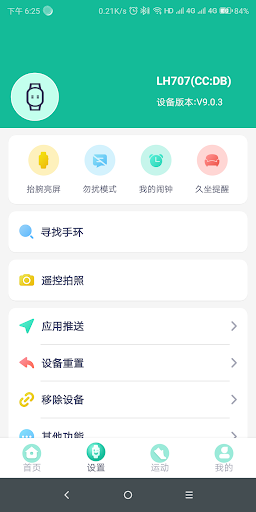
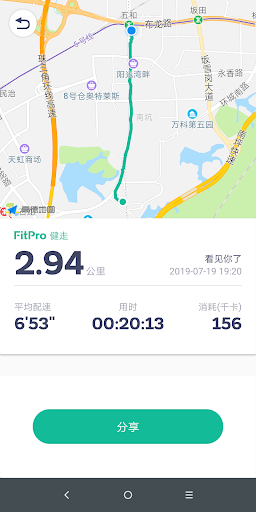
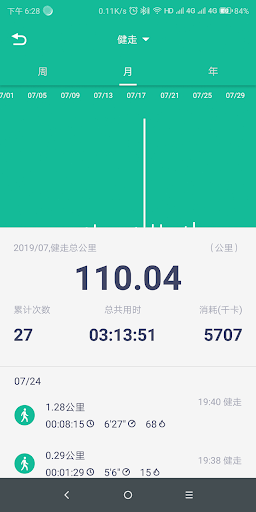
Fitpro feels exactly like the kind of app you end up downloading when you buy an inexpensive smartwatch or fitness band online and discover that the hardware is only half the story. I spent time pairing it with a low-cost Bluetooth wearable, living with it for daily step counting, sleep tracking, notifications, alarms, and the usual “what can this cheap smart band actually do?” curiosity. My takeaway is pretty simple: Fitpro can absolutely do the job, but it often makes you work harder than you should. The first thing that defines the Fitpro experience is setup. This is not one of those fitness apps where the onboarding feels guided, modern, and foolproof. The app expects you to understand a few things that many casual buyers simply will not know on instinct: Bluetooth needs to be on, location access may need to be enabled for device discovery, and in many cases the wearable should be bound inside the app rather than paired through the phone’s standard Bluetooth menu. Once I approached it that way, the connection process became much more logical. But before that moment, it felt messier than necessary. Fitpro is usable, but it does not hold your hand, and that is its first major weakness. Once paired correctly, though, the app settles down and becomes far more pleasant than its reputation might suggest. The core dashboard is built around the basics: daily steps, sleep data, and a handful of watch-related tools. None of this feels premium, but it is lightweight, responsive enough, and easy to check at a glance. That simplicity is actually one of Fitpro’s best qualities. It doesn’t bury fitness basics under a mountain of social features, subscriptions, or unnecessary fluff. If your goal is to see whether you moved enough today, check last night’s sleep window, and make sure calls or message alerts reach your wrist, Fitpro gets there quickly. I also liked that the app makes budget hardware feel more useful than you might expect. Alarm controls, find-device features, raise-to-wake settings, and watch face options give the wearable a little more personality and practicality. On a cheap band, even small touches matter, and Fitpro does a decent job turning a bare-minimum tracker into something that feels a little smarter. For the right buyer, that is the second big strength: it gives low-cost wearables enough software support to feel worth using. Day-to-day syncing is a mixed bag, but not a disaster. After the initial bind, the app generally reconnected without much drama as long as Bluetooth was on and permissions were left alone. I did run into the occasional moment where the watch and app needed a nudge, usually by reopening Fitpro or rebinding after a hiccup. That inconsistency is the second major weakness. Fitpro is not the kind of app that inspires total confidence in the background. It can work fine for stretches, but it also has that faintly fragile quality common to companion apps made for very inexpensive wearables. Fitness and wellness tracking here should be treated as general guidance, not precision instrumentation. Step counts were useful for broad daily awareness, though not always convincing enough to treat as exact. Sleep tracking was more interesting than impressive: helpful for seeing patterns, less helpful if you expect rich analysis or highly polished insights. Some wearable-linked health metrics may appear in the app depending on your device, but this is not a medical platform and it absolutely should not be treated like one. Used casually, the data is fine for trends and habit-building. Used seriously, it quickly shows its limits. The third strength is value alignment. Fitpro makes sense when you judge it in context. If you bought a very cheap smartwatch and just want the basics to work, the app can be surprisingly serviceable. Notifications can come through, alarms can sync, activity data appears, and the overall experience can feel “good enough” in a way that matches the hardware. I would not call it elegant, but I would call it functional. Where it stumbles again is interface polish and customization consistency. The app looks utilitarian, and some parts of the experience feel underexplained. Certain settings are not where you first expect them to be, and features like watch face handling or time-format behavior can feel quirky depending on the device you connect. That is the third big complaint: Fitpro often works, but it rarely feels refined. It gives you the sensation of software that was built to support many low-cost devices first and deliver a seamless user journey second. So who is Fitpro for? It is for bargain hunters, casual fitness users, and people who bought an entry-level smart band mainly for steps, sleep, notifications, and a few everyday convenience features. If you are patient, willing to troubleshoot once, and realistic about what budget wearables can deliver, Fitpro is perfectly usable. Who is it not for? Anyone who wants smooth onboarding, dependable premium-grade syncing, deeply trustworthy health data, or a beautifully designed app should look elsewhere. If your tolerance for fiddly setup is low, Fitpro will test it. In the end, Fitpro is neither a hidden gem nor a complete mess. It is a practical, sometimes clumsy companion app that can be better than expected after a frustrating first hour. If you meet it on its own terms, it works. If you expect polish, precision, and hand-holding, it will disappoint.
Alternative apps