Apps Games Articles
Starbucks
Starbucks Coffee Company
Rating 4.8star icon
Editor's summary
Editor rating
star icon star icon star icon star icon
half star icon
4.5

One-line summary Starbucks is one of the best fast-food ordering apps on Android for customization and rewards, but a few rough edges—like occasional feature quirks and less-than-transparent item pricing before checkout—keep it from being perfect.

  • Installs

    10M+

  • Developer

    Starbucks Coffee Company

  • Category

    Food

  • Content Rating

    Everyone

  • Latest version

    6.117

  • Package

    com.starbucks.mobilecard

Screenshots
In-depth review
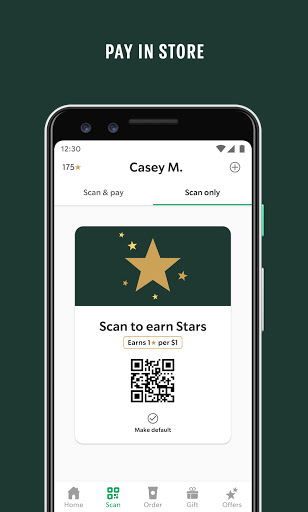
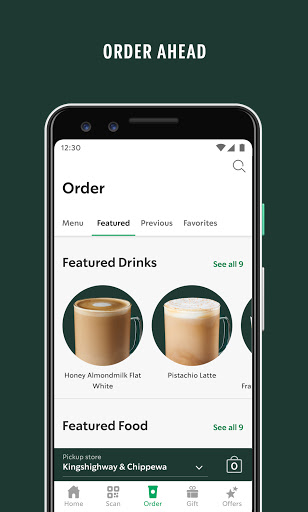
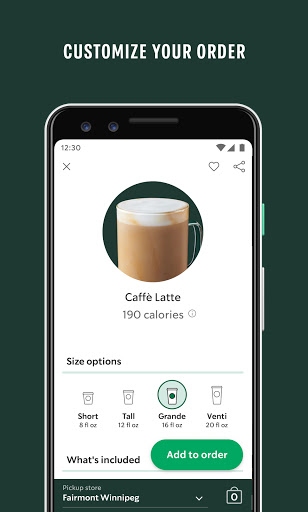
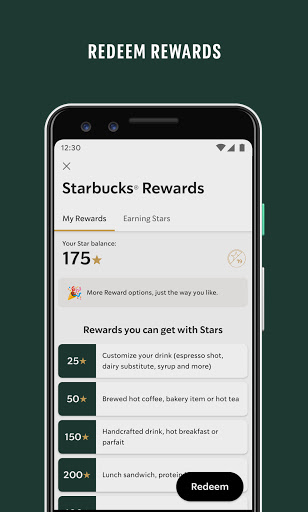
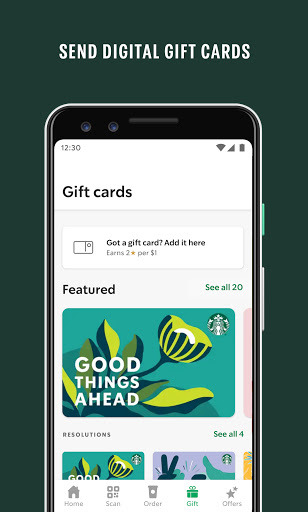
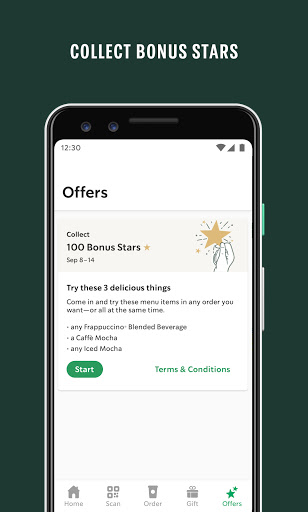
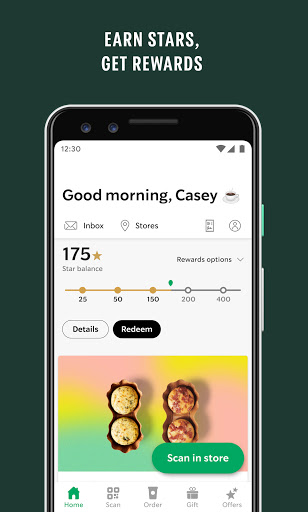
After spending real time with Starbucks on Android, I came away with the same conclusion I rarely reach with big-brand retail apps: this one is genuinely useful, not just obligatory. It doesn’t feel like a marketing wrapper built around a loyalty card. It feels like a practical tool for people who order regularly and want less friction between craving a drink and having it in hand. The app’s biggest win is how well it handles the Starbucks experience as it actually happens in daily life. You open it, pick a store, browse a menu that is organized clearly enough to get in and out quickly, and customize drinks with the level of control Starbucks customers expect. That customization flow matters more than it sounds. In many food apps, add-ons and modifiers feel buried or clumsy, but here they are central to the experience. Changing size, milk, espresso shots, syrups, toppings, or temperature is straightforward, and the app does a good job of making a complex product catalog feel manageable. If you are the kind of person with a very specific drink order, this is where the app earns its place on your phone. What surprised me most was how smooth the overall ordering process feels. Reordering past drinks is fast, favorites are easy to reach, and choosing a pickup store is usually painless. In everyday use, that translates to less time standing in line and fewer chances for verbal miscommunication. If you have ever tried to explain a highly customized drink in a noisy cafe or drive-thru, ordering through the app feels like a quality-of-life upgrade. It is especially good for commuters, office regulars, and anyone who tends to order the same few drinks repeatedly. The rewards integration is the other major strength. Starbucks has built the app so that payment, points, and perks are all part of one flow rather than separate tasks. You don’t have to think much about tracking Stars, loading funds, or applying rewards; the app keeps your balance visible and makes the loyalty system feel immediate. I also liked how gift cards and stored payment methods are brought into the same ecosystem. For regular customers, this turns the app from “nice to have” into the default way to pay. Features like auto reload or quick manual reload make the system convenient, especially if you use Starbucks often enough that topping up a balance becomes routine. There is also a lot to like in the surrounding details. Store lookup is useful, hours are generally easy to find, and the app surfaces store-specific availability well enough that ordering feels grounded in what that location can actually make. Nutrition information is another smart touch. If you care about calories, sugar, or just understanding what changes when you tweak a drink size, the app gives you more visibility than a typical coffee counter menu ever will. That makes it more helpful than a simple ordering app; it can also function as a planning tool. Still, Starbucks is not flawless, and some of its annoyances stand out precisely because so much else is polished. The first weak point is pricing transparency. While the app is excellent at customization, it is less elegant about showing exactly what things cost before you commit them to the bag. For an app built around tweaking drinks, that can make the process feel slightly opaque. You can shape the perfect order, but sometimes the total lands a little later than you might want. The second weakness is that feature consistency does not always feel airtight. Most of the time the app runs smoothly, but there are hints of the classic large-app problem: some functions can be finicky, certain features seem to behave differently than expected, and occasional update-related hiccups are hard to ignore. This is not an app that feels broken in normal use, but it does feel like one that sometimes carries more complexity than it cleanly manages. The third complaint is that Starbucks rewards and account handling can still create friction around edge cases. Earning and spending Stars is easy in the core flow, but some account-related actions and less common reward scenarios are not always as intuitive as they should be. If you live entirely inside mobile ordering, you may never notice this. If you move between gift cards, in-store purchases, and different kinds of rewards tracking, the system can feel more rigid than the clean front-end design suggests. Who is this app for? Very clearly, it is for regular Starbucks customers, mobile-order fans, and people who value customization. It is also excellent for travelers and commuters because it reduces the uncertainty of finding a store, checking hours, and getting in and out quickly. If you buy Starbucks often enough to care about rewards, the app is close to essential. Who is it not for? If you only visit Starbucks occasionally, prefer to order entirely at the counter, or dislike being nudged into a closed payment-and-rewards ecosystem, you may not get much from it beyond basic ordering convenience. And if you are highly sensitive to app quirks, even occasional ones, the rough spots may be more noticeable to you than the average customer. Overall, Starbucks is one of the better branded food-and-drink apps on Android because it solves real problems cleanly: ordering ahead, customizing without hassle, paying quickly, and making loyalty rewards feel worth using. It doesn’t reinvent mobile commerce, but it does execute the daily coffee run better than most. A few frustrating edges keep it from toppling into perfection, yet for its core audience, this is an easy app to recommend and an even easier app to keep using.
Alternative apps