Apps Games Articles
Junk Cleaner - Ora PhoneMaster
Ora Tools
Rating 4.8star icon
Editor's summary
Editor rating
star icon star icon star icon star icon
half star icon
4.5

One-line summary Junk Cleaner - Ora PhoneMaster is easy to recommend if you want a fast, all-in-one cleanup and phone utility app, but its ad-supported flow and a few pushy cleanup choices keep it from feeling completely frictionless.

  • Installs

    1M+

  • Developer

    Ora Tools

  • Category

    Tools

  • Content Rating

    Everyone

  • Latest version

    1.7.4

  • Package

    phone.clean.master.battery.antivirus.ora

Screenshots
In-depth review
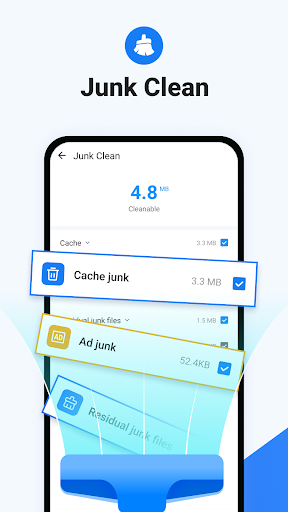
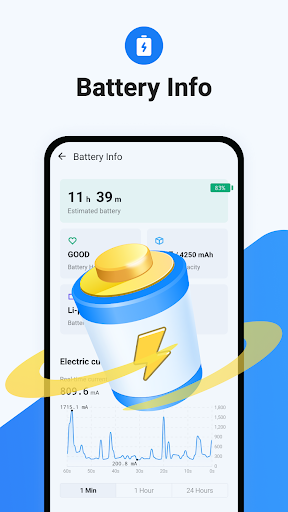
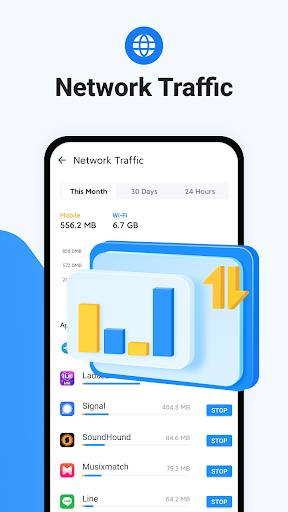
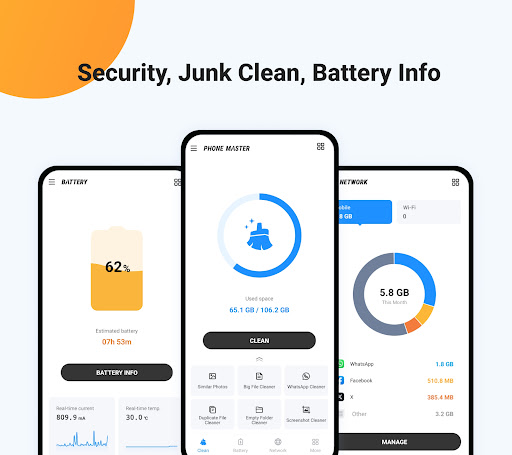
Junk Cleaner - Ora PhoneMaster is one of those Android utility apps that tries to be more than just a trash sweeper. After spending time with it as an everyday phone maintenance tool, what stood out most was not one headline feature, but how much it tries to centralize in a single place: junk cleanup, duplicate and similar photo detection, battery information, network traffic monitoring, app management, and a layer of security tools on top. That kind of ambition usually leads to a cluttered, overcomplicated experience. Here, the result is better than expected. The first thing Ora PhoneMaster gets right is approachability. This is not an app you need to learn. You open it, it points you toward the most obvious maintenance tasks, and within seconds you can run a scan and start recovering space. In actual use, that speed matters more than feature count. A lot of cleaner apps bury the payoff behind too many menus or too much jargon. Ora PhoneMaster keeps the loop simple: scan, review, clean. If your phone is feeling cramped or sluggish and you just want quick wins, it delivers that feeling almost immediately. In my testing, the cleanup side felt like the core of the app, and it is clearly the most satisfying part. Junk scans move quickly, the app surfaces categories in a way that feels understandable rather than intimidating, and the extra storage tools are more useful than the typical “one tap boost” gimmick. The options for similar photos, duplicate files, screenshots, empty folders, and large files make this feel more practical than many cleaner apps that only pretend to free up meaningful space. If you have a messy gallery or years of forgotten downloads, this app gives you a decent toolkit to sort through the digital clutter. That said, this is also where the first frustration appears: not every suggested cleanup feels equally safe or equally welcome. Photo-related cleanup in particular deserves more caution. The app is clearly trying to help, but when an app starts encouraging optimization around personal photos, I slow down. Space savings are nice, but not if they come at the cost of original image quality or deleting something you actually care about. Ora PhoneMaster is at its best when it handles obvious junk and stale leftovers. It is less convincing when it nudges into decisions that feel more personal, like compressing or aggressively trimming media. The second big strength is that the app feels broad without being totally chaotic. Battery info, network traffic, and app management all make sense inside the same package. I liked being able to jump from a storage cleanup to a quick look at battery temperature or app-level traffic usage without installing three separate utilities. The app manager side is especially useful for anyone who has lost track of what is taking up space or using data in the background. It does not feel like a pro-grade diagnostics suite, but it does a good job of making routine phone maintenance visible to ordinary users. The security features are a little more mixed in practice. Antivirus, app lock, permission checks, Wi-Fi security, and a secure browser sound like strong bonuses, and they do add value if you want a utility app that leans into device protection. But this part of Ora PhoneMaster feels more supplementary than essential. I would not choose the app primarily for its security layer; I would choose it for cleanup and organization, then treat the security tools as extras. They are useful to have, but they do not carry the same immediate clarity and usefulness as the storage functions. The third major strength is ease of use for non-technical people. That matters. Ora PhoneMaster is clearly built for users who do not want to manually dig through Android settings, download folders, gallery duplicates, or app storage pages. It packages all of that into a cleaner, more reassuring workflow. Even when it is doing several things, it generally avoids feeling intimidating. For a casual Android user, this can be the difference between actually maintaining a phone and just living with constant low-storage warnings. Now for the downsides beyond the photo caution. Ads are part of the experience. They are not necessarily unbearable, and in my use they did not completely derail the app, but they are there often enough to remind you this is a free utility product. In a category where the whole point is speed and convenience, even short interruptions can break the feeling of momentum. If you are sensitive to ad-driven apps, that will be one of the main reasons to hesitate. Another weakness is that Ora PhoneMaster sometimes feels like it is trying a bit too hard to be your phone’s command center. There is a fine line between useful all-in-one design and feature sprawl. While the main functions are easy to access, the app still carries the familiar utility-app habit of presenting a lot of “helpful” tools at once. Some users will like that. Others will see it as noise and only want a leaner cleaner app without the extra security and monitoring sections. There is also the occasional feeling that cleanup is not always as transparent as it could be. The app usually explains categories well enough, but whenever a cleaner starts bundling junk removal with deeper file and media suggestions, I want very clear control over what happens and when. In general, Ora PhoneMaster is effective, but it works best when you stay engaged and review what it is proposing rather than blindly tapping through everything. So who is this app for? It is for Android users who want a simple, fast, all-in-one maintenance tool that can recover storage, highlight large or duplicate files, and give a basic dashboard view of battery, apps, and network usage. It is especially well suited to people who are not particularly technical but still want to keep their phones organized. It is not for minimalists who hate ads, users who prefer manually managing files inside Android, or anyone uncomfortable with a cleaner app making suggestions around personal photos and deeper device hygiene. Overall, Junk Cleaner - Ora PhoneMaster is better than a lot of utility apps that overpromise and underdeliver. It feels quick, useful, and accessible where it counts most. The cleanup tools are genuinely handy, the supporting utilities add real convenience, and the app does a solid job turning routine phone maintenance into something painless. It falls short of greatness because of the ad-supported interruptions, a slightly overstuffed feature set, and the need for caution around some media cleanup suggestions. Still, for most people looking for a practical free phone cleaner, it is an easy app to keep installed.
Alternative apps