Apps Games Articles
ColorNote Notepad Notes
notes
Rating 4.9star icon
Editor's summary
Editor rating
star icon star icon star icon star icon
half star icon
4.7

One-line summary ColorNote is an easy recommendation if you want a fast, no-nonsense notes app that stays out of your way, but it is harder to recommend if you expect rich formatting, images, or a more modern feature set.

  • Installs

    100M+

  • Developer

    notes

  • Category

    Productivity

  • Content Rating

    Everyone

  • Latest version

    -

  • Package

    com.socialnmobile.dictapps.notepad.color.note

In-depth review
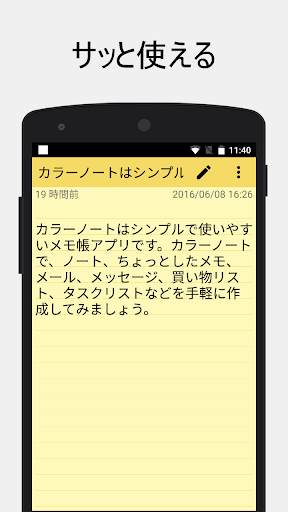
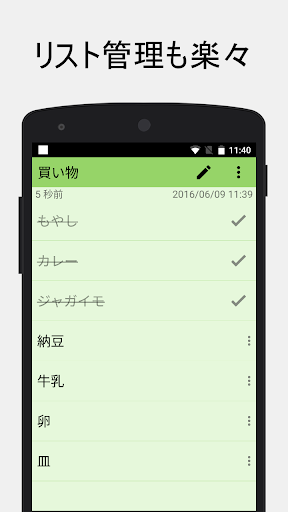
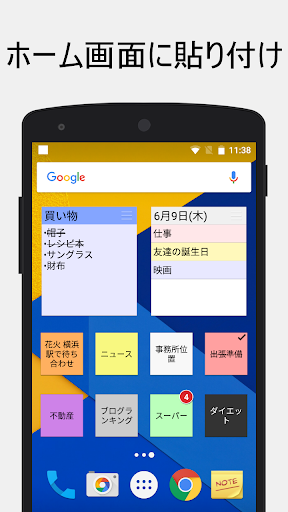
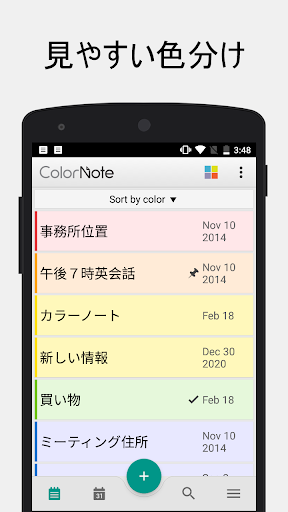
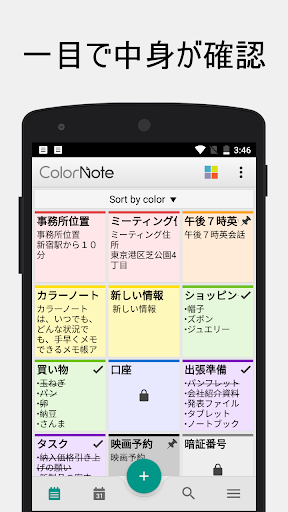
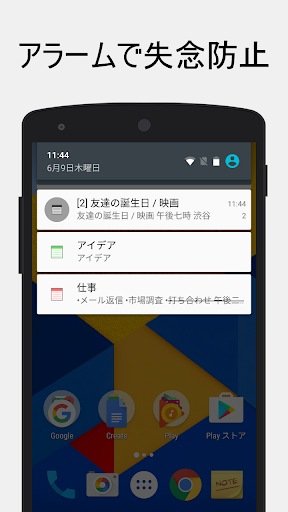
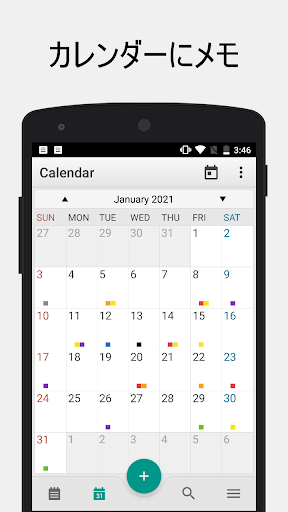
ColorNote Notepad Notes feels like the kind of Android app that earned its audience the old-fashioned way: by being useful every single day. After spending time with it as a primary scratchpad for reminders, grocery lists, quick article ideas, and a running to-do list, what stood out most was not some flashy feature, but how little friction there is between thinking of something and getting it down. That may sound like faint praise, but in the note-taking category, speed and reliability matter more than almost anything else. The first thing ColorNote gets right is the basic writing flow. Creating a note is immediate, and the split between plain text notes and checklist notes covers the majority of what many people actually do on their phones. I found myself using text notes for rough drafts, reminders, and saved snippets, while the checklist format was better for shopping runs and recurring task lists. The interface is simple enough that you do not need to learn it. You open the app, create a note, assign a color if you want, and move on. There is very little ceremony, and that is a real strength. The second thing it does well is organization without overcomplication. The color-coding system sounds basic, but in practice it is one of the app’s best features. During testing, it became easy to use one color for personal reminders, another for work items, another for travel prep, and so on. That visual sorting makes a crowded notes screen feel much more manageable. Search is also important here. Once you build up a large pile of notes, the ability to quickly pull up a keyword becomes the difference between a trusted utility and a digital junk drawer. ColorNote passed that everyday test. Its third major strength is that it behaves like a dependable utility instead of a needy platform. Automatic saving is a perfect example. You do not waste mental energy wondering whether a note was preserved. You simply back out and trust that your text is still there. The home screen widget support also gives the app a practical edge. Being able to pin a note or list where it is always visible turns ColorNote into more than a storage app; it becomes part of your daily workflow. For shopping lists and urgent reminders especially, that is genuinely useful. The cloud sync and backup options add another layer of reassurance. In use, that makes ColorNote feel safer than a throwaway local notepad. If you rely on notes heavily, knowing there is backup support matters. Password locking for notes also helps for anyone who keeps private information or personal journal entries in the app. None of this is presented with much fanfare, but it contributes to the app’s strongest quality: trust. ColorNote gives the impression that it will still be there when you need it. That said, using it for any serious stretch also makes its limitations clear. The biggest weakness is that ColorNote is still very much a plain note app. If you want to insert images, build visually rich pages, or create documents with modern formatting tools, this is not that app. Notes are mostly text-first, and while that simplicity is part of the charm, it also becomes a ceiling. I repeatedly ran into moments where attaching a photo, adding richer structure, or styling important text would have made a note much more useful. A second weakness is that the feature set can feel old-school in places. There is a checklist mode and a text mode, but not much beyond that in terms of note design. If you are the kind of user who likes pinned dashboards, embedded media, advanced templates, or more expressive writing tools, ColorNote may feel too bare. It does the basics cleanly, but it does not really stretch beyond them. The third drawback is that sync and note management do not always feel as instant or flexible as power users may want. Backup is absolutely valuable, but the overall experience still leans more toward reliable utility than seamless, real-time collaboration or sophisticated cross-device organization. There are also small quality-of-life things I missed while using it more heavily, like richer text controls and broader ways to structure or duplicate content. Visually, the app is functional rather than glamorous. I would not call it ugly, but I also would not call it modern in a cutting-edge sense. The design prioritizes clarity over style. In a productivity app, that is often the right tradeoff, though some users will likely find it a little plain compared with newer note apps. On the other hand, that restraint is part of why it feels light, quick, and easy to navigate. Who is ColorNote for? It is for people who want a dependable everyday notepad: students capturing quick points, busy parents managing shopping lists, workers saving reminders and rough notes, and anyone who misses the era when utility apps just opened fast and did their job. It is especially well suited to users who like color-coded organization, home screen widgets, and a no-ads experience. Who is it not for? If your ideal notes app is a digital notebook with multimedia support, polished document styling, and more advanced content creation tools, ColorNote will feel too limited. It is also not the best match for users who want a highly visual workspace or the kind of deep organization systems found in more ambitious note platforms. In the end, ColorNote succeeds because it understands its role. It is not trying to be your second brain, your collaborative workspace, or your all-in-one knowledge system. It is trying to be the fastest place to capture and find what matters, and in day-to-day use, it does that extremely well. For a huge number of Android users, that is not just enough. It is exactly what they need.