Apps Games Articles
Microsoft PowerPoint
Microsoft Corporation
Rating 4.8star icon
Editor's summary
Editor rating
star icon star icon star icon star icon
half star icon
4.5

One-line summary Microsoft PowerPoint remains the easiest presentation app to recommend for dependable cross-device editing and familiar tools, but I’d hesitate if you expect the full desktop experience or plan to do heavy, precise slide work entirely on a phone.

  • Installs

    1B+

  • Developer

    Microsoft Corporation

  • Category

    Productivity

  • Content Rating

    Everyone

  • Latest version

    VARY

  • Package

    com.microsoft.office.powerpoint

In-depth review
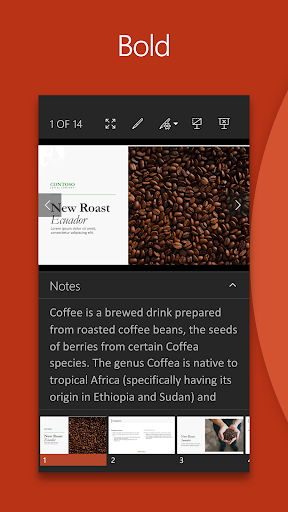
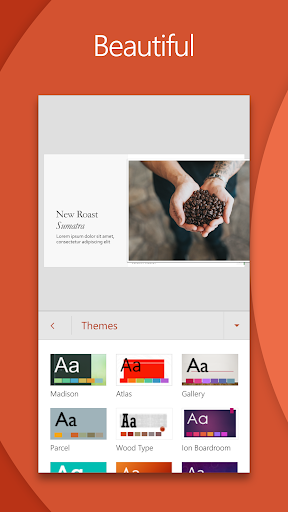
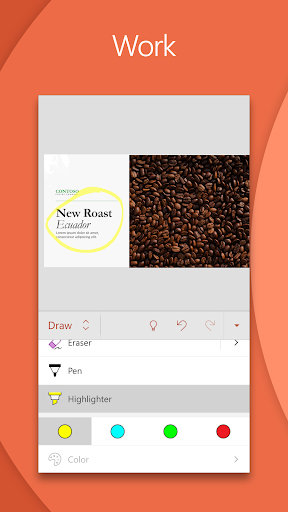
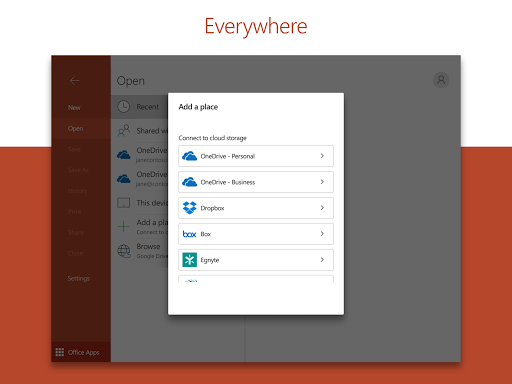
Microsoft PowerPoint on Android feels like exactly what most people want from a mobile Office app: familiar, reliable, and far more capable than a stripped-down viewer. After spending time building, editing, and presenting slides on a phone, my main takeaway is that this is not just a companion app for emergencies. It is a genuinely useful presentation tool in its own right, especially for students, teachers, office workers, and anyone who needs to review or tweak decks while away from a laptop. The first thing that stands out is how comfortable the app feels if you already know PowerPoint. Microsoft has done a good job preserving the personality of the desktop product without making the mobile interface feel cluttered. Opening recent files is fast, the layout is easy to understand, and common actions like adding text, inserting photos, rearranging slides, and adjusting basic formatting are all straightforward. That matters on a phone, where even good apps can become frustrating if they bury simple actions under too many taps. Here, I was able to jump into a presentation and make useful edits quickly instead of hunting through menus. The app’s biggest strength is convenience. I could start work on one device, open it on another, and continue without the sense that I was moving into a lesser version of the file. That consistency is one of PowerPoint’s biggest advantages. Slide structure generally holds together well, and for everyday documents that alone makes the app feel trustworthy. If your life involves school assignments, team updates, church slides, tutoring materials, project reports, or quick visual explainers, being able to pull out your phone and keep working is a huge win. A second strength is that PowerPoint on mobile still feels like PowerPoint, not a generic slideshow maker wearing PowerPoint’s logo. Templates, themes, images, videos, and standard slide editing tools give you enough room to make something polished. It is also easy to revise the order of slides and clean up text-heavy material. For simple to moderate presentation work, the app feels mature and capable rather than compromised. I especially liked that it supports the kind of practical edits people actually make on the go: fixing typos five minutes before class, swapping in a photo, checking layout, or making sure the latest version is the one you are about to present. The third strength is presentation support. Features like Presenter Coach point to a more useful mobile experience than just file access. Practicing timing and delivery from a device you already carry around makes sense, and it adds a little substance beyond basic slide editing. For nervous presenters or students rehearsing alone, this kind of feature makes PowerPoint feel more helpful and less like a passive document container. That said, the app does run into the hard limits of mobile editing, and that is where my enthusiasm becomes more qualified. The first weakness is precision. On a desktop, PowerPoint is about control: alignment, spacing, formatting, object placement, and visual polish. On a phone screen, that same work can become fiddly. Moving elements exactly where you want them, managing dense layouts, or doing design-heavy edits is possible only up to a point before the touchscreen starts slowing you down. I found the app best for practical editing, not meticulous design work. The second weakness is that the mobile feature set still feels trimmed compared with the desktop experience. That is not surprising, but it does matter. If you are used to the full PowerPoint toolbox, you will notice that some advanced options and deeper formatting controls are not as complete or as comfortable here. For many people, that will be acceptable; for power users building polished client-facing decks from scratch, it may feel limiting. There is enough to stay productive, but not always enough to stay happy if you are trying to do everything from a phone. The third weakness is performance under pressure. Most of the time the app is smooth, but large or more complex presentations can feel less stable than simple decks. When you are deep into editing, the last thing you want is lag, odd behavior, or the uneasy feeling that the app is struggling to keep up. I did not come away thinking PowerPoint mobile is unreliable overall, but I also would not choose a phone as my primary workstation for a massive, high-stakes presentation unless I had to. Who is this app for? It is ideal for people who need PowerPoint in real life, not in theory: students finishing class slides on the bus, teachers reviewing assignments, professionals making last-minute edits before a meeting, and anyone who moves between phone, tablet, and computer. It is also good for users who already live in the Microsoft ecosystem and want continuity rather than reinvention. Who is it not for? If your workflow depends on desktop-level precision, advanced design control, or building large, complex decks from scratch, the app will feel more like a useful extension than a full replacement. And if you dislike touch-based editing for anything beyond quick fixes, this will not convert you. Overall, Microsoft PowerPoint earns its reputation because it solves the right problem well: making presentations accessible anywhere without making them feel disposable. It is polished, familiar, and genuinely productive on mobile. It does not completely escape the limitations of a small screen, and it is not the full desktop experience in your pocket, but as a practical presentation app, it is one of the easiest recommendations in productivity.
Alternative apps