Apps Games Articles
Google Slides
Google LLC
Rating 4.1star icon
Editor's summary
Editor rating
star icon star icon star icon star icon
half star icon
4.5

One-line summary Google Slides is one of the best free mobile presentation tools because it makes creating, syncing, and sharing decks almost effortless, though serious design work still feels cramped on a phone screen.

  • Installs

    1B+

  • Developer

    Google LLC

  • Category

    Productivity

  • Content Rating

    Everyone

  • Latest version

    1.23.062.03.90

  • Package

    com.google.android.apps.docs.editors.slides

In-depth review
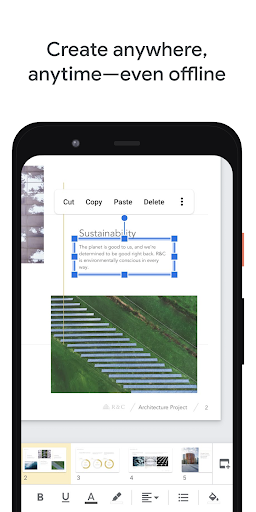
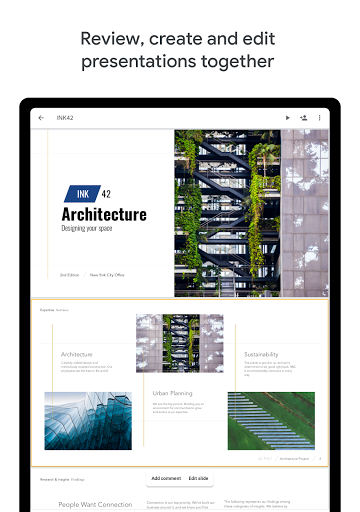
Google Slides is one of those apps that quietly earns a permanent place on your phone. I went into it expecting a stripped-down companion to the desktop version, useful for emergency edits and not much else. After spending real time building, tweaking, and presenting slides from Android, I came away more impressed than surprised. This is not a toy, and it is not just a file viewer with a few edit buttons tacked on. For many people, especially students, teachers, and anyone who lives in Google’s ecosystem, it is a genuinely practical way to create and manage presentations on the go. The first thing that stands out in daily use is how approachable it feels. Google Slides doesn’t bury basic actions under layers of menus, and it rarely makes you stop and think about where a tool might be hiding. Creating a new deck, adding slides, dropping in text boxes, inserting images, and making quick formatting changes all feel fast and natural. On a tablet, the experience is especially comfortable, but even on a phone it remains surprisingly usable for short sessions. I found it best suited to the kind of real-world work people actually do on mobile: updating a class presentation on the bus, fixing a typo five minutes before a meeting, or sketching out a clean, simple deck without needing a laptop. Its strongest asset is still Google’s cloud-first workflow. Slides saves as you work, syncs smoothly with Drive, and makes it easy to move between devices without thinking about file management. That convenience matters more than flashy design features. I could start a deck on one device, return to it later somewhere else, and pick up right where I left off. Sharing is equally painless. Sending a presentation to someone else, letting them view it, edit it, or comment on it feels integrated rather than bolted on. If your work involves collaboration, this is where Google Slides feels mature and polished. A second strength is that the app understands restraint. It does not try to replicate every desktop presentation feature in a tiny interface, and that is mostly a good thing. The editing tools available on mobile are focused on what people actually need most often: arranging slides, formatting text, adjusting shapes, inserting visuals, and making presentations presentable without friction. In use, that means fewer moments where the app feels bloated or intimidating. It is not overloaded, and as a result, it is easy to jump into. The third thing I appreciated is how forgiving it is for casual and mid-level presentation work. If you are making school decks, lesson materials, talking points for a meeting, lightweight visual explainers, or even simple graphic layouts, Slides gets you there quickly. Presentations can look polished without requiring expert-level design effort. The templates and smart suggestions help speed things along, and even when starting from scratch, the app nudges you toward decent-looking results. That said, Google Slides on Android is not perfect, and the app’s limits become clearer the more ambitious your presentation is. The biggest weakness is precision editing on a phone. When the screen is small, controls can feel crowded, and making tiny adjustments to fonts, colors, or object placement is less elegant than it should be. I often found myself tapping near the right control rather than directly on it, especially when moving quickly. This is one of those apps that remains usable on a phone but becomes genuinely pleasant on a larger tablet or desktop. Another weak spot is that advanced media handling still feels limited. For straightforward slide decks built around text, images, and basic visual structure, Slides works well. But if your presentation depends heavily on embedded audio or video playback, especially in unreliable connectivity situations, the mobile app is less reassuring. That doesn’t make it bad at its core job, but it does mean some presenters will still want a more traditional desktop setup for media-heavy work. The third frustration is that while the simplicity is usually a strength, it can also make the app feel a bit constrained for power users. If you are someone who wants deep customization, highly intricate layouts, or a desktop-grade toolbox everywhere you go, Google Slides on Android will eventually show its boundaries. It covers the essentials very well, but there is a ceiling. You can feel that the app is designed to keep things manageable rather than limitless. Who is this app for? Quite clearly, it is for students, teachers, office workers, and anyone who needs to create or edit presentations without paying for extra software. It is also excellent for people who already rely on Google Drive and want their files available across devices with minimal hassle. If your needs are practical rather than theatrical, this app is easy to recommend. Who is it not for? If you build presentation decks that rely on fine-grained layout control, complex multimedia behavior, or long editing sessions on a small phone, you may find the experience restrictive. In those cases, mobile Slides works best as a companion, not a full replacement for a larger-screen workflow. Still, judged for what it is meant to do, Google Slides is extremely good. It is clean, dependable, collaborative, and free, with a level of polish that makes many mobile productivity apps feel clumsy by comparison. It does not reinvent presentations, but it makes the process of creating and managing them remarkably painless. For most people, that is exactly what matters.