Apps Games Articles
iHealth Test
iHealth Labs, Inc.
Rating 4.2star icon
Editor's summary
Editor rating
star icon star icon star icon star icon
half star icon
4.5

One-line summary Choose iHealth Test for its genuinely helpful step-by-step guidance and built-in timer, but skip it if you have zero patience for repetitive prompts and a slightly clunky flow.

  • Installs

    1M+

  • Developer

    iHealth Labs, Inc.

  • Category

    Medical

  • Content Rating

    Everyone

  • Latest version

    1.4.0

  • Package

    com.ihealthlabs.test

Screenshots
In-depth review
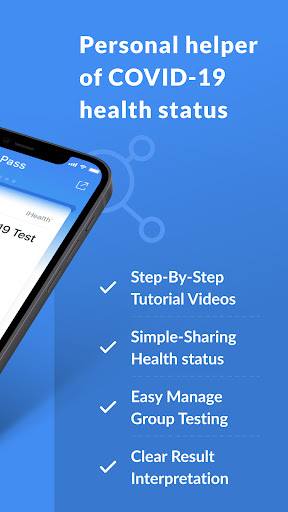
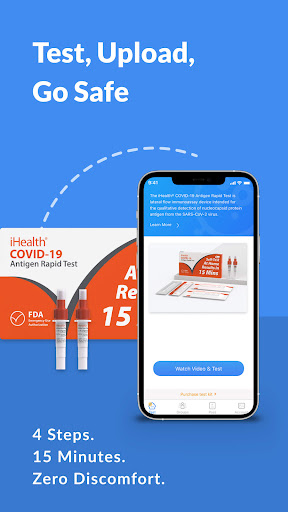
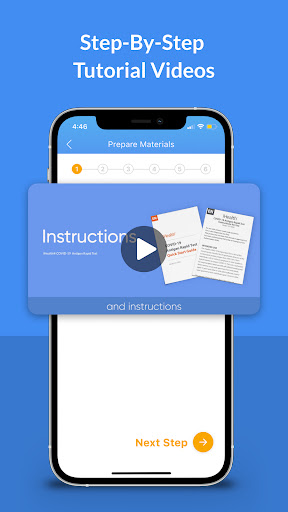
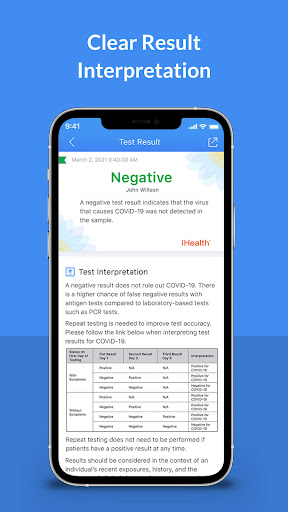
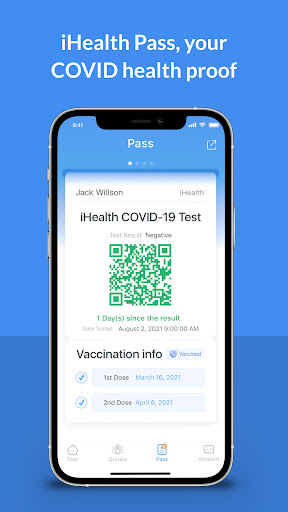
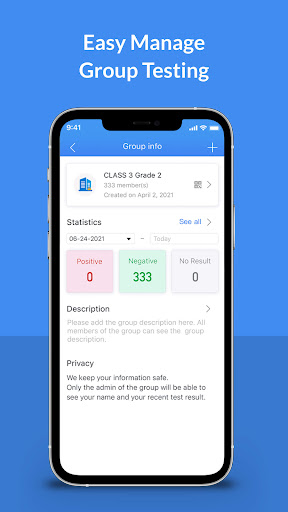
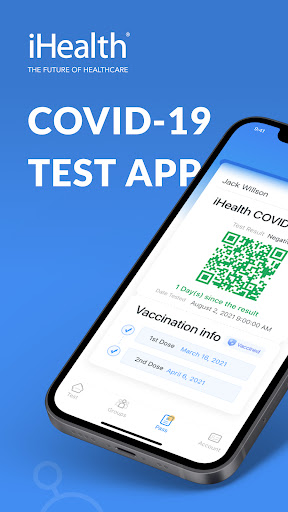
iHealth Test is one of those utility apps that succeeds by doing a small number of things well. It is not trying to be a full telehealth platform, a symptom tracker, or a glossy wellness dashboard. It exists to walk you through an iHealth COVID-19 antigen test at home, help you time it correctly, and record the result. After spending time with it, that focused approach feels like the app’s biggest strength. The first thing that stands out is how calming the app feels when you are actually using it for its intended purpose. Home testing is simple in theory, but in practice it is exactly the kind of task where people second-guess themselves. Did I swab long enough? Am I on the right step? When am I supposed to read the result? iHealth Test reduces that uncertainty well. The step-by-step video guidance is the star of the experience. The videos are clear, direct, and much easier to follow than the kind of folded paper instruction sheet that usually comes in the box. Even if you already know the basics of rapid testing, having the process broken into guided steps makes the whole thing feel more foolproof. That leads to the app’s second major strength: pacing. The app keeps the process moving in an orderly way, and the built-in timer is genuinely useful rather than decorative. Once the sample is prepared and the test starts developing, the timer becomes the part of the app you will appreciate most. It removes the need to set a separate phone timer, and that small convenience matters because this is exactly the sort of 15-minute waiting period where distractions happen. In testing, the timer and guided structure made the process feel less error-prone and more deliberate. The third thing iHealth Test gets right is record-keeping. The app does a good job of turning an inherently disposable task into something you can refer back to later. Keeping a dated history of test results is practical, especially for households that test more than once over time. If you need to remember when you last tested or show a result in a personal context, having that information saved in one place is useful. The option to generate a negative-result pass also fits that same convenience-first philosophy, even if not everyone will need it regularly. That said, iHealth Test is not especially elegant. The biggest annoyance is that the app can feel more procedural than it needs to be. You often have to tap through confirmations and step transitions that make sense from an instructional standpoint but can become tedious once you already know the routine. On a first use, this hand-holding is reassuring. On a third or fourth use, it starts to feel like the app does not quite trust you. It is still usable, just a little over-scripted. A second weakness is that the video-first design can become repetitive. The instructional clips are helpful, but the app leans on them heavily. If you open the app again later and already know what you are doing, you may find yourself pushing through familiar screens more than you would like. There is a workable rhythm to skipping ahead, but the experience never becomes as streamlined as a seasoned user might want. This is an app that clearly prioritizes clarity for newcomers over speed for repeat testers. The third drawback is polish. Not in the sense that the app is broken, because it generally works as expected, but in the sense that some little interactions feel rough around the edges. The flow between steps can feel a bit rigid, and there are moments where the interface behaves more like a guided form than a modern consumer app. During use, that translated into small frictions rather than major failures: an extra tap here, a slightly awkward transition there, a process that could be smoother on a phone screen. None of it ruins the app, but you do notice it. What I do appreciate is that iHealth Test stays grounded in the practical realities of at-home testing. It does not clutter the experience with ads, upsells, or unrelated extras. For a medical utility app, that restraint goes a long way. It keeps attention where it belongs: on completing the test correctly. In that sense, the app feels trustworthy in use, even if not especially refined. Who is it for? It is best for people using an iHealth test at home who want clear visual guidance, a built-in timer, and an easy way to log results afterward. It is especially useful for first-time testers, families helping others through the process, and anyone who finds printed medical instructions harder to follow than short guided videos. It also makes sense for small group or household use where keeping track of multiple tests matters. Who is it not for? If you are the kind of user who wants the fastest possible path with minimal prompts, this app may feel slower and more repetitive than necessary. And if you do not need video instructions, timers, or stored records, the paper insert in the box may honestly be enough. Overall, iHealth Test is a good example of a narrowly focused medical app that provides real value without much flair. It turns a mildly stressful home testing process into something more manageable and less ambiguous. The guidance is strong, the timer is genuinely convenient, and the test history adds practical value. Its weaknesses are mostly about repetition and interface stiffness rather than core function. For the job it is meant to do, it does the job well enough that I would comfortably recommend it to most people using an iHealth kit.
Alternative apps