Apps Games Articles
Applock:Security & Privacy
RUI CARD LIMITED
Rating 4.4star icon
Editor's summary
Editor rating
star icon star icon star icon star icon empty star icon
4.1

One-line summary Applock: Security & Privacy is easy to like for its simple, local-first privacy focus, but I’d still hesitate if you want a highly polished, feature-rich vault with lots of proof behind it.

  • Installs

    50K+

  • Developer

    RUI CARD LIMITED

  • Category

    Tools

  • Content Rating

    Everyone

  • Latest version

    VARY

  • Package

    com.applock.security.vipo

Screenshots
In-depth review
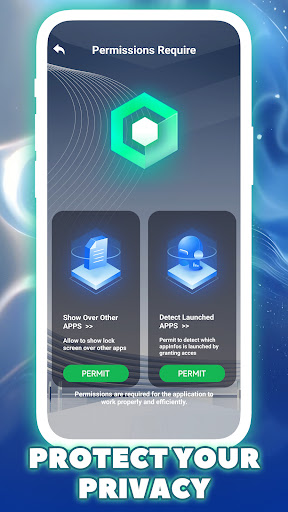
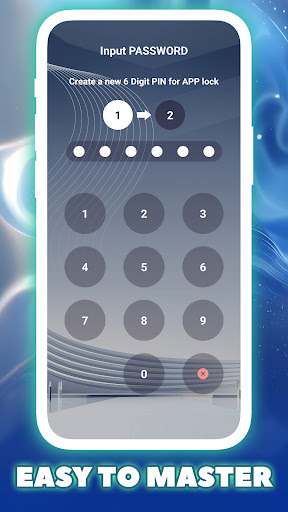
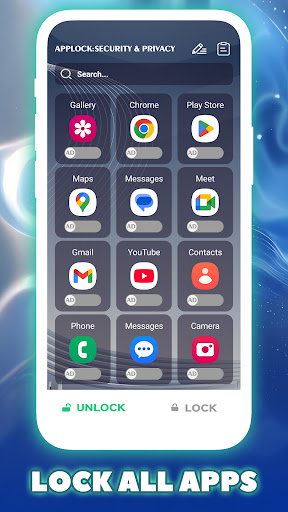
Applock: Security & Privacy aims at a very specific kind of Android need: putting a quick, reliable barrier in front of the apps and personal files you do not want casually exposed. After spending time with it as a day-to-day privacy utility, my biggest takeaway is that this is the kind of app that succeeds more through clarity than through flash. It does not present itself as a giant security suite. Instead, it tries to do a narrower job: lock sensitive parts of your phone and keep that process local to the device. For many people, that focus will be enough to make it worth installing. What stands out immediately is the app’s core appeal: it is built around the idea of on-device privacy rather than cloud dependence. That matters because privacy tools can sometimes feel contradictory when they ask you to trust a remote service with the very things you are trying to hide. Here, the local-first positioning gives the app a reassuring tone. In practice, that translated into a setup that felt straightforward and purpose-driven. The app gets to the point quickly, and the central use case is clear from the start: choose what you want protected and add a lock around it. In everyday use, that simplicity is one of the app’s biggest strengths. Locking social apps makes immediate sense, especially on a shared phone or in situations where notifications, chats, and direct messages can be seen at awkward moments. The same goes for photo galleries and other personal media. There is a practical convenience to having one place dedicated to privacy rather than juggling scattered device settings and hoping they cover everything. I also appreciated that the app does not overcomplicate its message. It is trying to create a digital boundary, and for basic app-level protection, it feels accessible even if you are not especially technical. A second strength is the broad relevance of what it protects. Social apps, galleries, videos, and payment-related apps are all categories that many users genuinely worry about. This is not one of those utility apps that solves an abstract problem nobody actually has. The need is real and immediate, and Applock: Security & Privacy feels aligned with it. During use, that practicality gives it momentum. You do not need to learn a new workflow or rethink your phone habits. You simply add a layer of friction between your private content and anyone else picking up your device. The third thing I liked is the app’s generally reassuring tone. Privacy apps live or die on trust, and this one makes a sensible pitch by emphasizing encryption and local operation. Even without trying to look overly technical, it gives the impression that it understands what users are worried about: snooping, exposed conversations, visible photos, and casual access to financial apps. There is value in a security app that does not feel chaotic or overloaded. That said, Applock: Security & Privacy also feels modest in a way that cuts both ways. My first complaint is that while the app’s pitch is clean, the overall experience does not come across as especially premium or deeply differentiated. If you have used stronger, more mature privacy tools before, this one can feel a bit basic. It covers the obvious needs well enough, but it does not create the sense that it is doing much beyond the essentials. For users who want lots of advanced controls, extensive customization, or a more robust vault-like environment, this may feel a little thin. The second drawback is confidence. Security apps have to inspire trust not just through what they say, but through how polished and battle-tested they feel during everyday use. Applock: Security & Privacy is reasonably clear, but it does not fully deliver that extra layer of refinement that makes a privacy app feel indispensable. It works best when you approach it as a practical lock tool rather than a comprehensive privacy platform. That distinction matters, because expectations can easily outrun what the app appears designed to provide. My third complaint is that the presence of ads is hard to ignore in a category where calm and trust are especially important. Ads are common in free Android tools, so this is not unusual, but they can still chip away at the sense of seriousness a security app needs. When people are protecting chats, photos, or payment access, they generally want an experience that feels focused and distraction-free. Even if the app remains usable, advertising is one of those things that can make a privacy utility feel less elegant than it should. Who is this app for? It is for Android users who want a simple extra lock on private apps and personal media without getting pulled into an overly complicated setup. It also suits people who are specifically drawn to the idea of local device handling rather than cloud-based storage or syncing. If your goal is straightforward peace of mind on a shared or frequently handled phone, this app makes sense. Who is it not for? If you want a highly sophisticated privacy suite, a deeply feature-rich secure vault, or an experience that feels premium from top to bottom, you may find it a little limited. It is also not the best fit for anyone who is particularly sensitive to ads inside security tools. Overall, I came away with a positive impression. Applock: Security & Privacy does a useful job, communicates its purpose clearly, and addresses privacy concerns that are very real in daily phone use. It is not the most ambitious app in its category, and it does not fully escape the rough edges that come with free utility software, but its local-first mindset and approachable design give it a solid reason to exist. If you want uncomplicated app and file protection with a reassuringly direct privacy pitch, this is an easy app to shortlist.