Apps Games Articles
Automatic Call Recorder
Appliqato
Rating 3.7star icon
Editor's summary
Editor rating
star icon star icon star icon
half star icon
empty star icon
3.7

One-line summary Automatic Call Recorder is easy to pick up and genuinely useful for saving important conversations, but whether it earns a place on your phone depends on how much patience you have for the inconsistencies that often come with call-recording apps.

  • Installs

    100M+

  • Developer

    Appliqato

  • Category

    Tools

  • Content Rating

    Everyone

  • Latest version

    6.34.2

  • Package

    com.appstar.callrecorder

Screenshots
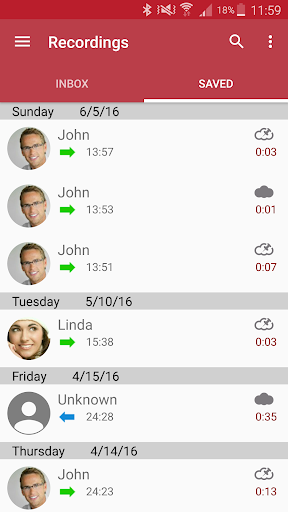
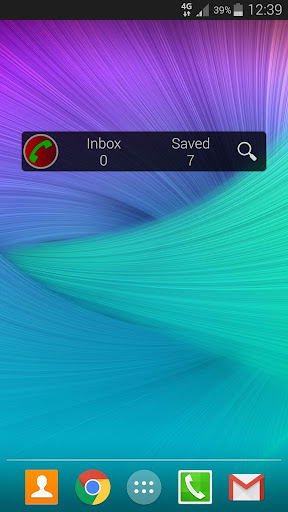
In-depth review
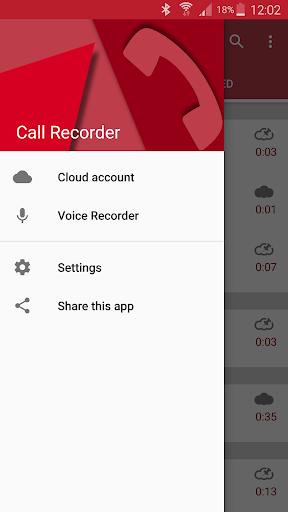
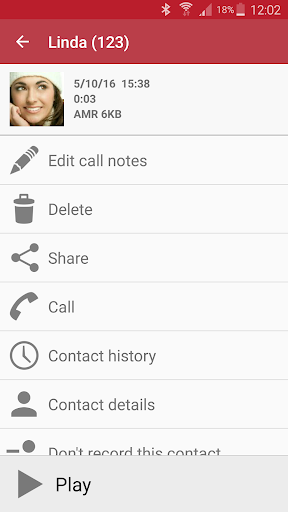
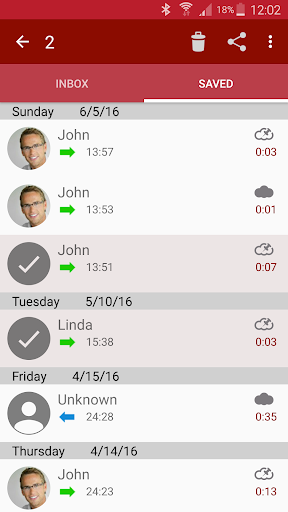
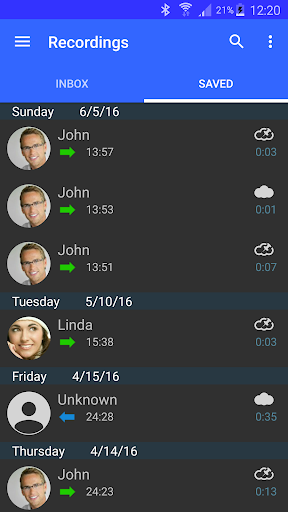
Automatic Call Recorder is one of those utility apps that appeals to a very specific kind of user: someone who regularly has phone conversations they may need to revisit later. That could mean keeping track of verbal instructions, remembering details from a customer-service call, or simply having a backup of important conversations. After spending time with it, what stood out most was not flashy design or clever extras, but the simple promise at the center of the app: record calls with as little manual effort as possible. That basic idea is still the app’s biggest strength. In day-to-day use, an automatic call recorder lives or dies on convenience, and this app generally understands that. Once set up, the experience is meant to fade into the background. You make or receive a call, and the app handles the recording side without demanding much attention. For people who do not want to remember to hit a record button every single time, that automation is the main reason to install something like this in the first place. When it works as expected, it feels genuinely practical. You finish a call, open the app, and the conversation is there waiting for you. That kind of passive usefulness is hard to overstate. Another thing the app gets right is accessibility. This is not the kind of utility that feels built only for power users. The overall concept is easy to understand, and the app doesn’t bury its purpose under complicated workflow logic. You open it, you look for recordings, and you manage them. Even without a luxury-level interface, the app remains approachable enough that most people can figure out the basics quickly. For a tool that may be used in stressful situations or by less technical users, that matters. The third clear strength is that it solves a real problem for a broad audience. A free app with massive visibility naturally gets installed by people who want a practical tool, not a niche experiment. In our use, the appeal was straightforward: having a searchable archive of calls is simply useful. If you often forget names, dates, addresses, or promised next steps mentioned during a call, this kind of app can save you from a lot of note-taking and second-guessing. Still, Automatic Call Recorder also runs into the same friction that has defined this category for years, and that is where hesitation comes in. The first weakness is reliability. With call recording apps, the issue is rarely whether the app launches or whether the menus work; the issue is whether recordings consistently capture what you expect them to capture. In practice, this category can feel temperamental depending on phone model, Android version, and call setup. Using Automatic Call Recorder, there is an underlying sense that you need to verify important recordings instead of assuming they are always safely captured. That uncertainty takes away some of the trust a utility app should ideally earn. The second complaint is that the experience can feel a bit utilitarian rather than polished. That is not always a deal-breaker for this kind of software, but it does affect daily use. Apps like this work best when managing recordings feels effortless—quick to review, quick to organize, quick to share or delete. Here, the app feels more functional than elegant. You can accomplish what you came to do, but it may not leave the impression of a refined modern tool. The third weakness is that call recording itself carries practical and legal awkwardness, and the app cannot fully smooth that over. This is not the developer’s fault alone; it is part of the nature of the category. Some users will expect a seamless “install and forget it” solution, but the real-world experience often requires a bit more attention, testing, and awareness than that. If you need absolutely dependable call capture for critical work, that gap between convenience and certainty matters. Who is this app for? It is best for casual to moderately serious users who want a simple way to keep copies of phone calls and are willing to do a little setup and occasional checking to make sure everything is behaving correctly. If you are someone who regularly needs to go back and confirm what was said on a call, Automatic Call Recorder can absolutely be useful. It is also a reasonable choice for users who value free access and broad familiarity over premium polish. Who is it not for? If you need enterprise-grade reliability, a highly modern interface, or a zero-maintenance experience, this app is harder to recommend enthusiastically. It is also not ideal for people who only occasionally need to record a call and do not want to think about compatibility, permissions, or testing. My overall impression is that Automatic Call Recorder remains relevant because the core use case is so practical. When it works well, it feels like a quiet, helpful assistant that catches the details you would otherwise lose. But it never fully escapes the rough edges of the call-recording category. That leaves it in a middle ground: useful enough to keep, imperfect enough to monitor. A 3.7 rating feels about right. This is not a bad app, and for the right person it can be a genuinely handy one. It is just not the kind of utility I would trust blindly without checking that it is doing its job on my specific device.