Apps Games Articles
App Booster Lite - RAM Cleaner
LocoMind
Rating 4.4star icon
Editor's summary
Editor rating
star icon star icon star icon
half star icon
empty star icon
3.8

One-line summary App Booster Lite - RAM Cleaner is easy to pick up and gives you that instant “phone tidied up” feeling, but it’s a harder app to fully recommend if you expect dramatic performance gains rather than quick maintenance shortcuts.

  • Installs

    10M+

  • Developer

    LocoMind

  • Category

    Tools

  • Content Rating

    Everyone

  • Latest version

    2.3.5

  • Package

    com.app.booster.lite.phonecleaner.batterysaver.cleanmaster

Screenshots

In-depth review
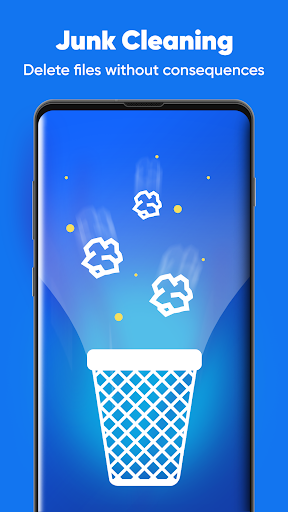
App Booster Lite - RAM Cleaner is the kind of Android utility that aims to solve a very familiar problem: your phone feels a little cluttered, a little sluggish, and you want a single tap to make it feel under control again. After spending time with it as a daily cleanup companion rather than just opening it once for a benchmark-style glance, my reaction is fairly mixed in a practical, real-world way. This is not a miracle fixer, but it can be a convenient housekeeping app for the right user. The first thing that stood out in use was how approachable the app feels. Utility apps in this category often overload the screen with too many alerts, fake urgency, or technical jargon. App Booster Lite does a better job than many of making the core idea obvious: open the app, look at what needs attention, and run a cleanup or boost action without much learning curve. That simplicity is one of its biggest strengths. If you are the sort of person who does not want to dig through Android settings to manage junk files or background clutter, this kind of guided layout is genuinely helpful. In day-to-day use, the app works best as a routine maintenance tool. It gives you a quick sense that you’ve done something useful for your phone, especially after heavier use, lots of app installs, or long stretches without manual cleanup. That immediate feedback matters. Tapping a button and seeing the app process temporary clutter or clear memory can be satisfying, and for less technical users it turns abstract phone maintenance into something concrete. I found that this emotional clarity—the sense that the app is helping you take action—is one of the reasons these tools remain popular. A second strength is that the app keeps its purpose narrow enough to be understandable. It is not trying to masquerade as a full system replacement or a deep diagnostic suite. Instead, it centers on cleaning and boosting, and that keeps the experience mostly straightforward. For users with older budget phones or devices that are starting to feel cramped, that straightforwardness is useful. You do not have to spend much time figuring out what the app wants from you. The third strong point is convenience. Even when the real-world performance gains are modest, having one place to do a quick maintenance pass is still better than hopping through storage settings, app management pages, and recent apps manually. If your phone habits are messy—lots of downloads, lots of media sharing, lots of app switching—App Booster Lite can feel like a practical shortcut. That said, the weaknesses show up fairly quickly once the novelty wears off. The biggest issue is that apps in this category almost always promise more than they can realistically deliver, and App Booster Lite is not immune to that feeling. RAM cleaning sounds powerful, but modern Android already manages memory aggressively on its own. In actual use, I did not come away thinking the app transformed the phone. It sometimes created a short-term sense of freshness, but not a dramatic, lasting speed boost. If you install it expecting an old, overloaded device to suddenly feel new again, you will probably be disappointed. A second frustration is that the cleanup experience can start to feel repetitive. These apps often encourage frequent manual intervention, and after a while the cycle of checking, boosting, and cleaning can feel more ritualistic than necessary. There is a fine line between useful maintenance and busywork, and App Booster Lite occasionally lands on the wrong side of that line. I found myself asking whether I was solving a real problem or just responding to a maintenance prompt because the app made it feel urgent. The third weakness is a broader category issue that affects the overall recommendation: utility apps like this can sometimes feel more helpful in presentation than in measurable results. App Booster Lite is at its best when you treat it as an organizational convenience, not as a deep performance tool. When viewed through that lens, it is a decent app. When judged as a serious speed optimizer, it becomes harder to praise enthusiastically. Who is this app for? It is best for casual Android users who like simple maintenance tools, want quick-access cleanup controls, and prefer not to manage storage or background clutter manually through system settings. It also makes sense for people who enjoy the reassurance of regular phone tidying and want a lightweight utility mindset rather than a technical one. Who is it not for? Power users, Android tinkerers, and anyone skeptical of RAM booster claims will probably find it unnecessary. If you already understand how Android handles memory and storage, this app may feel redundant. It is also not ideal for users who want proof of substantial long-term performance gains, because the experience here is more about convenience and perception than dramatic optimization. Overall, App Booster Lite - RAM Cleaner is neither a scammy disaster nor an essential must-have. It lands in the middle as a competent, easy-to-use maintenance app that offers quick cleanup convenience and a reassuring sense of control, but does not fundamentally change how your phone performs. I can recommend it cautiously for people who like one-tap phone care and keep their expectations realistic. If you want a simple cleanup helper, it does the job well enough. If you want a true performance cure-all, this is not that app.