Apps Games Articles
Phone 14 Launcher, OS 16
SaS Developer
Rating 4.7star icon
Editor's summary
Editor rating
star icon star icon star icon star icon
half star icon
4.5

One-line summary If you want the most convincing iPhone-style makeover on Android without rooting or endless setup, this launcher is easy to recommend—just be ready to tolerate ads, broad permissions, and a few places where the illusion still breaks.

  • Installs

    50M+

  • Developer

    SaS Developer

  • Category

    Tools

  • Content Rating

    Everyone

  • Latest version

    8.7.8

  • Package

    com.launcher.ios11.iphonex

In-depth review
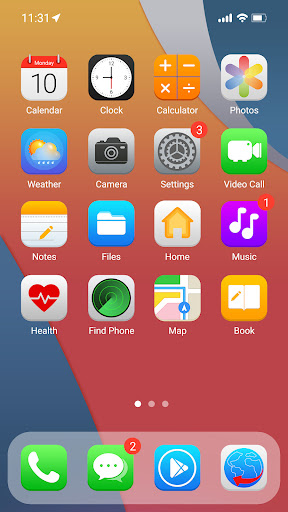
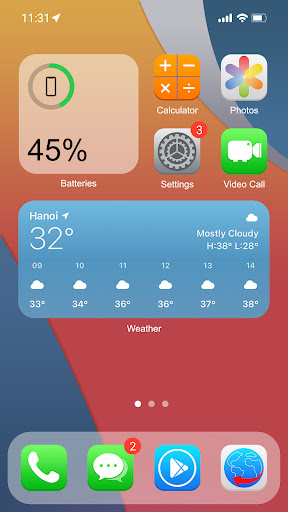
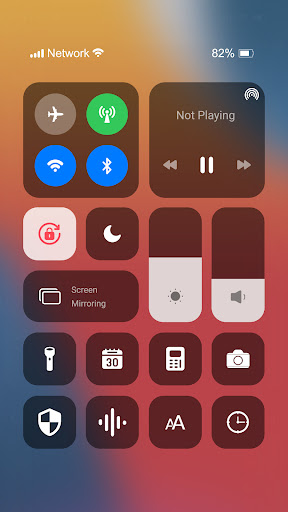
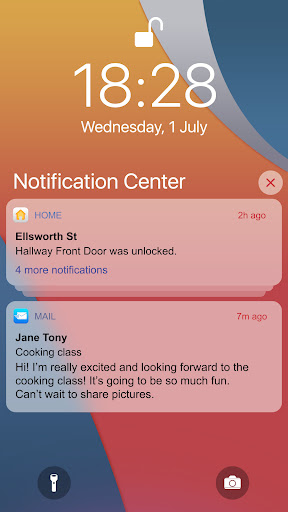
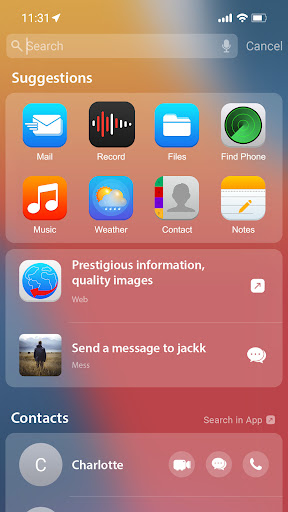
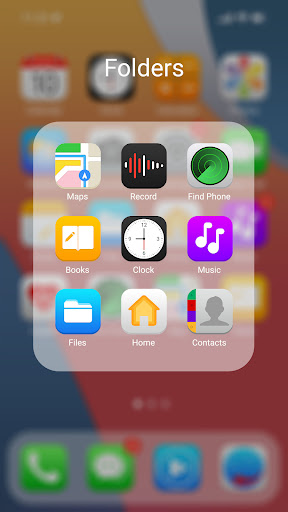
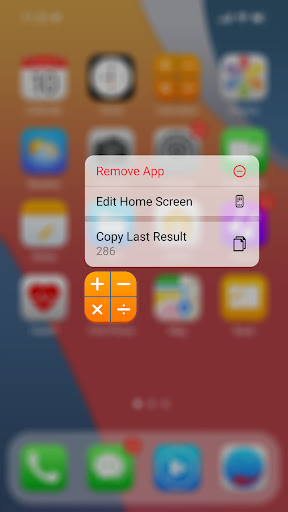
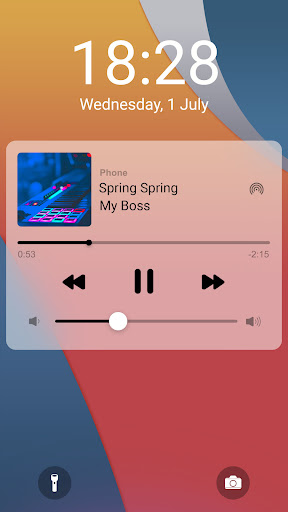
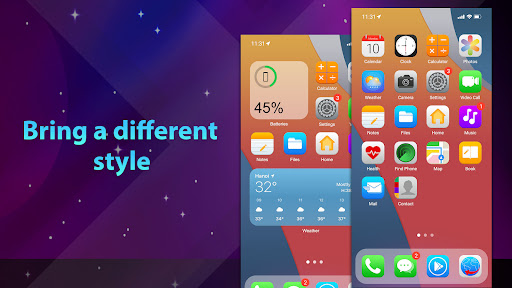
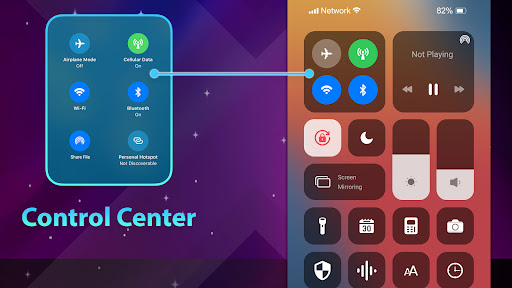
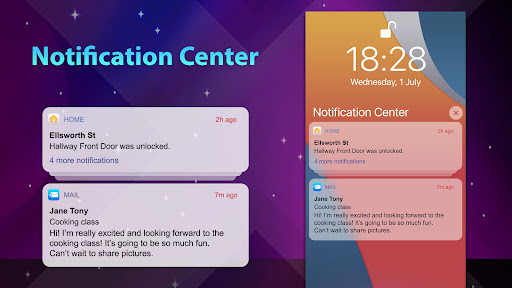
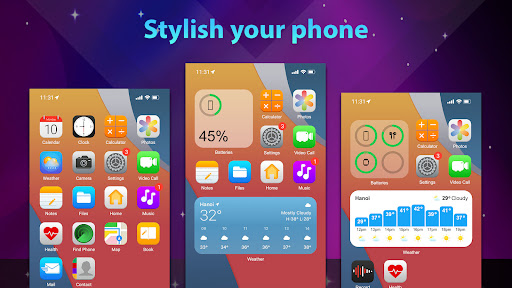
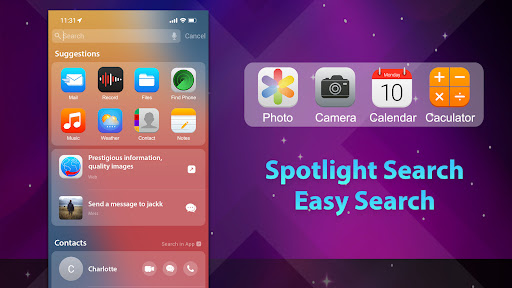
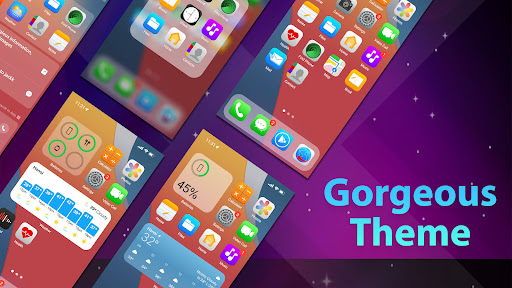
Phone 14 Launcher, OS 16 is one of those Android customization apps that could have been a cheap visual gimmick, but in day-to-day use it turns out to be much more complete than its name suggests. After spending time with it as a primary launcher, what stands out is not just that it copies the iPhone look, but that it tries to recreate the rhythm of using one. That distinction matters. Plenty of launchers can swap icons and wallpapers. Far fewer manage to make the whole phone feel like it is speaking a different design language. The setup experience is straightforward by launcher standards, though not exactly lightweight. You have to grant a series of permissions and make peace with the fact that the app leans on accessibility features and broader device access to power some of its tricks. That will be fine for people who regularly customize Android, but it may give pause to more privacy-conscious users. Once enabled, though, the payoff is immediate. The home screen, folders, control-style overlays, lock screen touches, wallpapers, icon treatment, and general motion all push hard toward an iOS-inspired presentation. It does not merely resemble an iPhone in screenshots; it carries enough of the visual cues that, for a moment, your Android brain has to readjust. The first major strength here is completeness. Many themed launchers stop at the home screen and leave the rest of the interface feeling mismatched. This one makes a more ambitious attempt to connect the dots. The control center styling, lock screen options, passcode-style effects, widgets, icon edits, wallpaper support, and built-in extras such as screen recording help the experience feel more coherent. There is genuine convenience in not having to patch together three or four separate apps just to get close to the effect you want. If your goal is to make an Android phone feel iPhone-adjacent in a broad, visible way, this app gets closer than most. The second strength is polish in the places that matter most. Icons look sharp, wallpapers are bright and eye-catching, and basic navigation feels responsive. On a decent Android phone, moving around the home screen is fast enough that the launcher does not come off as a novelty you will uninstall after ten minutes. Search and swipe gestures are easy to learn, and there is enough customization to keep the theme from feeling overly rigid. I especially liked that it balances imitation with practicality: it wants to look like iOS, but it still gives Android users familiar flexibility such as changing app names and icons. That makes it useful even for people who are not trying to fool anyone into thinking they bought an iPhone. The third strength is that it is simply fun. That may sound like faint praise, but launchers live or die on feel. This one can genuinely refresh an old phone or make a bland device more enjoyable to pick up. The faux notch and iPhone-inspired visual framing can even improve the appearance of awkward front camera cutouts on some devices. It has that rare quality of making a phone feel new again without requiring deep technical effort. That said, the app is not seamless, and the illusion breaks in several predictable ways. The biggest weakness is that this is still a launcher sitting on top of Android, not a full system replacement. Certain actions expose the underlying platform immediately. Recent apps behavior, lock flow, and system-level elements can remind you that you are using an Android phone in costume. Depending on your device, that mismatch can be mildly amusing or mildly irritating. If you demand a perfect one-to-one recreation of iOS, this is not that. The second weakness is monetization and friction. The free version is usable, but ads do intrude, especially in settings and around the edges of customization. They are not necessarily constant enough to make the app unusable, but they are noticeable enough to interrupt the otherwise premium-looking aesthetic. The upgrade path may also annoy people who dislike subscriptions for personalization apps. If you are the type who wants to set a launcher once and never think about it again, those little interruptions can wear thin. The third weakness is inconsistency in feature depth. Some parts of the experience feel carefully considered, while others feel like they still want another pass. There are hints of missing iPhone-style continuity in areas like status bar behavior, keyboard integration, notification presentation, and certain lock screen details. You can get very close to the vibe, but not every component is equally convincing. On some phones, there may also be minor nuisances like prompts, overlapping UI elements, or interactions that need tweaking before they feel right. Who is this for? It is an excellent fit for Android users who miss the visual style of iOS, people switching from iPhone who want familiar cues, and tinkerers who enjoy heavily customizing their phone without diving into advanced modifications. It is also good for anyone who wants a dramatic home screen transformation rather than a subtle theme. Who is it not for? If you are strict about permissions, allergic to ads, or want a minimalist launcher focused on speed and simplicity above all else, this is probably not your app. It is also not for users who expect every inch of Android to become indistinguishable from iOS. The app gets impressively close in the places you see most, but it cannot erase the underlying operating system. Overall, Phone 14 Launcher, OS 16 succeeds because it understands what people actually want from an iPhone-style launcher: not just a wallpaper pack, but a convincing everyday mood shift. It is flashy, surprisingly full-featured, and more polished than its category usually delivers. The trade-off is that you have to accept a layer of ad-supported clutter, broad permissions, and the occasional reminder that Android is still underneath. If you can live with those compromises, this is one of the more enjoyable and convincing iOS-style launcher experiences available on Android.
Alternative apps