Apps Games Articles
Bamboo - Privacy & Security
Spicy Dumpling Group
Rating 4.4star icon
Editor's summary
Editor rating
star icon star icon star icon star icon empty star icon
4.1

One-line summary Bamboo - Privacy & Security is easy to like if you want a simple, low-friction privacy tool, but I’d hesitate to recommend it to power users who need deep control and complete transparency.

  • Installs

    5M+

  • Developer

    Spicy Dumpling Group

  • Category

    Tools

  • Content Rating

    Everyone

  • Latest version

    1.1.2

  • Package

    com.bamboo.connection.fast.one.click

Screenshots
In-depth review
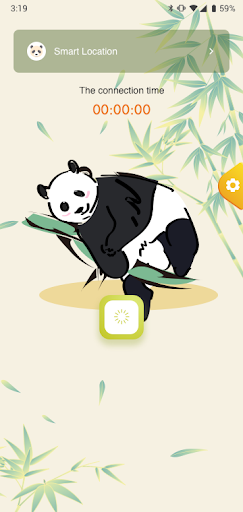
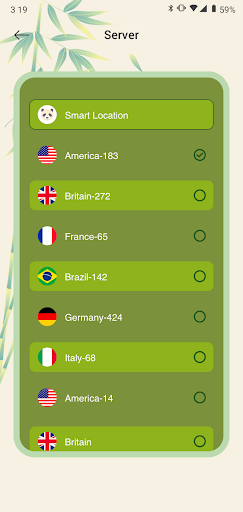
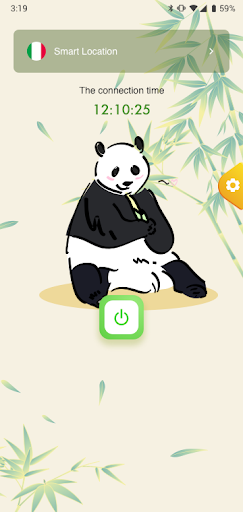
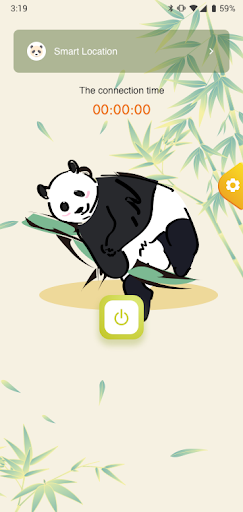
Bamboo - Privacy & Security lands in a crowded category where first impressions matter a lot, because privacy apps live or die on trust, clarity, and how much friction they add to everyday use. After spending time with it as a practical daily-use app rather than a one-minute install-and-delete experiment, my impression is broadly positive. It feels built for people who want a straightforward sense of protection without having to study networking terms or dig through pages of settings. That approach works well for a large slice of Android users, and it helps explain why the app has reached such a wide audience. The first thing that stands out is accessibility. Bamboo presents itself like an app that wants to get out of your way. The setup process feels quick, the core action is obvious, and the overall flow is friendly even if you are not especially technical. That matters more than it sounds. A lot of privacy and security apps overwhelm people with jargon, server lists, protocol options, and constant reminders that they are one wrong tap away from a bad decision. Bamboo gives the opposite impression. It feels approachable. If your goal is to install something, tap once, and feel like your connection is more private than it was five minutes ago, this app delivers that experience well. In day-to-day use, that simplicity remains one of its best qualities. Launching the app and getting connected feels fast and low-effort, which is exactly what this kind of utility should aim for. I liked that it did not seem to demand constant babysitting. For casual use on public Wi-Fi, quick sessions, or people who just want a privacy layer without turning it into a hobby, Bamboo makes a strong case for itself. There is real value in an app that makes security feel routine instead of intimidating. A second strength is that the interface appears designed for momentum rather than complexity. Even without diving into technical claims, the app gives the sense that its priorities are convenience and confidence. The visual design, naming, and flow all push you toward the idea that protection should be immediate. For many users, that is not superficial polish; it is the difference between using the app regularly and forgetting it exists. Bamboo generally succeeds at making privacy feel like a habit rather than a project. The third strength is that it seems well positioned for mainstream users rather than specialists. That may sound like faint praise, but it is actually important. Plenty of privacy apps are built by and for enthusiasts. Bamboo feels different. It appears to understand that most people do not want endless customization; they want reassurance, reasonable ease of use, and a smooth on-ramp. On that front, it is one of the more approachable options in this broad category. That said, the same simplicity that makes Bamboo easy to recommend is also where some of my hesitation comes from. The biggest weakness is that the app does not feel especially deep. If you are the kind of user who wants fine-grained control, detailed explanations, or the ability to understand exactly what is happening under the hood, Bamboo may start to feel a little too lightweight. There is a difference between being simple and being thin, and at times Bamboo edges close to that line. I never felt lost while using it, but I did occasionally wish for more transparency and more confidence-building detail. The second drawback is that privacy apps have to earn trust beyond branding, and Bamboo’s broad, simplified presentation can cut both ways. It feels convenient, yes, but convenience alone is not enough in a category where people are making decisions about protection and personal data. During use, I kept coming back to the thought that while the app is good at reducing friction, it could do more to communicate its protections in a way that reassures users who are even slightly skeptical. For newcomers, that may not matter. For more privacy-conscious users, it probably will. The third complaint is that the app’s appeal depends heavily on your expectations. If you want a set-it-and-forget-it tool, Bamboo is easy to warm up to. But if you expect a premium-feeling security suite with robust controls, advanced visibility, and a lot of configurable behavior, it may leave you wanting more. In other words, the ceiling on this experience feels lower than the floor is welcoming. It is pleasant, but not especially ambitious from a user-control perspective. So who is Bamboo for? It is for casual users, students, travelers, and everyday phone owners who want a simple privacy tool that does not demand technical knowledge. It is also a reasonable fit for people who are trying this type of app for the first time and want something with a gentle learning curve. Who is it not for? It is not ideal for advanced users, privacy maximalists, or anyone who chooses security apps based on deep configurability and extensive technical transparency. Overall, I came away thinking Bamboo - Privacy & Security is a solid mainstream utility with a clear audience and a sensible design philosophy. It does the most important thing well: it makes privacy feel easy enough to actually use. That alone gives it practical value. I just would not mistake that accessibility for depth. If your priority is convenience and a smooth, uncomplicated experience, Bamboo is worth considering. If your priority is control, detailed trust signals, and a more advanced toolkit, it may feel a little too basic. For the average Android user, though, it gets more right than wrong.