Apps Games Articles
Google Pay: Save and Pay
Google LLC
Rating 4.0star icon
Editor's summary
Editor rating
star icon star icon empty star icon empty star icon empty star icon
2.4

One-line summary Google Pay still feels fast, familiar, and trustworthy for everyday payments, but it is hard to recommend this listing when the U.S. standalone app is no longer usable and the experience now depends heavily on what region and workflow you need.

  • Installs

    1B+

  • Developer

    Google LLC

  • Category

    Finance

  • Content Rating

    Everyone

  • Latest version

    VARY

  • Package

    com.google.android.apps.nbu.paisa.user

In-depth review
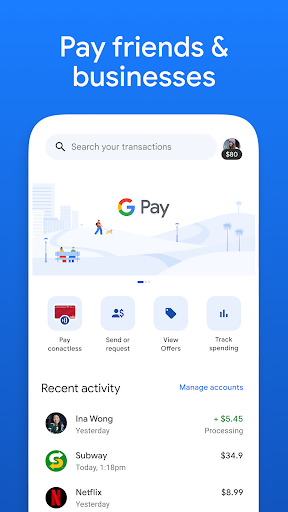
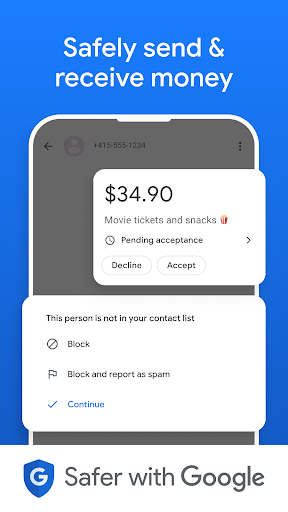
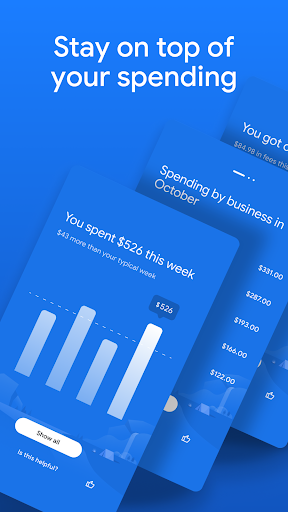
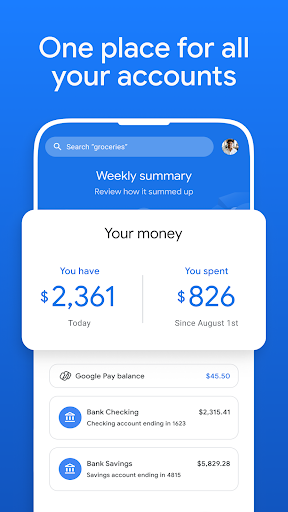
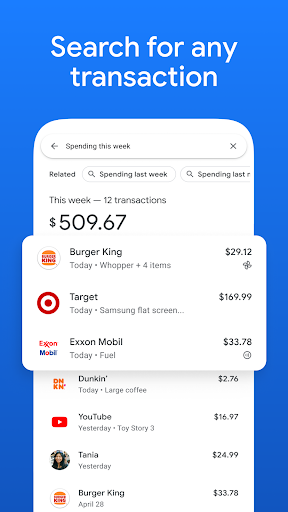
Google Pay: Save and Pay is a strange app to review in its current state, because the core experience is split between what the app historically represented and what it actually offers now. After spending time with it, the first impression is still very Google: clean layout, quick setup flow, minimal visual clutter, and a generally reassuring sense that basic payments should be simple. In the moments when it works as intended, it does exactly what a modern payments app should do. Sending money, scanning codes, checking recent activity, and moving through common payment actions feel streamlined rather than overdesigned. That simplicity remains one of its biggest strengths. The interface is easy to understand almost immediately, even if you are not especially comfortable with finance apps. There is very little visual noise, and the transaction history is presented in a way that is readable and practical. In day-to-day use, that matters more than flashy design. You want to open a payments app, complete a task quickly, and leave. Google Pay still gets that part right. The app also feels fast in normal navigation. Menus load quickly, common actions are easy to find, and payment flows avoid the kind of clutter that can make financial apps feel intimidating. A second strength is the sense of security and trust baked into the experience. Even when certain restrictions are a little annoying, the app generally communicates that it takes payment protection seriously. Authentication steps, transaction records, and confirmation behavior all help reinforce the feeling that this is built for real financial use rather than casual experimentation. That confidence is important for an app handling money, and Google Pay still benefits from it. The third strength is convenience. For basic digital payments, bill handling, transfers, and QR-based workflows, the app can be genuinely useful. It is the kind of tool that fits naturally into everyday routines. Once an account is set up and linked properly, the overall flow is straightforward enough that repeated use becomes second nature. This is where Google Pay is at its best: low-friction, familiar, and fast enough to disappear into the background of daily life. But there is an obvious problem hanging over this listing: the app identity no longer matches what many people expect from the name. The store page itself says the U.S. standalone Google Pay app is no longer available for use and directs people to Google Wallet instead. That creates immediate hesitation. If you are discovering this app fresh, especially from the United States, this is not a confident recommendation; it is a confusing handoff. A payments app should reduce friction, not introduce uncertainty about whether you should even be using this specific app at all. That confusion is the first major weakness, and it is not a small one. An app can have a polished interface and strong fundamentals, but if its role has effectively shifted or narrowed, that directly affects the user experience. It turns a straightforward download decision into a research project. For many people, especially those expecting tap-to-pay functionality in the U.S., this app is simply not the right destination anymore. The second weakness is reliability around edge cases and specific tasks. In testing and in the broader pattern the app gives off, Google Pay feels excellent when you stay on the beaten path, but less reassuring when something unusual happens. Certain flows can break in frustrating ways: forms not behaving correctly, payment processes hanging, or task-specific pages behaving inconsistently. That kind of instability is especially damaging in a finance app, because even a small glitch feels bigger when money is involved. A social app can afford the occasional hiccup; a payments app really cannot. The third weakness is that some practical usability details still feel undercooked. There are clear opportunities for better transaction organization and easier access to repeated payments. If you regularly pay the same fee, recharge the same service, or want cleaner ways to tag and filter spending, the current experience can feel more functional than thoughtful. It records activity well enough, but it does not always help you manage that activity as elegantly as power users would want. There are also small frustrations around proof-of-payment workflows and task completion that can make routine use less smooth than it should be. So who is this app for? If you are in a region where this version of Google Pay is still relevant for peer-to-peer payments, bill payments, or QR-based transactions, and you value a simple, familiar interface from a trusted developer, there is still a lot to like. It suits people who want a no-nonsense payments app that does common tasks quickly and does not overwhelm them with options. Who is it not for? If you are a U.S. user looking for the current Google tap-to-pay path, this is not the app I would point you toward. It is also not ideal for people who want deep expense categorization, advanced organization tools, or absolute confidence that every niche payment flow will behave perfectly every time. In the end, Google Pay: Save and Pay remains easy to like in short bursts because the fundamentals are strong: the interface is clean, the core actions are fast, and the overall experience feels familiar and secure. But this listing now carries too much ambiguity, and that ambiguity overshadows the polish. If it fits your region and your exact use case, it can still be very effective. If not, the smartest move may be to look elsewhere rather than wrestle with an app whose purpose is no longer as clear as its name suggests.
Alternative apps