Apps Games Articles
Launcher iOS 16
LuuTinh Developer
Rating 4.8star icon
Editor's summary
Editor rating
star icon star icon star icon star icon empty star icon
4.4

One-line summary Launcher iOS 16 is easy to recommend if you want your Android phone to feel cleaner and more iPhone-like fast, but it is harder to love if you prefer a launcher that feels deeply customizable rather than heavily themed.

  • Installs

    50M+

  • Developer

    LuuTinh Developer

  • Category

    Personalization

  • Content Rating

    Everyone

  • Latest version

    -

  • Package

    com.luutinhit.ioslauncher

In-depth review
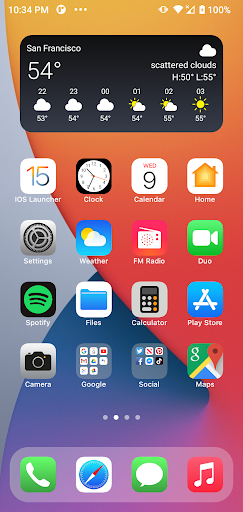
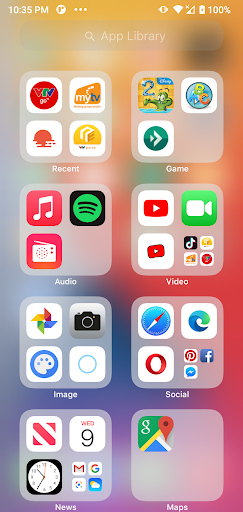
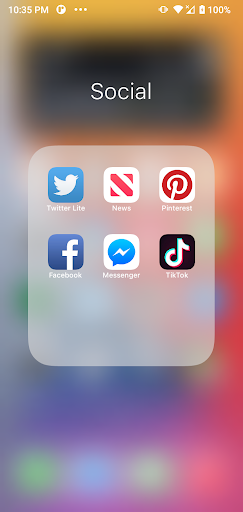
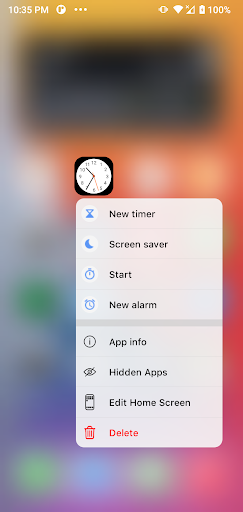
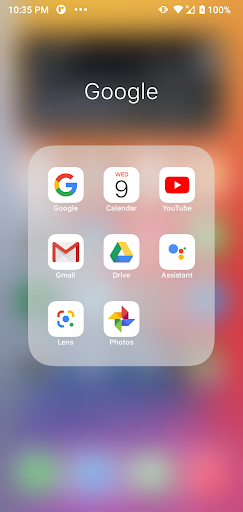
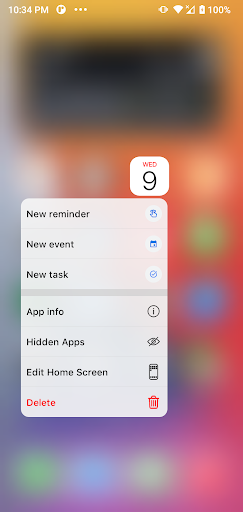
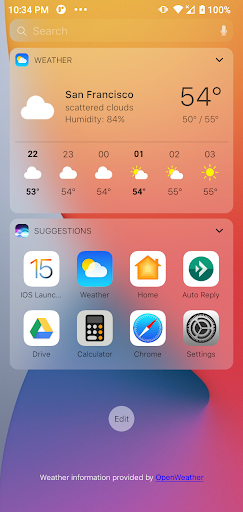
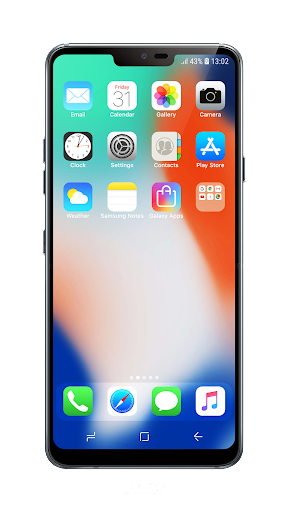
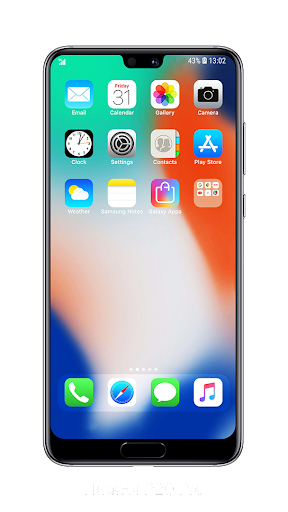
Launcher apps live or die on a very simple promise: can they make your phone feel better to use every day, not just look different for five minutes? After spending time with Launcher iOS 16, the answer is mostly yes. This is one of those Android launchers that understands exactly why people install it in the first place. It is not trying to be an all-purpose power-user tool. It is trying to give your phone the visual rhythm and familiar structure of an iPhone-style home screen, and in day-to-day use it does that with more polish than many similar apps. The first thing that stands out is how quickly the app changes the atmosphere of your device. A lot of themed launchers feel like a skin laid on top of Android, with mismatched icons, awkward menus, and enough visual inconsistency to break the illusion almost immediately. Launcher iOS 16 does a better job than most at creating a coherent look. The home screen layout, icon styling, and overall presentation feel intentionally designed rather than slapped together. Even if you are not specifically chasing an iPhone clone, there is something appealing about the cleaner, more orderly presentation. It makes the phone feel less busy. That cleaner presentation is the app’s first big strength. In normal use, it gives you a tidier front end that can make routine tasks feel calmer. Opening the phone, finding common apps, and moving around the home screen all feel straightforward. There is value in that. Some Android launchers chase endless options and tweaks until the whole thing becomes a settings project. Launcher iOS 16 goes in the opposite direction. It emphasizes a recognizable, simplified style, and that makes it approachable. If you hand this to someone who wants a more familiar iPhone-like layout without having to learn a complicated launcher system, they will likely adapt quickly. Its second strength is accessibility. Because the app is free and clearly designed for broad appeal, it lowers the barrier to trying out a new home-screen experience. You do not need to commit to a whole new way of managing your phone to understand what it offers. Install it, spend a little time with it, and you can tell pretty quickly whether this visual style works for you. In our use, that ease matters. A launcher should not make you work too hard just to get to the point. This one generally does a good job of making the setup feel approachable rather than technical. The third strength is that it scratches a very specific itch well. There are plenty of Android users who like Android hardware but prefer the cleaner aesthetic associated with iOS. For that crowd, Launcher iOS 16 is not pretending to be subtle. It leans into the identity, and that focus helps it feel more complete than generic “makeover” apps. If your goal is to make your phone look and feel closer to an iPhone without changing devices, this app gets remarkably close in spirit. That said, using it over more than a brief test also reveals its limitations. The biggest one is that the app’s identity is so tightly tied to one design language that it can feel restrictive if you like Android precisely because it is flexible. If you are the type who wants to rebuild gesture behavior, resize everything, reorganize app presentation in your own way, and tune every detail, this launcher may feel like it is making choices for you rather than empowering you. It is polished within its concept, but the concept itself is narrow. A second weakness is that novelty can wear off. During the first stretch of use, the iOS-inspired look is the whole attraction. Later, what matters is whether the launcher disappears into your routine and simply helps you use your phone better. Launcher iOS 16 gets close, but there were moments where the themed experience felt more like imitation than optimization. That is not a deal-breaker if the aesthetic is what you came for, but it does mean the app is strongest as a style-driven launcher first and a productivity-first launcher second. The third complaint is that this kind of launcher style is not for everyone, and Launcher iOS 16 does not do much to bridge that gap. If you are already happy with standard Android conventions, or if you prefer a launcher that celebrates Android instead of borrowing from iOS, this may feel like a cosmetic detour rather than an upgrade. It is not a bad experience; it is just one with a very clear taste profile. You either enjoy that tightly managed look or you bounce off it fairly quickly. So who is this app for? It is for Android users who want a cleaner home screen, people curious about an iPhone-style interface, and anyone who values visual consistency over endless customization. It is also a good fit for casual users who want a fresh look without having to learn a complicated launcher toolkit. Who is it not for? Power users, Android purists, and anyone who wants deep control over every interaction on the home screen. Those people may admire the polish but still find the experience limiting. Overall, Launcher iOS 16 succeeds because it understands its audience and delivers the core fantasy well. It feels cleaner than many novelty launchers, more usable than most visual clones, and polished enough to keep around beyond the first day of testing. It is not the launcher I would recommend to every Android user, but it is one I would confidently recommend to the right one: someone who wants an iPhone-inspired home screen that feels attractive, approachable, and surprisingly livable on a daily basis.
Alternative apps