Apps Games Articles
PayPal Business
PayPal Mobile
Rating 4.3star icon
Editor's summary
Editor rating
star icon star icon star icon star icon empty star icon
4.2

One-line summary PayPal Business is an excellent mobile invoicing and payment-management tool for small operators, but occasional verification friction and a few shaky app moments keep it from feeling fully dependable.

  • Installs

    10M+

  • Developer

    PayPal Mobile

  • Category

    Business

  • Content Rating

    Everyone

  • Latest version

    2023.02.02

  • Package

    com.paypal.merchant.client

Screenshots
In-depth review
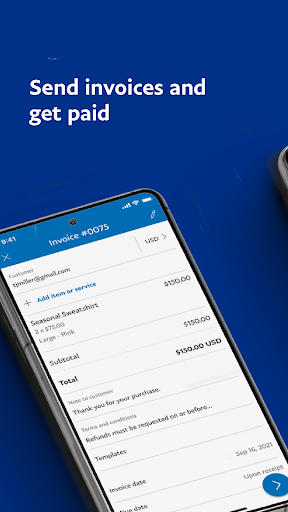
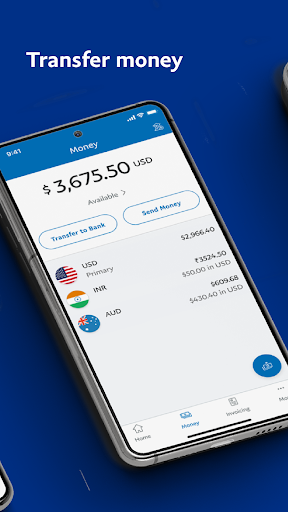
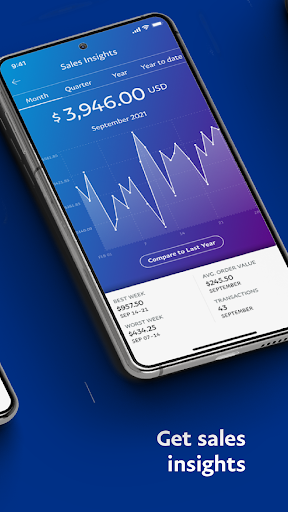
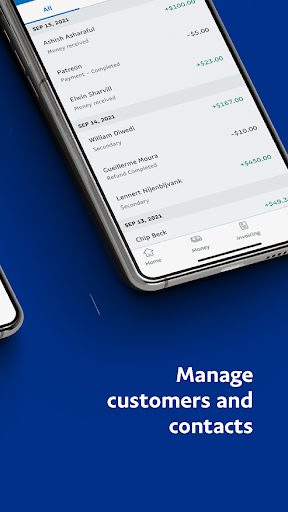
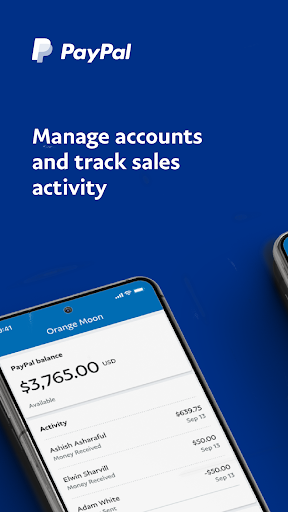
PayPal Business feels like an app built for people who do not want to babysit payments all day. After spending real time with it as a day-to-day business companion, that is the core impression it leaves: it is at its best when you need to send an invoice quickly, check whether money has come in, issue a refund without opening a laptop, and move on with your work. The strongest part of the experience is invoicing. Creating and sending invoices from a phone is genuinely convenient here, and the workflow is mostly clean. You can put together a professional-looking invoice without feeling like you are fighting a cramped mobile interface. The app is particularly useful for small businesses, freelancers, service providers, and anyone who bills clients repeatedly. If your routine involves sending estimates, following up on unpaid work, or nudging recurring customers, PayPal Business makes that process much less tedious. The reminder tools are especially valuable because they remove one of the most annoying parts of running a small operation: remembering who has paid and who needs a follow-up. That same ease carries over to basic account management. Checking your balance, looking over recent activity, and getting a quick feel for sales performance all work well in a mobile context. The app does a good job of surfacing the information you are most likely to need when you are away from your desk. Instead of burying everything under desktop-style menus, it generally keeps the most practical actions close at hand. For a business owner on the go, that matters. This is not the kind of app you open just to admire the design; it is the kind you open because you need to do one thing quickly and get back to work. Another thing I appreciated is that it does not feel limited to one narrow payment scenario. You can use it for invoices, refunds, transfers, and basic transaction lookup without constantly bouncing into a browser. That makes it more useful than a bare-bones companion app. There is also a reassuring layer of security throughout the experience. PayPal clearly takes account protection seriously, and in a payments app that is not a bad instinct. Still, this is not a flawless mobile business tool. The biggest frustration is that PayPal’s security measures can become a little too intrusive in everyday use. Verification steps, codes, and occasional payment holds may be understandable from a fraud-prevention standpoint, but they can interrupt workflow at exactly the wrong moment. When you are trying to get paid or access your money promptly, “extra secure” can feel a lot like “needlessly slow.” Newer accounts may feel this more sharply, and even established users can run into moments where the app seems to demand another round of confirmation just when everything should have been straightforward. I also ran into the kind of inconsistency that hurts trust in a business app more than it would in a casual consumer app. In general, PayPal Business is easy to use, but it is not immune to awkward edge cases. Some parts of the invoice entry flow could be more polished, especially where contact handling is concerned. There are spots where the interface suggests flexibility, but the actual confirmation or selection behavior is not as smooth as it should be. Nothing here makes the app unusable, but there are enough little rough edges to remind you that this is a utility-first product, not an especially refined one. The third weakness is stability and feature consistency. On a good day, the app is fast, responsive, and more convenient than using the mobile website. On a bad day, it can feel oddly temperamental. There are signs that some users encounter update confusion, sign-in hiccups, or periods where features do not behave consistently across devices. In my time with it, I did not find it broken overall, but I did get the sense that it is capable of occasional wobble. That matters because payments software has a higher bar than most categories. If a note-taking app stumbles, you get annoyed. If a payments app stumbles, you start thinking about backup plans. Who is this app for? It is a very good fit for freelancers, solo operators, side hustlers, small service businesses, coaches, creators, repair professionals, and merchants who live and die by quick invoicing and mobile account access. If your work involves sending bills, tracking whether clients paid, issuing the occasional refund, and checking sales figures from your phone, this app is genuinely useful. It is especially appealing if you already operate within PayPal’s ecosystem and want that workflow in your pocket. Who is it not for? If you hate security checks, need instant and frictionless access to every incoming payment, or expect a perfectly polished, glitch-free mobile experience every single time, this app may test your patience. It is also not ideal for anyone whose needs depend on very specific desktop-style account controls that may not be fully surfaced in the mobile app. Overall, PayPal Business earns its place by solving real everyday problems well. It turns invoicing, reminders, payment tracking, and basic money management into quick mobile tasks instead of desktop chores. That alone makes it easy to recommend. But the recommendation comes with a qualifier: this is a strong working app, not a seamless one. When it is flowing, it is one of the handiest tools a small business owner can keep on their phone. When PayPal’s security friction or occasional app instability kicks in, it can feel more demanding than it should. Even so, for many small businesses, the convenience still outweighs the irritations.
Alternative apps