In-depth review
VivaCut feels like one of those mobile editing apps that wants to be taken seriously, and for the most part, it earns that ambition. After spending time cutting together short social clips, image-based edits, and a few more layered projects, my biggest takeaway is simple: this app is far more powerful than the average phone editor, and it often feels closer to a compact creative workstation than a casual filter app.
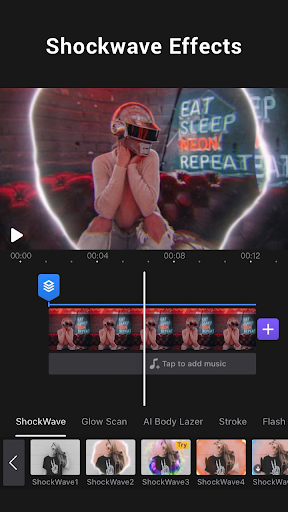
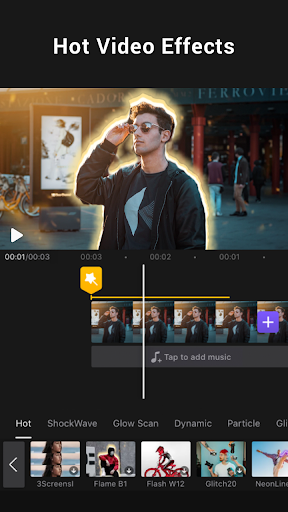
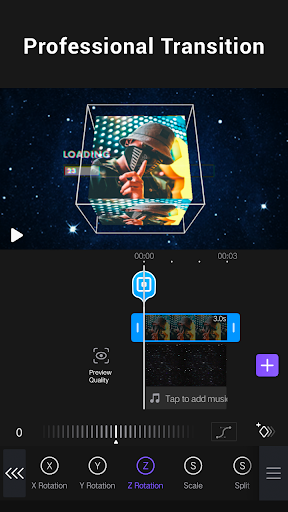
The first thing that stands out is the editing interface. VivaCut’s multi-layer timeline is the reason to use it. A lot of mobile editors are designed around quick trimming and dropping in a transition or two. VivaCut goes further. It lets you stack elements in a way that actually encourages composition: video, text, overlays, music, effects, picture-in-picture layers, and masks all feel like they belong in the same editing environment. If you like building edits rather than just assembling clips, this matters. I found it especially good for short-form content where timing, text placement, and visual effects need to work together tightly.
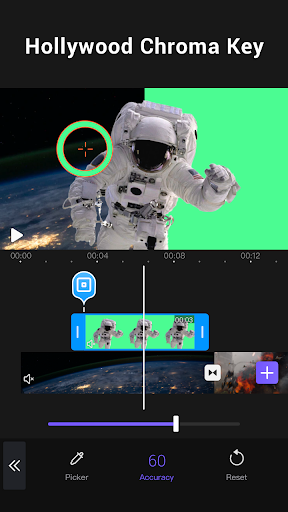
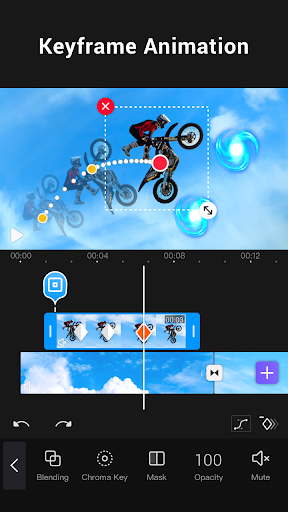
That power would mean very little if the app were a mess to navigate, but VivaCut is generally approachable. It is not the kind of app you master in 30 seconds, yet it also never feels hostile to beginners. Basic actions like trimming, splitting, combining clips, changing speed, adding text, and dropping in music are easy enough to learn by doing. Once you start exploring deeper tools such as masking, blending, keyframe animation, overlays, or chroma-key style effects, the app reveals a much more advanced side. This is where VivaCut becomes genuinely impressive. On a phone, being able to create stylized edits with layered motion, cutouts, and dramatic transitions without feeling totally boxed in is a big win.
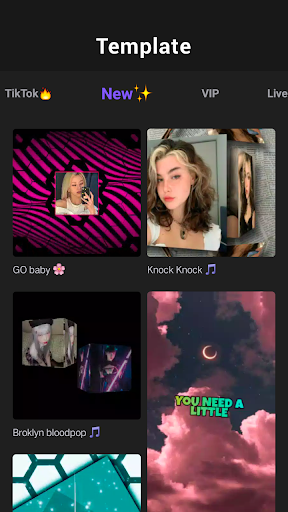
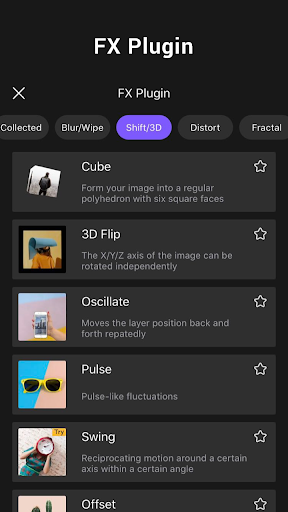
Another strength is that VivaCut understands what modern mobile creators actually make. This is an app built for social edits, fan edits, music-driven cuts, and polished short videos. The transitions are plentiful, the text tools are useful, and there is enough visual flair here to make clips feel more dynamic without needing desktop software. I also liked that it supports audio-focused editing in a meaningful way. Syncing visual changes to music is easier than in many simpler editors, and audio extraction is one of those features that quickly becomes part of a real workflow once you start repurposing clips.
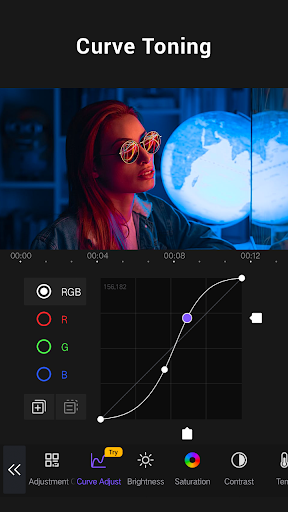
Export quality is also part of the appeal. The app clearly aims to let users create content that looks clean enough for YouTube, Instagram, and TikTok rather than forcing everything into a low-end mobile aesthetic. When a project behaves, VivaCut can produce polished results that are better than many people expect from a free app.
But this is not an editor I would call flawlessly reliable. The biggest issue I ran into was stability. On lighter projects, VivaCut performs well enough, but as soon as timelines get more crowded with layers, effects, or longer edits, the app starts to feel less confident. I saw the occasional freeze, lag, and slowdown while adjusting assets. That is not just a small annoyance in an editor; it breaks concentration. Video editing depends on momentum, and when an app stutters while you are fine-tuning timing or rebuilding a sequence, the experience gets frustrating fast.
That leads into the second major drawback: VivaCut’s performance ceiling feels lower than its ambition. The app invites you to create complex edits, but it does not always feel equally ready to handle them smoothly. If your idea of editing is a fast montage with a few overlays, you will probably be happy. If you are planning dense animation-style projects with many stacked elements, you may run into lag sooner than you want.
The third weakness is the free-version friction. VivaCut is generous enough to be useful without paying, but it also constantly reminds you that the full experience sits behind a subscription or locked tools. Some export options, advanced features, and project flexibility feel constrained unless you upgrade. There are also complaints like watermarks, ads, or project-length limits that can make the free version feel less like a creative playground and more like an extended trial once you start depending on it. None of that makes the app bad, but it does affect who should install it.
So who is VivaCut for? It is a strong choice for creators who edit primarily on their phone and want more than basic trimming. If you make TikToks, Instagram Reels, YouTube shorts, fandom edits, lyric videos, aesthetic montages, or lightweight music videos, VivaCut gives you a lot to work with. It is also a surprisingly good fit for beginners who want room to grow, because the app starts simple and gradually opens into more advanced tools.
Who is it not for? I would hesitate to recommend it to anyone who needs absolute reliability for long or complex projects, or to people who dislike subscription pressure and feature gating. If your edits regularly involve many layers and long timelines, you may start feeling the limits of mobile performance here. And if you want a completely unrestricted free editor, VivaCut may test your patience.
Overall, I came away impressed. VivaCut is one of the rare mobile editing apps that feels creatively ambitious rather than disposable. It has real editing depth, a flexible timeline, and enough advanced tools to make phone-based editing feel exciting. At the same time, its crashes, occasional instability, and free-tier annoyances stop it short of greatness. Still, if you want a mobile editor that gives you room to do more than the basics, VivaCut deserves a serious look.