Apps Games Articles
My Invisalign - Official App
Align Technology
Rating 4.6star icon
Editor's summary
Editor rating
star icon star icon star icon
half star icon
empty star icon
3.9

One-line summary My Invisalign is an easy app to recommend for active Invisalign patients because its reminders, wear-time tracking, and photo check-ins make treatment feel more manageable, but it becomes much less compelling if your doctor doesn’t enable the app’s best features.

  • Installs

    100K+

  • Developer

    Align Technology

  • Category

    Medical

  • Content Rating

    Everyone

  • Latest version

    4.5.1

  • Package

    com.aligntech.myinvisalign

In-depth review
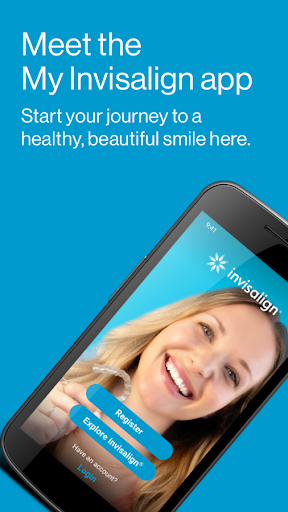
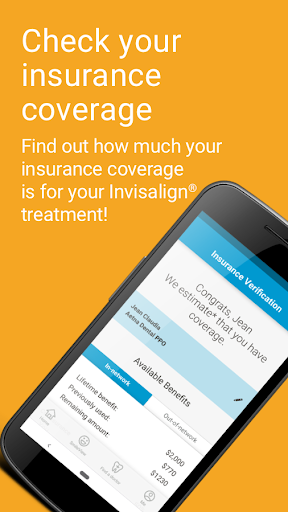
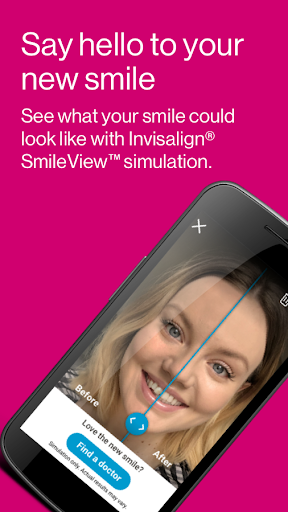
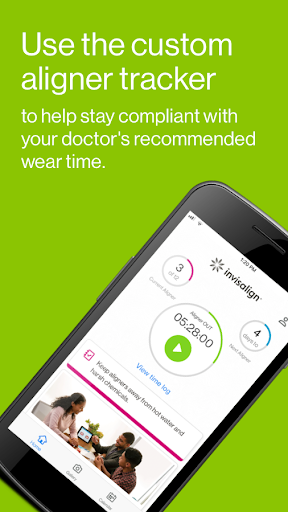
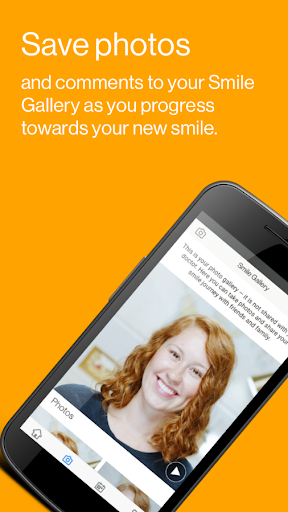
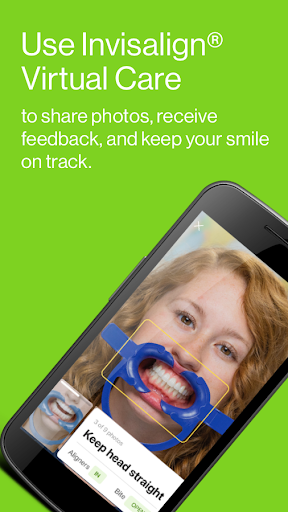
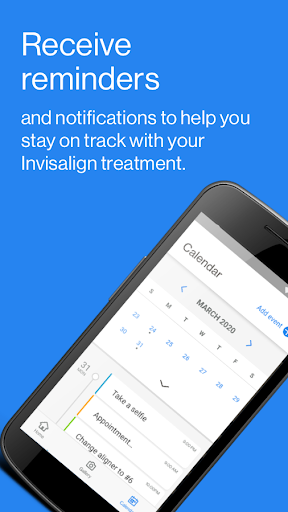
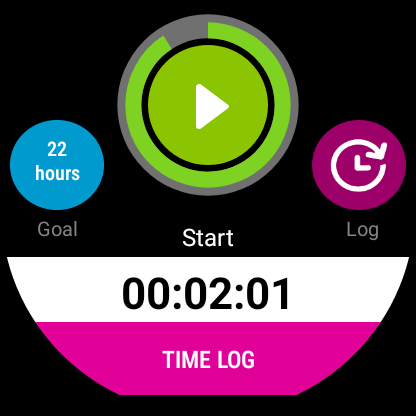
My Invisalign - Official App feels like two apps stitched into one: part marketing hub for people curious about clear aligners, part treatment companion for patients already wearing them every day. After spending time with it from the perspective that matters most, day-to-day treatment support, the second half is clearly the reason this app exists. When it clicks, it genuinely reduces the mental load of Invisalign treatment. When it doesn’t, it can feel like a polished shell around features you may not fully get to use. The best thing about My Invisalign is that it understands the rhythm of aligner treatment. This is not the kind of health app you open once, poke around in, and forget. If you are actively wearing aligners, the experience is built around repetition: start wearing them, track your hours, get nudged when it is time to switch, keep an eye on your progress, and occasionally document what your teeth look like. That structure works. The timer is especially useful because it turns a vague goal like “wear these most of the day” into something measurable. In regular use, that creates accountability without feeling too punishing. You can quickly see whether you are on track, and that simple visibility is one of the app’s biggest practical wins. Another strength is that the app keeps progress tangible. Orthodontic treatment can feel slow even when it is working, so having before-and-after photos, progress views, and treatment-related visuals gives you something concrete to look at. That matters more than it sounds on paper. During daily use, seeing small changes and keeping your treatment organized makes the process feel less abstract. The app also does a good job of wrapping reminders and scheduling into that experience. Appointments, aligner changes, and general treatment milestones all fit neatly into a workflow that feels designed for people living with Invisalign, not just reading about it. There is also a degree of polish here that makes it approachable for first-time users. The app is easy to understand, the core purpose is obvious, and nothing about it feels overly technical. Even the informational side for prospective patients is presented in a straightforward way. Tools like smile simulation and doctor-finding make sense as entry points, and for someone at the beginning of the process, they lower the friction of figuring out next steps. If you are new to Invisalign, this app does a decent job of guiding you from curiosity to consultation. That said, My Invisalign is not consistently excellent, and its biggest weakness is that some of its most useful functions are gated by your provider’s participation. Features like viewing a ClinCheck treatment plan or using virtual care are appealing because they promise tighter integration with your orthodontic journey, but they are only available in certain doctor-enabled scenarios. In practice, that creates an uneven experience. You can see the app’s ambition, but depending on your setup, parts of it may feel out of reach. From a user perspective, that can be frustrating because the app presents itself as a central companion, yet the exact value you get depends heavily on what your doctor supports. The second issue is that the app can feel a little too broad. For active patients, the daily tracker and reminders are the heartbeat of the experience. The promotional and educational sections are fine, but they are not always what you want once treatment has started. In everyday use, the app is strongest when it behaves like a focused treatment utility. Whenever it drifts back toward general brand education or referral-style extras, it feels less essential. Nothing is broken about that content; it just dilutes the app’s identity a bit. A third complaint is that the experience does not always feel as premium as the brand behind it. The Google Play rating in the store sits noticeably lower than the polished marketing language might suggest, and after using the app, that gap makes sense. The basics are useful, but there are moments where the app feels more functional than refined. Some sections are clearly more valuable than others, and the overall experience can come across as dependable rather than delightful. That is not a deal-breaker in a medical app, but it keeps My Invisalign from feeling like a must-have beyond its core tracking role. Who is this app for? Primarily, it is for current Invisalign patients who want help sticking to treatment. If you are the kind of person who benefits from reminders, likes seeing progress over time, and wants a simple place to manage aligner wear and treatment logistics, this app does its job well. It is also useful for prospective patients who want a guided first step into the Invisalign ecosystem. Who is it not for? If you are expecting a deeply personalized treatment dashboard regardless of provider involvement, you may be disappointed. And if you do not care about timers, reminders, or progress documentation, there is not enough here to make the app feel indispensable. In the end, My Invisalign is a solid companion app with real everyday value, especially once treatment is underway. Its strongest features are practical, habit-forming, and easy to use. Its weakest point is inconsistency: the more you expect full doctor-connected functionality, the more your experience may depend on factors outside the app itself. I would recommend it to most Invisalign patients because the tracking and reminder tools genuinely help, but I would recommend it with measured expectations rather than blind enthusiasm.
Alternative apps