Apps Games Articles
PulsePoint Respond
PulsePoint Foundation
Rating 4.6star icon
Editor's summary
Editor rating
star icon star icon star icon star icon
half star icon
4.5

One-line summary PulsePoint Respond is one of the rare apps that can be genuinely useful in a life-or-death moment, but its value depends heavily on whether your local emergency agencies actually support it.

  • Installs

    1M+

  • Developer

    PulsePoint Foundation

  • Category

    Medical

  • Content Rating

    Everyone

  • Latest version

    4.14.1

  • Package

    mobi.firedepartment

In-depth review
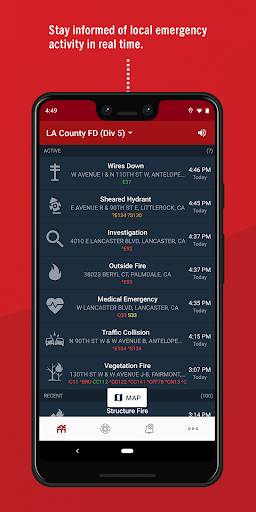
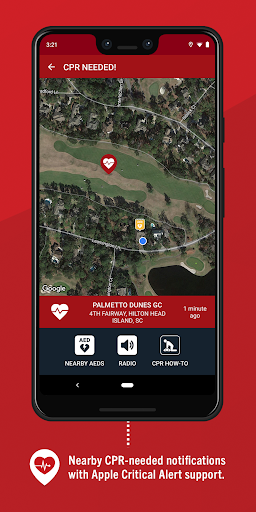
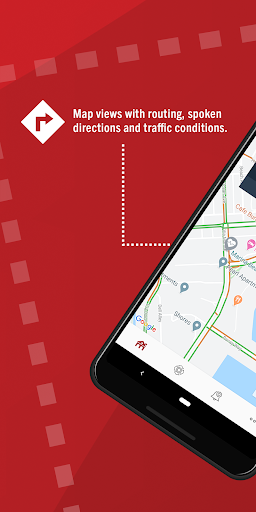
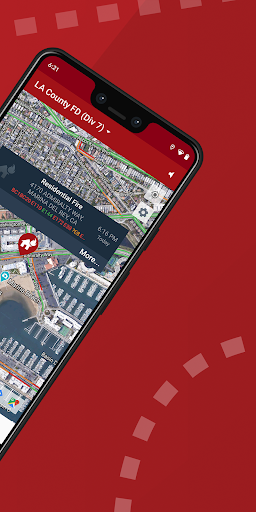
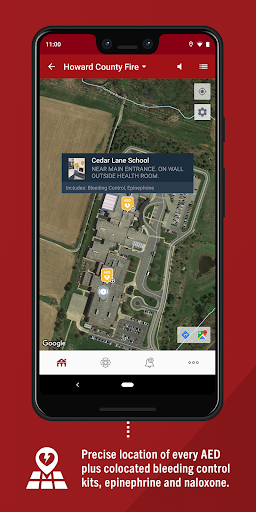
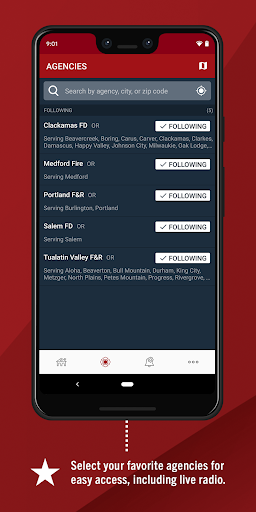
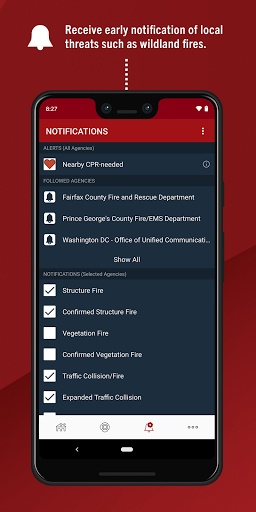
PulsePoint Respond is not the kind of app you download for entertainment, convenience, or idle curiosity. You install it because you want timely, practical awareness of emergencies happening around you, and ideally because you have the training and willingness to step in when a nearby cardiac arrest call goes out. After spending time with it, that mission-first design is exactly what stands out: this is an app with a clear purpose, and for the most part it stays focused on that purpose. In day-to-day use, PulsePoint feels more like a public-safety utility than a consumer app trying to impress you with flashy design. That works in its favor. The interface is straightforward, and it does not take long to understand the core experience: choose your communities, decide what kinds of incidents you want to follow, and let the app act as a window into local emergency activity. The setup is simple enough that you can get from install to useful information quickly, which matters for an app that may need to be understood under pressure. The strongest thing about PulsePoint Respond is that it makes emergency information feel immediate and local. When it is connected to active agencies in your area, the app gives a real sense of what is happening around you rather than a vague news-feed summary hours later. That immediacy is especially compelling for CPR-needed alerts. Even if you never receive one personally, just understanding that the app is designed to connect trained bystanders to nearby cardiac arrest incidents gives it a seriousness most health or safety apps simply do not have. In testing, the location-centric presentation felt clear and practical, not overloaded. If the app pings you, you are not left guessing what you are looking at. A second major strength is that PulsePoint is useful even when you are not acting as a responder. As a local awareness tool, it has real everyday value. We found it genuinely handy for keeping tabs on major incidents, especially the kinds of events that could affect traffic, neighborhood access, or general safety. The ability to follow dispatch activity and significant local emergencies gives the app a wider purpose than just CPR response. That broader utility is important because for many people, CPR alerts will be rare, but situational awareness can still make the app worth keeping installed. The third strength is its tone. PulsePoint largely avoids the sensational feel that can plague emergency-tracking tools. It does not come across like an app trying to turn public safety into spectacle. Instead, it feels restrained and functional, which is exactly the right choice here. The app respects the seriousness of the events it surfaces, and that restraint makes it easier to trust. That said, PulsePoint Respond is not universally useful, and that is its biggest weakness. The app lives or dies by local agency participation. In a fully connected community, it can feel essential. In an area with limited support, it can feel sparse or inconsistent. That is not a flaw in the concept, but it absolutely affects the real user experience. If your local emergency ecosystem is well integrated, PulsePoint is powerful. If it is not, the app can feel like a promising tool waiting for someone else to flip the switch. The second weakness is that the experience can be a little dry for newcomers. The interface is clean and efficient, but it is not especially inviting. If you are a civilian downloading it out of general interest rather than professional familiarity or CPR training, there may be a short adjustment period where the app feels more procedural than friendly. That is not necessarily bad, but it does mean PulsePoint lacks some of the onboarding warmth and hand-holding that would make its public-service mission feel more accessible to first-time users. The third limitation is that its most important feature is also its narrowest one. CPR-needed alerts are what give PulsePoint its identity, but not everyone who downloads the app is actually in a position to respond. If you are not CPR-trained, or if you are not comfortable acting in emergencies, the app becomes more of a monitoring tool than an action tool. It still has value in that role, but the emotional promise of the app is much bigger than what many users will personally experience. In practice, a lot of the time you are checking local incidents and staying informed, not racing out to save a life. Who is this app for? First, it is for CPR-trained civilians, off-duty medical personnel, firefighters, EMTs, and community members who want to be part of a faster emergency response chain. It is also for people who simply want a better read on significant emergency activity in their area without wading through social media noise. Who is it not for? Anyone expecting a broad wellness app, a disaster-prep handbook, or a highly personalized emergency platform may find it too specialized. And if your community does not actively support PulsePoint, you may not get enough out of it to keep opening it. Overall, PulsePoint Respond leaves a strong impression because it feels like an app built for real-world use, not app-store theater. When it works in the environment it was designed for, it is impressive: fast, focused, and potentially life-saving. Its limitations are real, especially the dependence on local coverage and the somewhat austere user experience, but they do not overshadow the fact that this is one of the more meaningful free apps you can put on your phone. If you have CPR skills and your area supports it, PulsePoint Respond is easy to recommend. Even if you never answer an alert, having a reliable line into local emergency activity can make it worthwhile.
Alternative apps