Apps Games Articles
Kardia
AliveCor Inc.
Rating 3.3star icon
Editor's summary
Editor rating
star icon star icon star icon star icon empty star icon
4.1

One-line summary Kardia is easy to recommend if you already own the hardware and want fast, credible ECG recordings at home, but it becomes harder to love when the app feels twitchy after updates and occasionally interrupts a medical tool with needless friction.

  • Installs

    1M+

  • Developer

    AliveCor Inc.

  • Category

    Medical

  • Content Rating

    Everyone

  • Latest version

    5.29.1-41a0fe800

  • Package

    com.alivecor.aliveecg

Screenshots
In-depth review
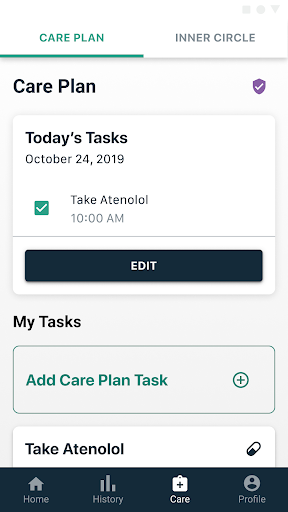
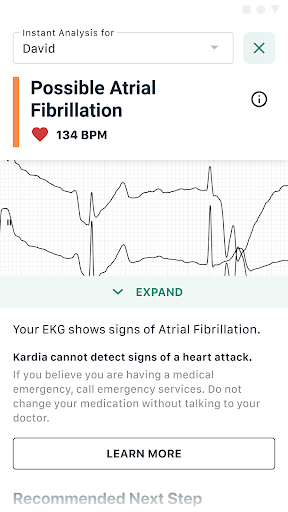
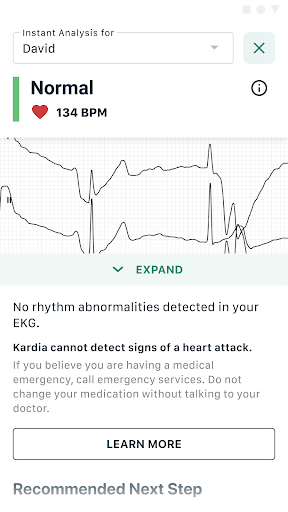
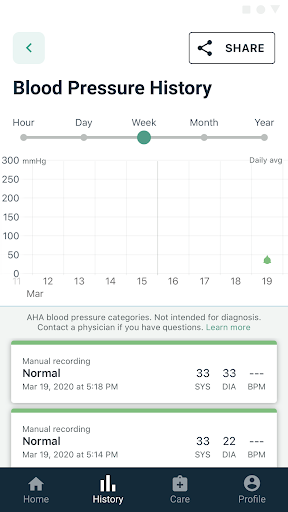
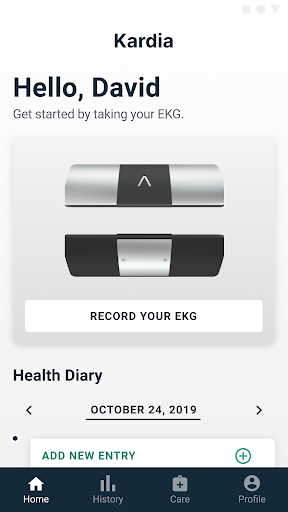
Kardia is one of those medical apps that immediately feels more serious than the average wellness tracker. From the first session, the experience is built around a clear purpose: capture a heart recording quickly, understand the result quickly, and keep a record you can actually use later. After spending time with it, that focus remains the app’s biggest strength. It does not try to be a broad lifestyle dashboard first and a heart tool second. It feels like a companion to a dedicated piece of medical hardware, and that gives it a sense of direction many health apps lack. The best part of using Kardia is how direct the core workflow is. Once the hardware is connected and the app is ready, taking a recording feels refreshingly simple. You open the app, place your fingers as instructed, stay still for a short session, and get an interpretation without much ceremony. That matters because this is not the kind of app people open for entertainment. You use it because something feels off, because you want reassurance, or because your clinician has asked you to keep track of episodes. In that moment, speed and clarity matter more than visual flair, and Kardia generally understands that. In day-to-day use, the app does a good job of turning what could be a technical process into something approachable. The setup is not intimidating, and the app does not bury the main feature under layers of menus. It also helps that the results are presented in a way that feels practical rather than overly clinical. You do not need to be an expert to understand the takeaway, and when you want to share a recording, the app makes that feel like part of the normal flow rather than an afterthought. Being able to export and send recordings to a cardiologist is one of the most useful parts of the package, and it is easy to see why people keep this in their health toolkit for years. That said, Kardia is not as smooth as a medical app at this level should be. The biggest issue we ran into was inconsistency. Most of the time the app works exactly as intended, but there are moments when it starts to feel temperamental. Small hiccups in responsiveness or behavior after software changes can turn a reassuring experience into an irritating one. That is especially frustrating here because reliability is not a bonus feature; it is the whole point. When an app is meant to be used during a stressful health moment, even minor instability feels larger than it would in a normal consumer app. Another limitation is that Kardia is only truly useful if you already have the company’s hardware. That is not a flaw in itself, but it is important context for anyone browsing the app listing. On its own, the app is not a standalone heart monitor. Its value is tightly linked to the KardiaMobile ecosystem. For the right user, that is perfectly fine. For the wrong user, it means downloading the app leads nowhere fast. This is very much a companion tool, not an all-purpose heart health app for curious beginners. There is also a slight tension in the app’s presentation between essential medical utility and the feeling that it occasionally wants to upsell or funnel you toward add-on services. To be fair, this did not stop the main features from working in our testing, and the core recording flow remained accessible. Still, when you are opening an app for something as personal as a heart reading, any extra nudge that feels promotional stands out more than it would elsewhere. A calmer, more stripped-back experience would better match the seriousness of the product. Where Kardia wins decisively is usefulness. This is not an app that tries to motivate you with streaks, badges, or vague health scores. It helps you capture an ECG, store it, and pass it along when needed. That practical value is the reason to choose it. The hardware-and-app combination feels genuinely helpful for people who want a simple way to document episodes from home and bring something concrete to a medical conversation. The recordings feel meaningful, and the app’s history gives those recordings context over time. A second major strength is accessibility. Even though the technology behind it is specialized, the app avoids making the user feel out of their depth. The instructions are straightforward, the interface is readable, and the process of getting from launch to result is short enough that it can fit naturally into everyday life. A third strength is trust in the overall design intent. Whatever rough edges the app still has, it clearly aims to produce medically useful output rather than generalized wellness guesswork. Its weaknesses are just as clear. First, it can be twitchy when it should be rock solid. Second, parts of the app experience can feel a little intrusive or cluttered around the central medical task. Third, its usefulness depends entirely on owning compatible hardware, which narrows the audience dramatically. So who is Kardia for? It is for people who already have a Kardia device, especially those managing known heart concerns, monitoring occasional episodes, or wanting an easy way to save and share ECG data with a clinician. It is also a good fit for users who value a simple routine over a flashy app experience. Who is it not for? Anyone looking for a phone-only heart tracking app, anyone who gets frustrated by occasional software shakiness, and anyone who wants a completely frictionless, no-prompts interface may find it less satisfying. Overall, Kardia delivers where it matters most: it makes at-home ECG capture feel practical and usable. It is not flawless, and its rough patches feel more serious because of the category it is in. But when the app is behaving well, it does exactly what a good medical companion app should do: stay out of the way, capture the moment, and give you something genuinely worth sharing with your doctor.
Alternative apps