Apps Games Articles
JobGet: Jobs Near Me
JobGet Inc.
Rating 4.4star icon
Editor's summary
Editor rating
star icon star icon star icon star icon
half star icon
4.5

One-line summary JobGet is one of the fastest and least frustrating ways to apply for nearby hourly work, but it becomes less compelling if you need broad white-collar options or tighter control over notifications and location-based search.

  • Installs

    1M+

  • Developer

    JobGet Inc.

  • Category

    Business

  • Content Rating

    Everyone

  • Latest version

    5.63.0

  • Package

    com.jobget

Screenshots
In-depth review
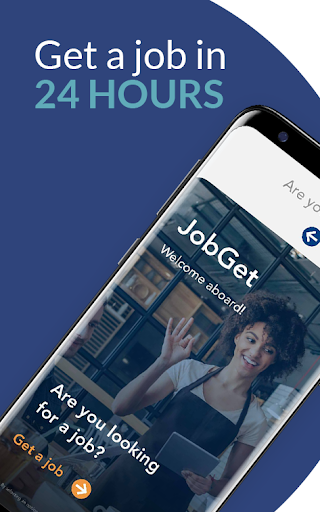
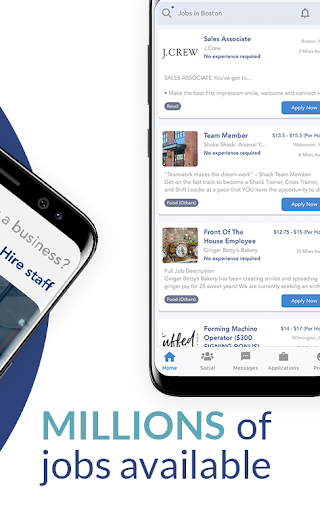
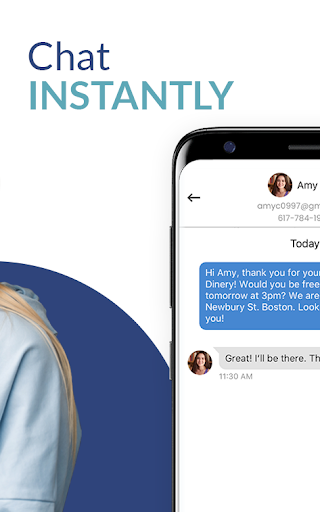
After spending time with JobGet: Jobs Near Me, my biggest takeaway is simple: this app understands that most people looking for work do not want to wrestle with bloated forms, repetitive profile fields, and job boards that feel designed to waste an afternoon. JobGet is built around speed, and for the most part, it delivers on that promise better than many job-search apps I’ve used. The onboarding experience is where the app makes its strongest first impression. Setting up a profile is refreshingly light compared with traditional job platforms. Instead of feeling like I was being drafted into a paperwork simulator, I was able to move through profile creation quickly and get to actual listings without much friction. The resume-building flow is especially helpful for anyone who does not already have a polished document ready to upload. It feels practical rather than intimidating, and that matters because this app is clearly aimed at people who want to get moving now, not next week. Once inside, JobGet keeps things simple in a good way. The interface is clean, easy to read, and generally focused on action. Listings are presented in a straightforward format, and applying is genuinely fast. The one-tap or near-one-tap style of application removes a lot of the usual drag from mobile job hunting. In day-to-day use, that translates into momentum: you can browse, filter, and apply to multiple roles in a short sitting without feeling mentally drained. For local hourly work, gig opportunities, and entry-level roles, that efficiency is the app’s biggest advantage. I also liked the sense that JobGet is designed around immediacy. The built-in employer chat changes the feel of the platform from passive job board to something more conversational. Instead of sending applications into a void and hoping for a reply, the app encourages a more direct connection. In practice, that makes the whole process feel less anonymous. For service, retail, hospitality, warehouse, and similar roles where employers often hire quickly, this approach fits the real hiring process much better than traditional resume portals do. Another strength is relevance. During my time with the app, the local focus made it easier to browse jobs that actually felt attainable, rather than endless listings from too far away or mismatched industries. JobGet seems at its best when you want something nearby, practical, and quick to pursue. There is also a nice sense of momentum in the recommendation flow, and the app does a decent job of surfacing similar roles when one listing does not work out. That said, JobGet is not flawless, and its weaknesses become clearer the longer you use it. The first limitation is job variety. If you are looking for local hourly work, entry-level openings, gig work, or flexible shifts, the app makes a lot of sense. If you are searching for highly specialized professional roles, senior-level office jobs, or a broad national selection of white-collar positions, the experience is less convincing. It is not that those users will find nothing, but JobGet’s value feels most obvious in a narrower segment of the job market. The second issue is that coverage can feel uneven depending on where you are and what kind of role you need. In some searches, the nearby options felt solid and relevant; in others, the pool thinned out quickly. That is not unusual for a local-first employment app, but it does mean your experience may depend heavily on your area and your target category. Teen job seekers and younger applicants may find useful listings, but they should not expect every market to be equally strong. The third annoyance is the app’s eagerness to stay in touch. Job alerts and notifications can cross from helpful into overbearing if you leave everything turned on. Because JobGet is built around quick responses and daily matches, it naturally wants your attention often. Some people will appreciate that urgency, but others will want to dial it back to avoid feeling nagged. I also would have liked clearer, more prominent location controls in the browsing experience; finding exactly how to tighten a search around a preferred area could be more intuitive. There is one more element worth mentioning: the app mixes job hunting with extra-cash activities. For some users, that will feel like a useful bonus. For others, it may slightly dilute the focus of an otherwise strong employment tool. I did not find it deal-breaking, but I can see some people preferring a cleaner separation between finding a job and exploring side earning options. So who is JobGet for? It is best for people who want nearby work fast: hourly workers, students, entry-level applicants, hospitality and retail candidates, warehouse workers, service workers, and anyone who values direct employer contact over formal application rituals. It is also a very good fit for people who find traditional job apps exhausting and want something that feels lighter on mobile. Who is it not for? If you are targeting highly specialized careers, executive roles, or a wide national search across niche industries, you may outgrow JobGet quickly. Likewise, if you want a deeply customizable search interface with every advanced filter front and center, this app may feel a little too streamlined. Overall, JobGet is one of the better mobile-first job apps I’ve used for quick, local hiring. It respects your time, keeps the application process moving, and makes job hunting feel less bureaucratic. Its narrower job mix, occasional notification overload, and uneven depth by location keep it from being a universal recommendation, but for the audience it clearly serves, it is smart, efficient, and genuinely useful.