Apps Games Articles
TradingView: Track All Markets
TradingView Inc.
Rating 4.7star icon
Editor's summary
Editor rating
star icon star icon star icon star icon
half star icon
4.5

One-line summary TradingView is one of the best market-tracking and charting apps on Android thanks to its polished charts, alerts, and cross-device workflow, but I’d hesitate only if you expect every key feature to be free and perfectly stable on every phone, every time.

  • Installs

    10M+

  • Developer

    TradingView Inc.

  • Category

    Finance

  • Content Rating

    Everyone

  • Latest version

    1.19.2.0.866

  • Package

    com.tradingview.tradingviewapp

In-depth review
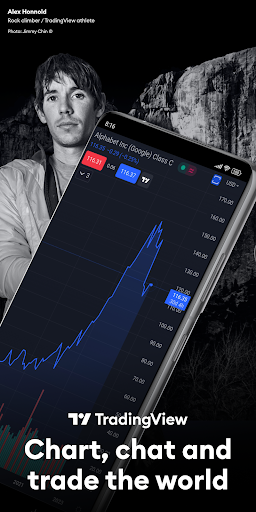
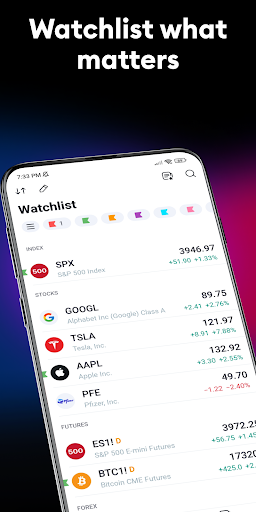
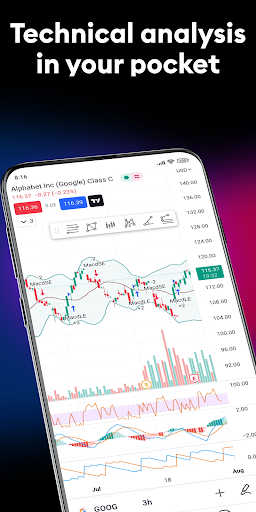
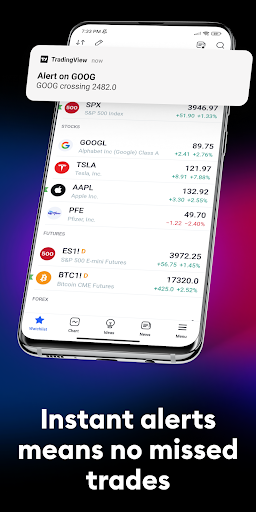
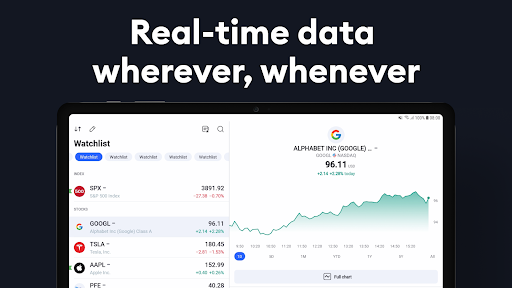
TradingView: Track All Markets feels like one of those rare finance apps that understands its audience from the first launch. It can serve as a simple watchlist-and-chart tool for someone just learning how markets move, but it also has enough depth to keep experienced technical traders engaged. After spending real time with the app across routine market check-ins, chart analysis sessions, and alert management, my impression is that this is still one of the strongest mobile charting experiences available, even if it is not flawless. The first thing that stands out is the quality of the charting interface. On mobile, many market apps feel cramped, simplified, or awkwardly adapted from desktop software. TradingView does a much better job than most. Charts look clean, modern, and information-dense without becoming unreadable. Timeframe switching is easy, drawing tools are readily accessible, and the overall responsiveness is strong enough that you can actually do analysis rather than just glance at prices. That distinction matters. Plenty of finance apps are fine for checking whether Bitcoin or the S&P 500 is up or down; TradingView is built for people who want to sit with a chart and think. That depth is the app’s biggest strength. It doesn’t feel like a companion app to a “real” desktop product. It feels like a legitimate mobile workstation for chart-focused users. The ability to customize layouts, apply indicators, draw directly on charts, and set alerts on meaningful levels makes the app genuinely useful in day-to-day trading and investing. I especially liked how natural it felt to move between devices. Starting analysis on one screen and picking it up later on another is the kind of convenience that becomes hard to give up once you’ve used it for a while. Another major plus is the breadth of market coverage. If your interests jump between stocks, crypto, forex, indices, commodities, or ETFs, TradingView is far more convenient than juggling multiple specialized apps. In practice, that means one watchlist can sit next to another, and one alerting system can cover multiple parts of your investing life. For users who monitor several asset classes, this unified approach is a real quality-of-life improvement. A third strength is usability for different skill levels. Beginners can open the app, add a watchlist, zoom through timeframes, and get value immediately. More advanced users can dig into indicators, alerts, and deeper chart workflows without feeling boxed in. That balance is hard to get right. TradingView mostly manages it by keeping the visual design intuitive while allowing complexity to reveal itself gradually. That said, the app is not perfect, and the limitations become obvious the longer you use it. The first weakness is that some features feel constrained unless you are willing to pay. The free experience is absolutely usable, and I would still recommend starting there, but serious users will eventually run into restrictions that feel intentional rather than incidental. That is understandable for a premium platform, yet it can still be frustrating if you are an active trader trying to build a full workflow without upgrading. The second issue is occasional stability and display inconsistency. During my time with the app, the general performance was good, but this is also the kind of app where even small glitches become very noticeable because they interrupt analysis. Chart display hiccups, temporary loading weirdness, orientation problems, or brief disconnects are more annoying here than they would be in a casual news app. When you are trying to inspect candle structure, place focus on a level, or monitor a setup, even a short interruption breaks concentration. The third weakness is that some mobile interactions still feel less refined than the desktop version. That is not unusual, but it does matter. Certain actions that should feel effortless on a touch screen—precise chart navigation, managing watchlists exactly how you want, or handling trade-related adjustments—can occasionally feel a step short of ideal. The app is powerful, but power on a small screen always comes with a bit of friction, and TradingView has not fully eliminated that. In everyday use, though, the positives outweigh the irritations. Alerts are particularly valuable because they reduce the need to stare at charts constantly. If you rely on trend lines, key levels, or breakout zones, this saves time and makes the app feel more like an assistant than a passive information feed. I also appreciated how readable the app stays even when dealing with dense financial data. There is a lot here, but it rarely feels messy. Who is this app for? It is for active market followers, chart-driven traders, swing traders, technical analysts, and curious beginners who want room to grow. It is also great for anyone who checks multiple asset classes and wants one coherent app instead of five fragmented ones. Who is it not for? If you only want a bare-bones brokerage app to place occasional trades, or if you have no interest in charts, indicators, or analysis tools, TradingView may feel like overkill. It is also not ideal for people who get annoyed by feature gating or who expect every mobile workflow to be as smooth as desktop software. Overall, TradingView earns its reputation. It combines excellent charting, broad market coverage, and a polished cross-platform experience in a way few finance apps manage. Its rough edges are real—especially around occasional bugs and the pressure to upgrade for fuller functionality—but the core product is so strong that it remains easy to recommend. If your market app needs to do more than display a price quote, TradingView is one of the best options on Android.
Alternative apps