Apps Games Articles
Bose
Bose Corporation
Rating 4.3star icon
Editor's summary
Editor rating
star icon star icon star icon star icon empty star icon
4.4

One-line summary Bose is easy to recommend if you own Bose gear and want a clean, low-friction control app, but occasional pairing hiccups and app-to-device handoff quirks keep it from feeling completely effortless.

  • Installs

    10M+

  • Developer

    Bose Corporation

  • Category

    Audio

  • Content Rating

    Everyone

  • Latest version

    6.3.4

  • Package

    com.bose.bosemusic

In-depth review
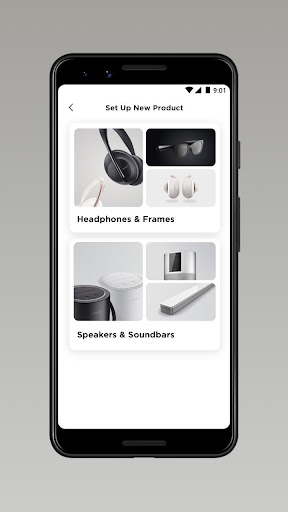
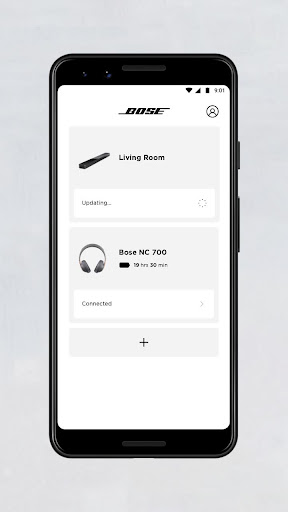
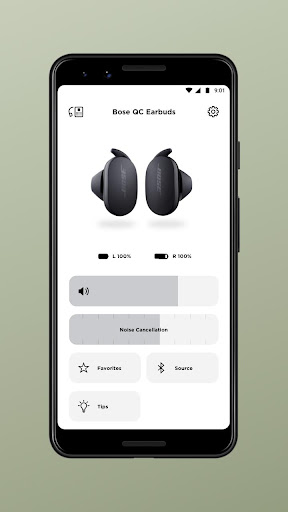
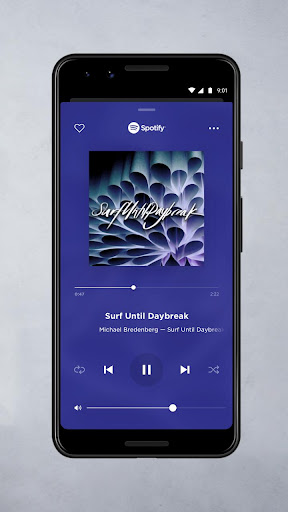
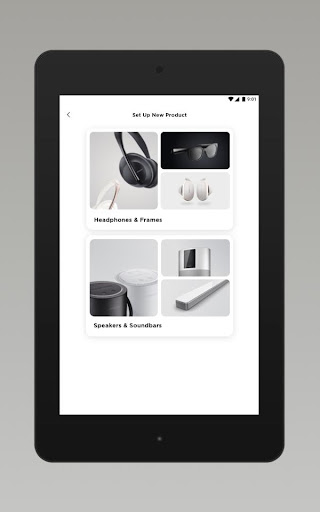
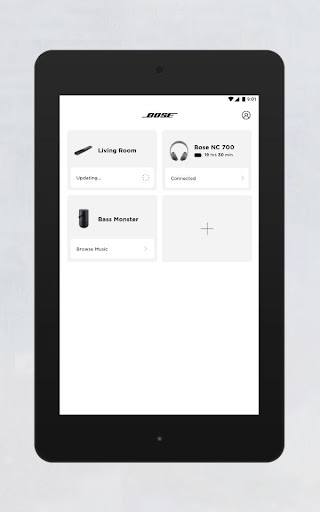
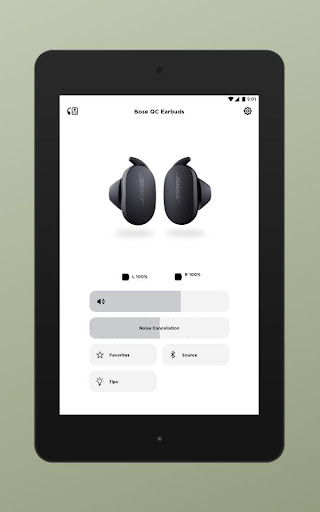
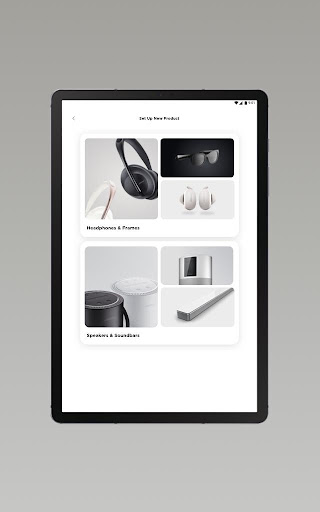
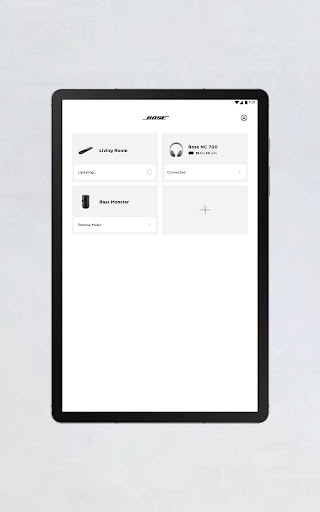
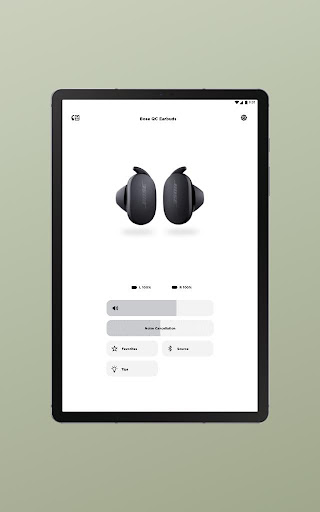
The Bose app is one of those companion apps that succeeds or fails on a very simple question: does it make using your hardware easier, or does it become another thing you have to manage? After spending time with it as the control center for Bose headphones and smart audio products, my overall takeaway is positive. This is a polished, approachable app that generally stays out of the way and gives quick access to the settings most people actually care about. It is not flawless, and there are moments where the connection logic feels more finicky than it should, but in day-to-day use it does more to help than to annoy. What stands out first is the app’s usability. Bose has avoided the trap of building a feature maze. The interface is modern, clean, and readable, with core controls placed where you expect them. If you are opening the app to adjust noise cancellation, check device status, switch listening modes, tweak EQ, or jump into product settings, the path is usually short and obvious. That matters more than flashy design. Companion apps are often opened in a hurry: on a commute, before a flight, while walking into the office, or when you are trying to get a speaker set up before guests arrive. In those moments, Bose feels designed by people who understand that speed matters. Setup is another area where the app generally performs well. Adding a new Bose product is straightforward enough that it does not feel intimidating, even if you are not the kind of person who enjoys fiddling with Bluetooth menus and device permissions. We also appreciated that the app does not force account creation as a first step. That alone removes a surprising amount of friction. You can get to the useful part faster, and that creates a much better first impression than apps that gate basic device setup behind sign-ins and marketing prompts. Once connected, the app’s best quality is how it centralizes control. If you own multiple Bose products, having them in one place is genuinely convenient. The app feels like a proper remote rather than a glorified manual. On supported headphones and earbuds, it makes Bose’s signature features much easier to understand and adjust. Noise cancellation modes are not buried, and the app gives the feeling that you are shaping the listening experience rather than just accepting defaults. For people who buy Bose products specifically for comfort, quiet, and convenience, that alignment between hardware and software is important. There is also a welcome sense of restraint. The Bose app does not feel overloaded with gimmicks. It focuses on product control, personalization, and music access for compatible devices. In practice, that keeps it approachable. Even when there are several options available, it rarely feels like you need a tutorial just to make sense of them. That’s a real strength, and one of the main reasons this app is easier to live with than many brand-specific audio apps. That said, the weak point is reliability at the exact moments when reliability matters most. We ran into situations where a device was clearly connected at the Bluetooth level, but the app behaved as if it needed to pair again or re-establish the connection. This is not a constant failure, but it is the kind of issue that instantly breaks the illusion of seamlessness. When you can already hear audio through your headphones and the app still acts unsure about the device state, it feels sloppy. Companion apps have to be especially good at detecting what is already happening, and Bose still has room to improve there. The second frustration is that the app can occasionally feel a beat slower than the hardware itself. There are times when you just want to put on your headphones and go, but opening the app introduces a short pause while it catches up, refreshes status, or reconnects to the product view. It is rarely disastrous, but it can make the software feel less immediate than the devices it supports. A great audio app should feel almost invisible, and Bose is close to that standard without consistently reaching it. The third issue is that polish is not always the same as depth. The app gives you the major controls cleanly, but power users looking for endless customization may find the experience a little too curated. Bose has clearly prioritized simplicity over exposing every possible tweak, which is the right call for mainstream usability, but it does mean the app sometimes feels more streamlined than flexible. That will be a positive for many people, but not for everyone. Who is this app for? It is for Bose owners who want an uncomplicated way to manage headphones, earbuds, speakers, or soundbars without dealing with a clunky interface. It is especially good for people who value quick setup, easy access to noise control settings, and the convenience of handling multiple Bose products from one app. It is not for shoppers looking for a universal audio control platform across brands, and it may not fully satisfy tinkerers who want deep, granular control over every corner of the listening experience. In the end, Bose gets the fundamentals right. It is easy to use, visually tidy, and genuinely helpful for getting more from Bose hardware. The app improves the ownership experience instead of merely existing beside it, which is more than can be said for many accessory apps. The occasional reconnect confusion and a slightly inconsistent sense of immediacy stop it short of excellence, but not by much. If you already own Bose products, this is a worthwhile companion that makes everyday control simpler, and most of the time that is exactly what you want from it.