Apps Games Articles
Yandex Browser with Protect
Intertech Services AG
Rating 4.4star icon
Editor's summary
Editor rating
star icon star icon star icon star icon empty star icon
4.2

One-line summary Yandex Browser with Protect is easy to recommend if you want a fast, feature-packed browser with built-in security touches, but it is less convincing for anyone who prefers a cleaner, more minimalist browsing experience.

  • Installs

    100M+

  • Developer

    Intertech Services AG

  • Category

    Personalization

  • Content Rating

    Everyone

  • Latest version

    VARY

  • Package

    com.yandex.browser

Screenshots
In-depth review
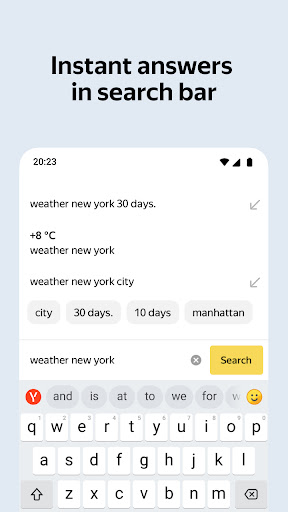
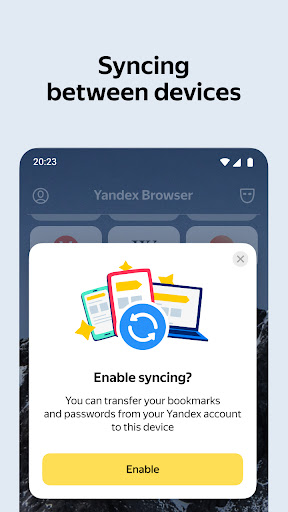
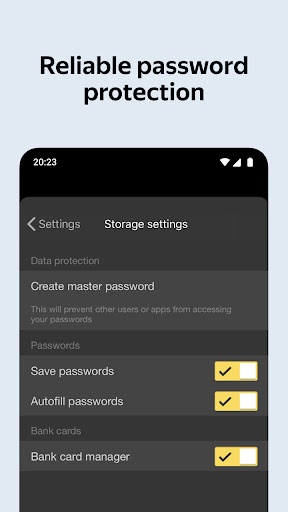
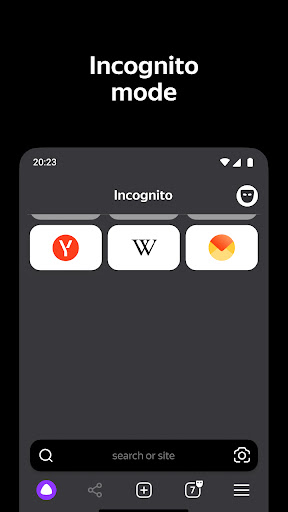
After spending real time with Yandex Browser with Protect as an everyday mobile browser, my overall impression is that it is far more polished than its slightly generic name suggests. This is not a bare-bones app that simply opens pages and gets out of the way. It clearly wants to be a full browsing environment, with an emphasis on convenience and protection, and most of the time that approach works in its favor. The first thing that stood out in daily use was speed. Pages generally loaded quickly, scrolling felt smooth, and the app gave off the kind of responsive feel that matters more than any long feature list. A mobile browser lives or dies by friction: how quickly it opens, whether tabs feel manageable, whether sites render properly, whether the keyboard and address bar interactions feel natural. On those basics, Yandex Browser performs well. It feels mature rather than experimental. I never had the sense that I was using a niche product trying to catch up. That dependable performance is one of the app’s biggest strengths. For routine tasks like reading articles, searching, opening multiple tabs, and jumping between links from messaging apps or social feeds, it feels capable and stable. It also handles the general messiness of modern mobile web pages reasonably well. Heavy pages did not feel unusually clumsy, and the app rarely made me wait in a way that felt irritating. The second strength is built right into the app’s identity: the “Protect” angle. Whether or not you obsess over browser security settings, there is something reassuring about using a browser that foregrounds safety as part of the experience instead of hiding it in obscure menus. In practical terms, that changes the tone of the app. It feels like it is trying to reduce risk for average users rather than assuming everyone wants to manually manage every detail. For less technical users especially, that is a meaningful advantage. You do not have to be a power user to appreciate a browser that appears designed to help you avoid obvious trouble spots. A third thing I liked is that Yandex Browser does not feel stripped down. Some mobile browsers are fast because they do very little. This one aims to give you a richer experience, and that can be genuinely useful if your browser is one of the apps you use all day rather than just a tool for occasional searches. It feels like an app built for people who browse a lot, not just people who tap a link once in a while and close it. That said, the same “do more” philosophy also creates the app’s main weakness. Yandex Browser can feel busier than necessary. There is a difference between being feature-rich and feeling crowded, and this browser occasionally drifts toward the latter. If you like your browser to be visually quiet and almost invisible, this may not be your ideal fit. At times I found myself wanting a cleaner, more restrained interface that lets content breathe more naturally. That leads to the second weakness: it is not the most immediately intuitive browser for everyone. Nothing here is disastrously confusing, but there are moments where the design feels like it expects you to adapt to its way of doing things instead of instantly feeling familiar. Over time, I adjusted, but the learning curve is slightly more noticeable than with the simplest mainstream browsers. That is not a deal-breaker, just a reminder that polish and simplicity are not always the same thing. The third complaint is more about feel than outright failure: Yandex Browser sometimes seems a little too eager to present itself as a full environment rather than a straightforward browser. For some users that will be a plus. For others, it may feel like extra personality where they wanted neutrality. I tend to prefer browsers that disappear into the background, and Yandex Browser does not always do that. It wants to be noticed. Even so, I came away with a positive view because the app gets the fundamentals right. The browsing engine feels quick, the app feels robust, and the security-first framing gives it a practical identity beyond just being another Chrome alternative. It is especially well suited for users who want an all-in-one browser that feels substantial and who appreciate built-in protective features without digging through settings. If you use your browser heavily throughout the day, juggle multiple pages, and want something that feels more capable than minimalist, Yandex Browser makes a strong case for itself. It is less ideal for people who want the lightest possible interface, the fewest distractions, or a browser that fades completely into the background. If your top priority is simplicity over personality, you may find Yandex Browser a bit too involved. Overall, Yandex Browser with Protect feels like a well-built browser that earns its popularity through solid everyday performance and a security-minded identity that is easy to appreciate in practice. It is not the cleanest or most understated option, and that will matter to some users, but as a daily driver it is competent, fast, and generally pleasant to live with. I would recommend it to most Android users who want a dependable browser with a little more substance and a little more safety focus than the absolute basics.