Apps Games Articles
AnyDesk Remote Desktop
AnyDesk Software GmbH
Rating 2.9star icon
Editor's summary
Editor rating
star icon star icon star icon
half star icon
empty star icon
3.8

One-line summary AnyDesk is easy to like for its fast, account-free remote access and broad device support, but its rough mobile reliability and confusing interface make it harder to recommend without reservations.

  • Installs

    50M+

  • Developer

    AnyDesk Software GmbH

  • Category

    Business

  • Content Rating

    Everyone

  • Latest version

    6.6.0

  • Package

    com.anydesk.anydeskandroid

Screenshots
In-depth review
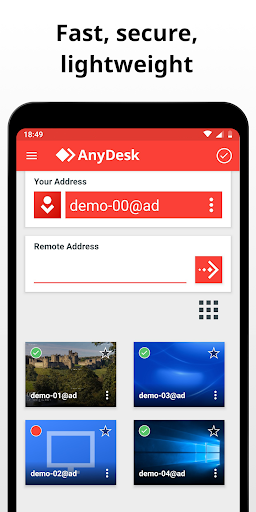
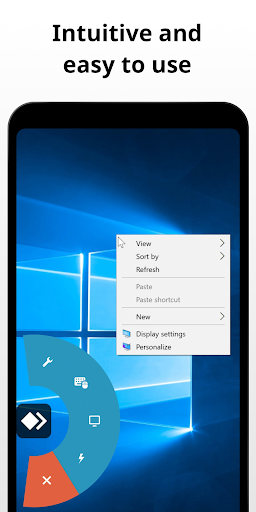
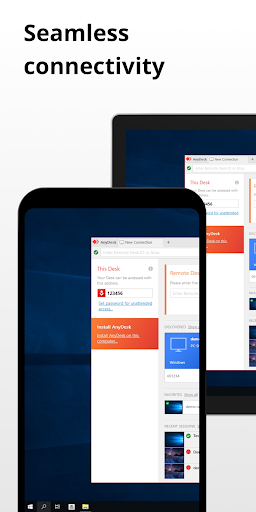
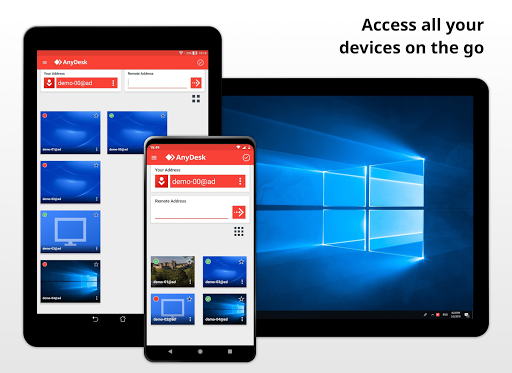
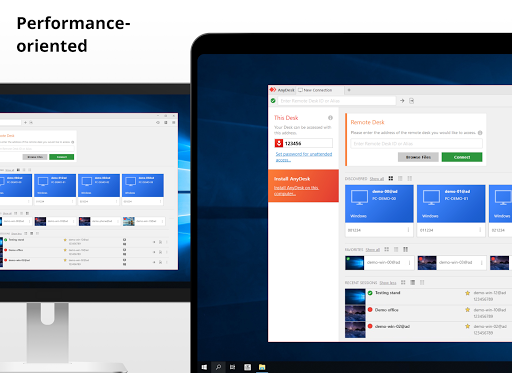
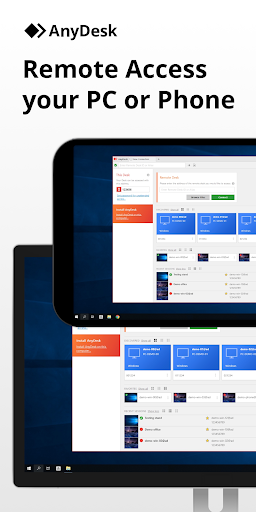
AnyDesk Remote Desktop is one of those apps that can feel almost magical when it works the way you expect. Install it on two devices, punch in the ID, approve the connection, and suddenly you are looking at a PC from your phone, or helping someone with their Android device from far away. In day-to-day use, that simplicity is the app’s biggest strength. It does not burden you with a lot of upfront ceremony, and the lack of friction matters a lot in a category where remote support often happens in a hurry. In my testing, the app’s basic connection flow was refreshingly direct. I could move from installation to a live session quickly, and that alone makes AnyDesk approachable for home users, students, family tech support, and anyone who just wants to reach a computer from another room or another city. It also helps that the app does not feel bloated. Sessions start fast, and when the connection is stable, the overall experience is snappy enough for practical work like grabbing files, checking something on a desktop, handling light maintenance, or walking a less technical relative through a problem. Performance is the second major thing AnyDesk gets right. On a decent connection, image delivery feels responsive, and the app generally gives the impression that it prioritizes speed over visual prettiness. That is the right choice for remote desktop software. You are not here for cinematic smoothness; you are here because you need control, access, and enough responsiveness that clicks and taps do not feel delayed into uselessness. For basic productivity and support tasks, AnyDesk often lands in that sweet spot. I also liked that it works across different types of devices without making the setup feel dramatically different each time. That cross-platform flexibility is a big reason the app remains relevant despite its lukewarm store rating. A third clear strength is its security posture in actual use. The app makes permission and control feel intentional rather than invisible. You are not simply handing over a device without seeing what is happening. There is a reassuring sense that access must be allowed and configured, and that matters in an app category that can easily become dangerous in the wrong hands. AnyDesk has unfortunately become a familiar name in scam scenarios, but in practical use that is not because the app is inherently shady; it is because it is powerful and easy to operate. Used with common sense, its permission model feels more responsible than reckless. That said, AnyDesk is not polished enough to earn an unqualified recommendation. The biggest issue I ran into was reliability on mobile, especially during longer or more finicky sessions. Sometimes the app behaves exactly as it should, and then suddenly a session freezes, the image stops refreshing, or the connection state becomes unclear. That inconsistency is frustrating because remote access software lives or dies by trust. If you are in the middle of solving a problem on someone else’s machine, you do not want to wonder whether the app is still connected or whether the screen simply stopped updating. The interface is another weak point. It is not terrible, but it often feels like a tool designed by people who understand remote access deeply and assume you do too. There are many options and settings, which is great for advanced users, but the presentation can be cluttered and a bit overwhelming. Important controls do not always stand out, while secondary ones can crowd the screen. Once you learn the app, it becomes manageable, but that initial learning curve is steeper than it should be for something that also targets casual personal use. File handling also feels less dependable than I would like. Remote desktop apps need to make basic actions like sending or receiving files feel obvious and foolproof. In AnyDesk, that part of the experience can feel less transparent. Even when a transfer appears to complete, it is not always as clear as it should be where the file ended up or whether the process fully succeeded. For occasional use this is just annoying; for regular remote work, it can become a real irritation. There is also a broader mismatch between the app’s potential and its presentation on Android. When it clicks, AnyDesk feels like a genuinely excellent utility: lightweight, fast, versatile, and free for personal use. But the Android app does not always project the same confidence as the underlying technology. The desktop side of the experience tends to come across as stronger, while the mobile app sometimes feels like it is still smoothing out rough edges around stability and usability. So who is AnyDesk for? It is a strong fit for people who want quick remote access without a lot of account setup, especially if they need to hop between PCs and phones, help family members, or reach a home computer remotely for light tasks. It is also a good option for more technical users who appreciate extra settings and do not mind learning the interface. On the other hand, it is not ideal for users who need absolute mobile reliability, a beginner-friendly design, or a flawless file-transfer workflow. If your tolerance for random session hiccups is low, those rough edges will stand out fast. My overall impression is that AnyDesk remains a genuinely useful remote desktop app with real strengths, especially speed, flexibility, and straightforward access. But it is also an app that asks you to forgive some avoidable friction. I would recommend it, particularly for personal remote support and general remote access, but with a small asterisk: this is a powerful tool that often feels better than its rating suggests, yet it still has enough instability and interface clutter to keep it from being an easy five-star pick.