Apps Games Articles
Tap Color Pro: Color By Number
Puzzle Saga Studio
Rating 4.8star icon
Editor's summary
Editor rating
star icon star icon star icon star icon
half star icon
4.5

One-line summary Tap Color Pro is one of the most polished and relaxing color-by-number apps on Android, but its recommendation comes with a clear asterisk: the ad load and subscription value need to make sense for you.

  • Installs

    10M+

  • Developer

    Puzzle Saga Studio

  • Category

    Board

  • Content Rating

    Everyone

  • Latest version

    6.6.4

  • Package

    coloring.color.number.happy.paint.art.drawing.puzzle

Screenshots
In-depth review
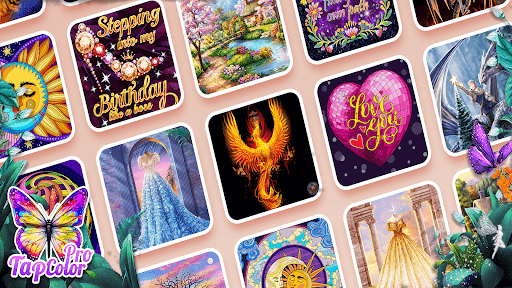
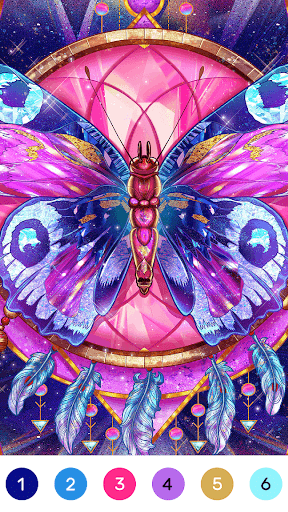
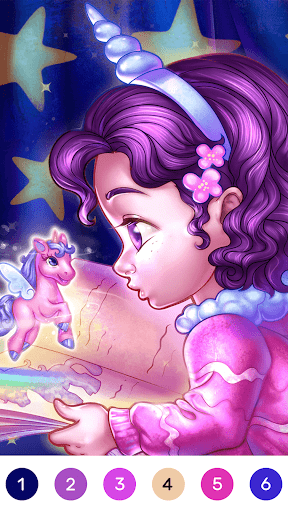
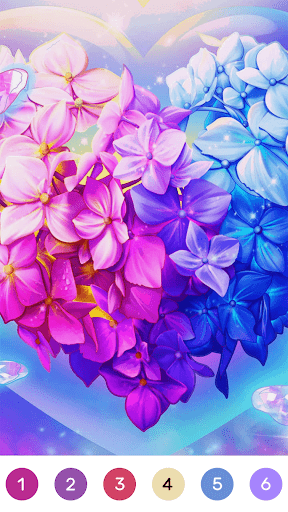
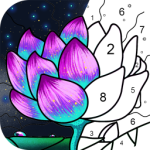
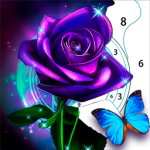
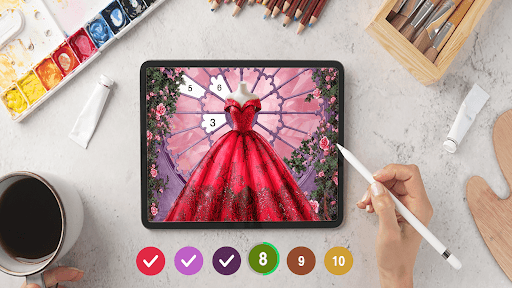
Tap Color Pro: Color By Number is the kind of app that understands exactly why people open a coloring game in the first place: not for challenge in the traditional sense, but for rhythm, calm, and low-friction satisfaction. After spending time with it, that became the app’s biggest strength. It gets out of your way quickly, gives you something attractive to work on, and delivers that pleasant little dopamine hit of watching an image come together piece by piece. The first thing that stood out to me was how smooth the basic coloring loop feels. Some color-by-number apps turn into a fussy hunt for microscopic stray spaces, but Tap Color Pro is generally better behaved. The numbers are easy to follow, the interface is readable, and the app’s habit of advancing to the next color once you complete the current one keeps the flow moving. That one design choice sounds minor, but it makes a huge difference over longer sessions. Instead of constantly checking whether you missed a tiny patch, you stay in the zone. That sense of flow is reinforced by the artwork selection. There is a lot here, and more importantly, it doesn’t feel like the same handful of templates endlessly recycled with minor variations. I found a strong spread of styles: cute animals, florals, mandalas, decorative scenes, and more stylized pieces that look better than the average mobile coloring fare. The animated images are especially effective. They give completed pages a little flourish without turning the app into a noisy carnival. For a game built on repetition, variety matters, and Tap Color Pro does a good job of making “just one more picture” feel plausible. Visually, it is also a strong performer. The color palettes tend to be rich and bright without becoming garish, and finished images usually look rewarding enough that you actually want to save or share them. There’s a maturity to some of the artwork that helps it appeal beyond children or pure casual dabblers. It still includes lighter, cuter material, but it also understands that many players want something closer to a digital adult coloring book than a cartoon sticker pack. Another thing I appreciated in day-to-day use is that the app feels approachable. You don’t need a tutorial marathon or an account setup ritual to get started. Open it, pick an image, tap numbers, relax. That frictionless entry is a real asset for people using this sort of app as a stress reliever. If you are reaching for your phone because you want five quiet minutes, Tap Color Pro mostly respects that mood. That said, it is not flawless, and the biggest issue is the one that follows many free-to-play relaxation apps around like a shadow: ads. In lighter use, the ad situation can feel tolerable, especially compared with some aggressively monetized rivals. But over time, the interruptions become more noticeable, particularly if you move through multiple pictures in one sitting. An app like this lives or dies on uninterrupted calm, so every ad break feels more intrusive here than it would in a puzzle or action game. The paid option may solve that problem, but whether it feels worth it depends on how often you use the app and how sensitive you are to interruptions. I also ran into a more subtle limitation: while the content library is large, navigating it can sometimes feel more browse-heavy than discovery-friendly. If you know the general style you want, you can usually find something good. If you are trying to hunt down a specific artistic vibe or quickly preview images in more detail, the process can feel more manual than ideal. It’s not a deal-breaker, but for an app with this much content, stronger filtering and preview tools would make the experience feel more refined. The third weakness is that, for all its polish, Tap Color Pro is still very much a guided coloring app rather than a creative sandbox. You are following a preset palette, not making artistic decisions. That is absolutely the point for many people, and the app executes that formula well, but it also means the experience can start to feel passive if you want more ownership over the final result. If you are hoping for something closer to painting, sketching, or freeform coloring, this is not that app. Who is it for? This is an easy recommendation for people who use coloring apps as a wind-down ritual, especially anyone looking for a calm, predictable, visually pleasing mobile pastime. It is also a good fit for players who like collecting finished pieces, chipping away at daily images, or pairing a game with podcasts and background music. The straightforward controls and forgiving design make it accessible even if you are not especially tech-savvy or game-oriented. Who is it not for? If you are deeply ad-averse and have no intention of paying, your patience may wear thin. If you want deep customization, social features, or the ability to create your own color schemes, Tap Color Pro will feel constrained. And if you want a game with real strategic depth rather than a soothing routine, this probably won’t hold your interest for long. Still, within its lane, Tap Color Pro is very good. It is polished where it counts, attractive to look at, and genuinely relaxing in a way many apps claim to be but rarely are. I came away thinking of it as one of the better color-by-number experiences on Android: not perfect, occasionally too eager to monetize the quiet moments, but consistently pleasant and easy to return to.