Apps Games Articles
Chess - Offline Board Game
GamoVation
Rating 4.9star icon
Editor's summary
Editor rating
star icon star icon star icon star icon
half star icon
4.5

One-line summary If you want a clean, genuinely beginner-friendly chess app that works offline and doesn’t drown you in interruptions, this is easy to recommend—just be ready for some rough edges in puzzle validation and a difficulty curve that can feel uneven.

  • Installs

    5M+

  • Developer

    GamoVation

  • Category

    Board

  • Content Rating

    Everyone

  • Latest version

    1.7.3

  • Package

    com.gamovation.chessclubpilot

Screenshots
In-depth review
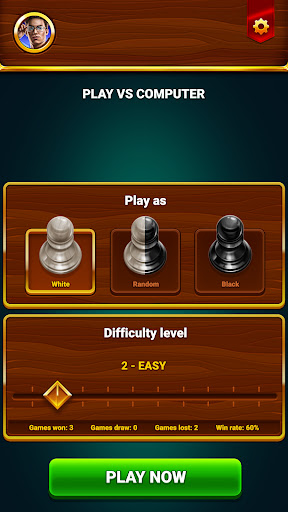
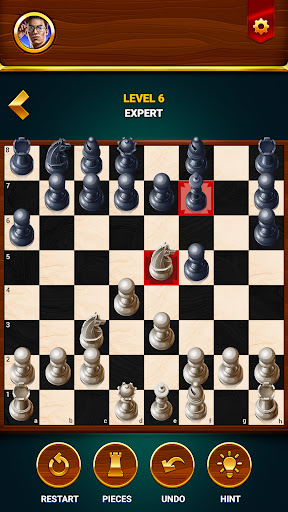
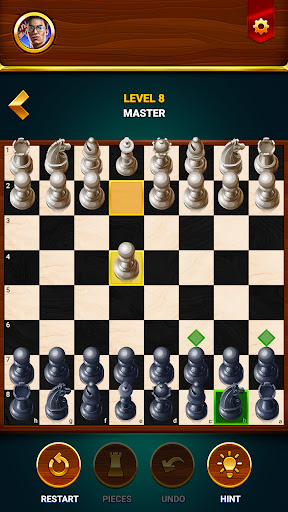
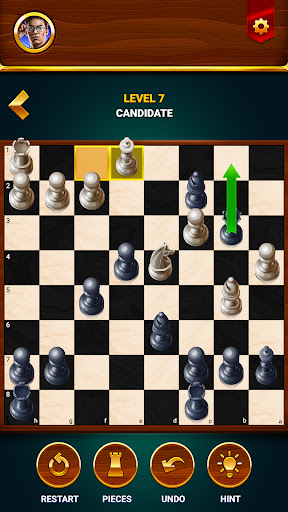
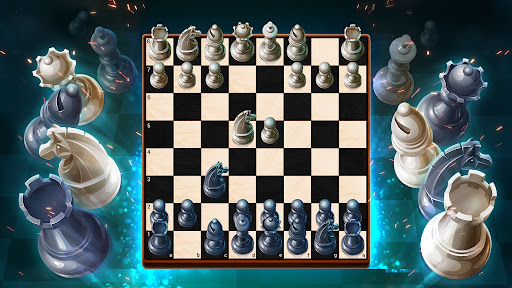
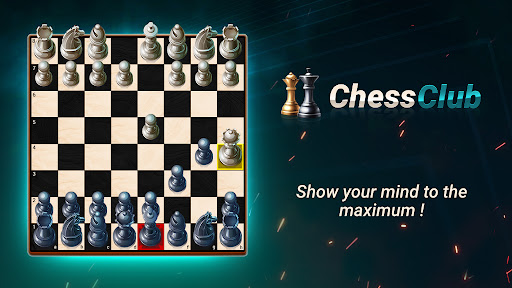
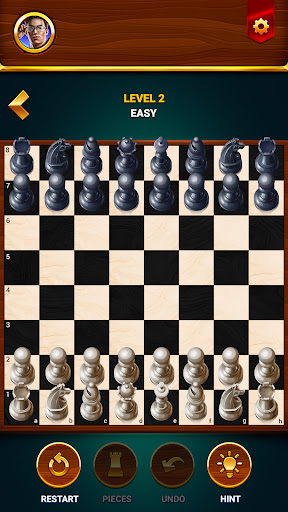
Chess - Offline Board Game gets something important right from the moment you open it: it feels like an app that wants you to play chess, not wrestle with clutter. After spending time with it across casual games, practice sessions, and the built-in learning features, what stood out most was how approachable it is. This is not a flashy, hyper-social chess platform chasing every possible feature. It is, at its best, a focused offline chess app that understands a lot of people simply want to practice, improve, and play at their own pace. That sense of simplicity is one of its biggest strengths. Starting a game is quick, the board is readable, and the controls are intuitive enough that even if you haven’t touched a chess app in years, you can settle in almost immediately. I spent most of my time in the 2D view because it is the clearest and most practical on a phone screen, though the app also offers a 3D presentation if you prefer something more decorative. In everyday use, the 2D board is the better fit: cleaner, faster to scan, and less likely to get in the way of actual decision-making. The app also shines as a training tool for beginners and returning players. One of the most useful touches is that it does not assume everyone wants to be thrown straight into punishing AI matches. The lower difficulty settings are forgiving in a way many chess apps fail to be. Instead of creating an “easy” mode that still crushes inexperienced players, this one gives newcomers room to think, experiment, and recover from mistakes. Features like move assistance, hints, undo, and restart turn the app into a low-pressure learning environment. During testing, that made a real difference: I could play aggressively, blunder, rewind, and understand why the move was bad without feeling like the app was trying to teach by humiliation. That said, the generous undo system is a double-edged sword. It is fantastic for learning, especially when you are trying to understand tactics or avoid repeating obvious errors. But it also makes it very easy to slide out of “playing chess” and into “editing reality until I like the position.” If you are serious about training discipline, you may find yourself wishing for a stricter mode that limits or disables takebacks. As it stands, the app is excellent at guided self-correction, but less effective if your goal is to simulate tournament-like consequences. The progression through the AI levels is another area where the app mostly succeeds. There are enough difficulty settings to give players a clear path upward, and the early-to-mid climb feels satisfying because the computer starts by making understandable mistakes before gradually tightening up. I found this especially effective for rebuilding rhythm after time away from chess. You can feel the app asking a little more of you with each tier. However, the balancing is not perfectly smooth. Some transitions between levels feel sharper than expected, as if one rung on the ladder is missing. It never becomes unplayable, but there are points where the jump in resistance is noticeable enough to feel abrupt rather than elegantly tuned. Outside of standard games, the app includes puzzles and lessons, which help round it out into more than a simple board simulator. The lessons are especially valuable for true beginners who need structure, not just repetition. They give the app a broader appeal than “play the AI over and over.” The puzzle side is useful too, particularly for short sessions when you want to train pattern recognition rather than commit to a full match. Still, this is one of the app’s weaker spots. In use, some puzzle solutions feel overly rigid, as though the app expects one exact answer path and is less graceful about alternative valid lines. That can be frustrating when you are solving by chess logic and the software appears to be grading by script. Ads are present in the free version, but in my sessions they were tolerable rather than punishing. The app’s biggest ad-related virtue is that it does not constantly interrupt active play. Matches themselves remain intact, which matters more than anything else in a chess app. The annoyance comes more from the transitions around games than from the games themselves. If you are sensitive to ads at all, you will notice them, but this never felt like one of those free apps designed to wear you down minute by minute. Visually, the app is solid without being luxurious. The board and pieces are easy enough to read, performance is smooth, and the overall presentation is polished where it counts. But it is not especially rich in customization. After a while, I wanted more board styles and more piece options than what is currently on offer. That is not a dealbreaker for a utility-first chess app, but it does make the presentation feel a little plain once the novelty wears off. So who is this for? It is a very good fit for beginners, casual players, and people returning to chess after a long break. It is also well suited to anyone who wants a mostly straightforward offline experience without social noise, clocks forcing speed, or a complicated competitive ecosystem. It is less ideal for players who want highly rigorous puzzle curation, strict anti-undo training conditions, or a deeply customizable visual package. If you are an advanced player looking for hard-core analysis tools or a premium tournament simulator, this may feel too relaxed. Overall, Chess - Offline Board Game succeeds because it understands the value of frictionless practice. It is easy to start, easy to stick with, and surprisingly effective as a confidence-building chess companion. Its flaws are real: occasional puzzle rigidity, some uneven difficulty jumps, and a presentation that could use more variety. But none of those issues overshadow the core experience. What remains is a smart, accessible chess app that makes regular play feel inviting, and that alone is enough to make it one of the better mobile options for offline chess.