Apps Games Articles
Coloring Games-Color By Number
Excellent Coloring Pages
Rating 4.8star icon
Editor's summary
Editor rating
star icon star icon star icon star icon
half star icon
4.5

One-line summary Choose it for its polished, genuinely relaxing color-by-number flow and strong art variety, but be ready to tolerate ads, occasional hiccups, and some maddeningly tiny tap targets.

  • Installs

    10M+

  • Developer

    Excellent Coloring Pages

  • Category

    Board

  • Content Rating

    Everyone

  • Latest version

    1.0.138

  • Package

    com.free.drawing.coloring.book.paint.by.number

In-depth review
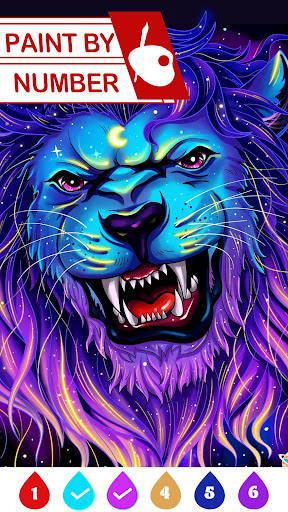
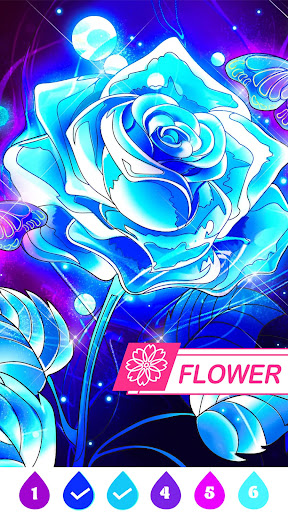
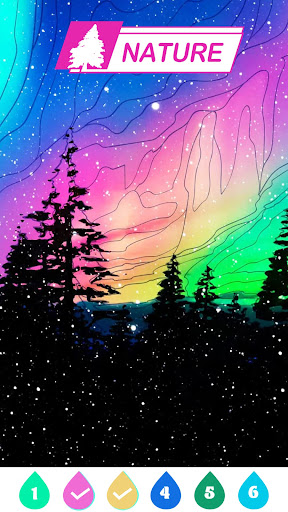
Coloring Games-Color By Number is one of those apps that knows exactly what kind of mood it wants to create: low-stress, easy to pick up, and just engaging enough to keep you saying “one more picture” long after you meant to stop. After spending time with it as a casual unwind app rather than a novelty download, I came away impressed by how smooth and satisfying the core experience is. This is not a drawing tool or a creativity sandbox. It is a guided, tap-to-fill coloring app, and within that lane it does a lot right. The first thing that stood out in use was how approachable it feels. You open an image, start tapping numbered areas, and the app does a good job of keeping the process moving. The basic interaction is simple, but the execution matters here: zooming in and out feels responsive, dragging around the canvas is straightforward, and the automatic progression from one color to the next helps maintain a nice rhythm. That last detail is easy to underestimate until you use an app that lacks it. Here, it turns coloring into a steady, almost meditative flow rather than a constant stop-and-start chore. The second big strength is the artwork selection. Even though the current Play listing leans heavily into a seasonal Easter theme, the actual experience feels broader than that. There is a decent spread of subjects and styles, from softer decorative illustrations to more character-focused and detail-heavy pages. Some images are quick and breezy, perfect for filling a few spare minutes; others are packed with enough tiny regions to become a longer, more absorbing session. That range matters because it gives the app a wider appeal. If you want a five-minute distraction while waiting in line, it works. If you want to settle in and slowly complete something elaborate, it works there too. The third thing I liked is that the app generally feels built for convenience. Helpful features such as hints, clean number matching, and a layout that makes browsing categories visually easy all contribute to an experience that feels friendly rather than fussy. Finished images also look good. There is a satisfying sense of payoff when a picture comes together, especially on the more detailed pages where the final result has a lot of visual pop. This is one of the reasons the app is easy to recommend to people who want stress relief without any learning curve. That said, this is not a perfect paint-by-number experience. The biggest frustration in day-to-day use is precision. Some pictures include very small sections that are hard to spot and occasionally hard to tap unless you zoom in very closely. A little challenge is part of the genre, and sometimes hunting down the last tiny patch can be satisfying. But there were moments when it felt less like relaxing coloring and more like pixel hunting. If you have limited patience for tiny hidden segments, that aspect can wear thin. Ads are the second clear drawback. They do not completely ruin the app, and in free apps they are hardly surprising, but they are frequent enough to be part of the overall experience. They tend to appear around natural pauses, like continuing or using extra help, which is better than interrupting every tap, but they still chip away at the calm atmosphere the app is trying to build. If your tolerance for ads is low, you will notice them quickly. The third weakness is that the app can feel a bit inconsistent around the edges. During testing, the core coloring worked well, but there is a sense that occasional hiccups can happen, especially around loading ad-based features or getting everything to respond exactly when expected. Nothing I ran into made the app unusable, but it is not so flawlessly polished that you forget you are using a free mobile game. The experience is best described as solid and enjoyable, with a few rough corners rather than premium-level refinement from top to bottom. Who is this for? It is a great fit for people who use coloring apps as a way to unwind, pass time, or decompress without much mental effort. It is especially good for players who like having lots of picture variety and enjoy the satisfying click of gradually revealing a finished illustration. It also suits people who prefer guided creativity over blank-canvas drawing. Who is it not for? If you want a totally ad-free zen experience, if you are easily annoyed by tiny hard-to-find regions, or if you want a full-featured art app where you choose your own colors and techniques, this is the wrong tool. It is also less ideal for anyone who dislikes gating systems or watching ads to access certain conveniences. Overall, Coloring Games-Color By Number earns its popularity. It is easy to use, often genuinely relaxing, and stocked with enough attractive images to stay interesting over time. The app’s best moments come when you settle into its rhythm: tap, zoom, fill, reveal, finish. Its weakest moments are the familiar free-to-play annoyances and the occasional hunt for microscopic leftover spaces. Even so, the core is strong enough that I kept coming back. For a free color-by-number app, that is the most important test, and this one passes it comfortably.