Apps Games Articles
Walgreens
Walgreen Co.
Rating 4.6star icon
Editor's summary
Editor rating
star icon star icon star icon star icon
half star icon
4.5

One-line summary Walgreens is one of the most genuinely useful retail pharmacy apps I’ve used—excellent for refills, order tracking, coupons, and photo pickup—though its prescription management can still feel cluttered when you’re digging through older meds.

  • Installs

    10M+

  • Developer

    Walgreen Co.

  • Category

    Shopping

  • Content Rating

    Everyone

  • Latest version

    110.1

  • Package

    com.usablenet.mobile.walgreen

In-depth review
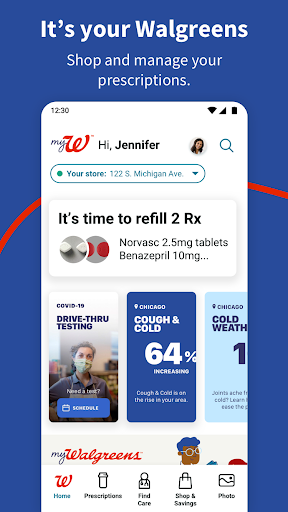
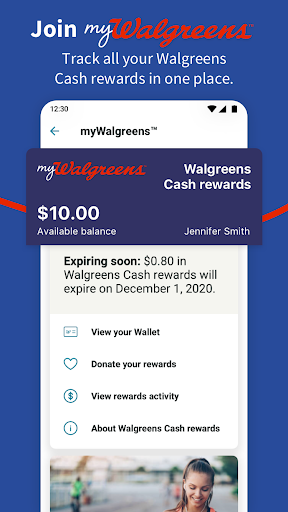
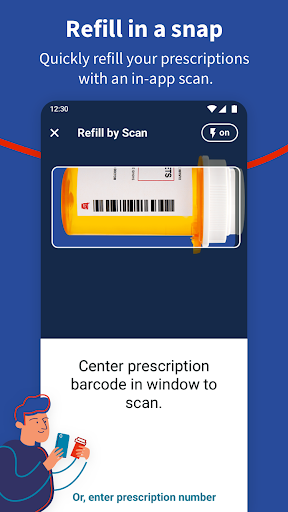
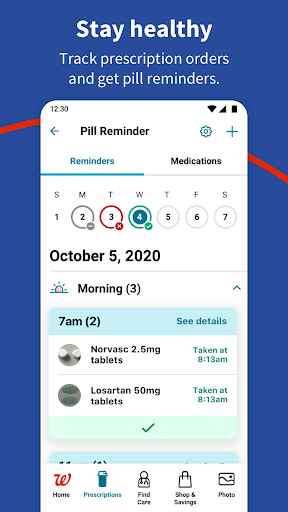
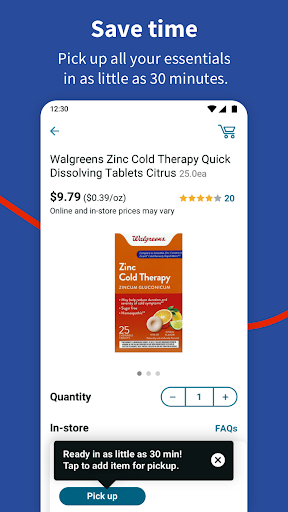
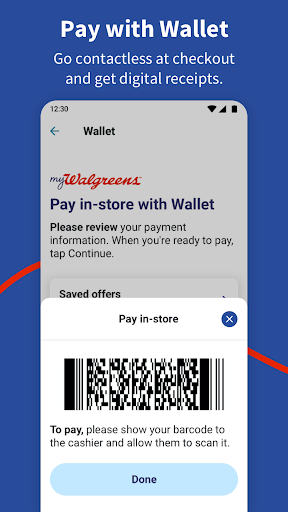
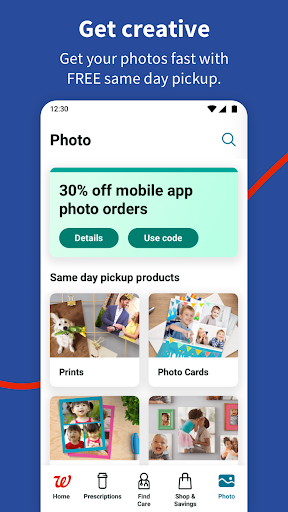
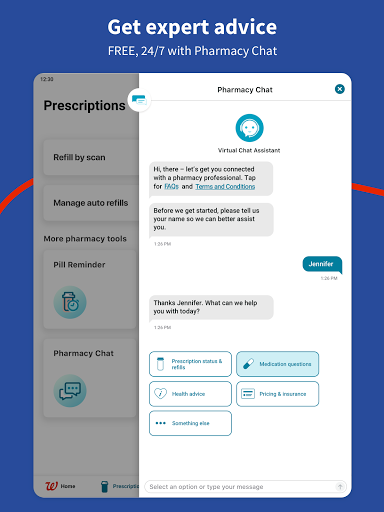
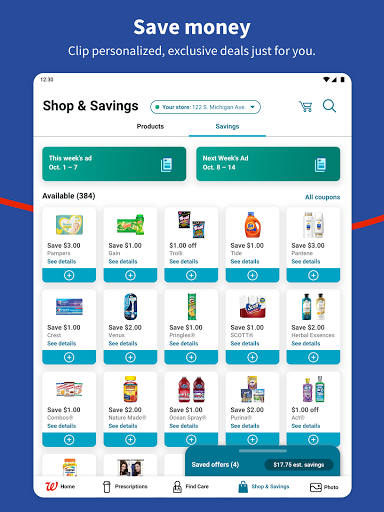
Walgreens is the kind of app that earns its place on your phone by being practical rather than flashy. After spending time with it as an everyday pharmacy-and-errands tool, my main takeaway is simple: it removes a lot of small, annoying tasks from real life. Refill a prescription, check whether it’s ready, clip a deal, upload a few photos for pickup, and move on with your day. That sounds basic, but in this category, basic done well is exactly what matters. The strongest part of the app is the pharmacy experience. Refill workflows are fast, and the app makes a real effort to cut down on friction. If you already have your prescriptions tied to your account, checking status and sending refill requests is straightforward. The bottle-scanning option is especially useful because it turns what could be a hunt for prescription details into a quick camera action. Once a refill is in motion, the app does a good job keeping you posted with status updates, which matters more than app developers sometimes realize. The difference between “request sent” and “ready for pickup” is the difference between an efficient errand and a wasted trip. What I appreciated most here is that Walgreens doesn’t treat pharmacy as a buried submenu. It feels like the center of the app rather than an afterthought bolted onto a shopping platform. There’s also a sense that the app is trying to support real ongoing medication management, not just one-off refills. Auto refills, family prescription tracking, and access to help options like chat make it feel more useful over time, especially if you’re managing multiple medications or helping someone else do it. That said, the pharmacy side is not perfect. The biggest annoyance I ran into was organization. If you’ve had prescriptions with Walgreens for a while, the list can start to feel cluttered, and it’s not always as easy as it should be to identify what is current versus what is old, expired, or no longer relevant. In a health app, clarity matters. When you’re trying to refill something quickly, any extra hunting feels more frustrating than it would in a shopping app. I also would have liked clearer at-a-glance labels for status details like whether something is already on auto refill. Too often, useful information sits one tap deeper than it should. The second major strength is convenience beyond the pharmacy. Walgreens has packed in enough everyday utility that it starts to feel like a general-purpose store companion. Shopping, coupons, weekly deals, delivery or pickup options, and rewards are all integrated in a way that makes sense. I never got the sense that the app was pushing too hard to be clever; it mostly just tries to surface useful actions. Clip deals, build an order, choose pickup, done. That kind of low-drama experience is exactly what a retail app should aim for. The photo section is another genuine plus. Uploading photos from a phone and sending them off for same-day pickup is one of those features that can save surprising amounts of time. It’s far more comfortable than standing at an in-store kiosk sorting through your camera roll. The app makes photo ordering feel like something you can take care of from the couch instead of a chore that consumes part of your afternoon. That alone gives Walgreens wider appeal than a pharmacy-only app. Still, this broader feature set introduces one of the app’s weaker points: density. Walgreens is trying to be a pharmacy app, a shopping app, a rewards app, a photo app, and a health-services app all at once. Most of the time it holds together reasonably well, but there are moments when the interface feels busy. Not necessarily broken, just crowded. If you only want one thing—say, to check a refill status—it can feel like the app is also reminding you about five other things it can do. Power users may like that breadth; minimalists may find it noisier than ideal. A third strength is that the app feels grounded in real-world tasks. Booking health services, checking eligibility-related workflows, chatting for help, and managing pickups all fit the same practical theme: get something done with fewer phone calls and less waiting around. That makes Walgreens particularly good for people who don’t want to interact by phone unless they absolutely have to. If your ideal app experience is “tap a few buttons, get confirmation, move on,” this one is often on your side. The third weakness is that some flows still feel more functional than elegant. The app is effective more often than it is delightful. Navigation is mostly understandable, but not always as streamlined as the best consumer apps. There are places where it feels like legacy structure is still hanging around under the surface, especially when moving between prescriptions, account details, and older records. Nothing here was bad enough to make the app feel unusable, but it does keep Walgreens from feeling truly premium. So who is this app for? It’s best for people who use Walgreens regularly for prescriptions, families managing multiple refills, busy shoppers who want coupons and pickup in one place, and anyone who occasionally orders photo prints. It’s especially strong for users who value convenience and status visibility over visual simplicity. Who is it not for? If you rarely use Walgreens, dislike dense all-in-one retail apps, or want an ultra-clean health-only experience with zero shopping distractions, this probably won’t be your favorite. Overall, Walgreens succeeds where it counts. It makes pharmacy management easier, adds genuinely useful extras like photo ordering and deals, and saves time in ordinary everyday situations. Its main shortcomings are clutter and occasional prescription-list confusion, not a failure of core function. For most people already in the Walgreens ecosystem, this is an easy app to recommend because it does something increasingly rare: it feels useful almost every time you open it.
Alternative apps