Apps Games Articles
CVS Health
CVS Pharmacy
Rating 3.6star icon
Editor's summary
Editor rating
star icon star icon star icon
half star icon
empty star icon
3.9

One-line summary CVS Health is easy to recommend if you live inside the CVS ecosystem for prescriptions and ExtraCare savings, but its lingering navigation hiccups and occasionally clumsy shopping experience still make it feel less polished than it should.

  • Installs

    10M+

  • Developer

    CVS Pharmacy

  • Category

    Medical

  • Content Rating

    Everyone

  • Latest version

    26.3.10

  • Package

    com.cvs.launchers.cvs

In-depth review
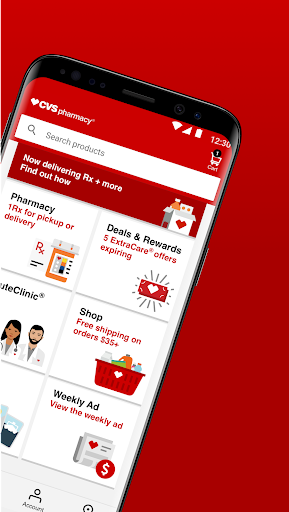
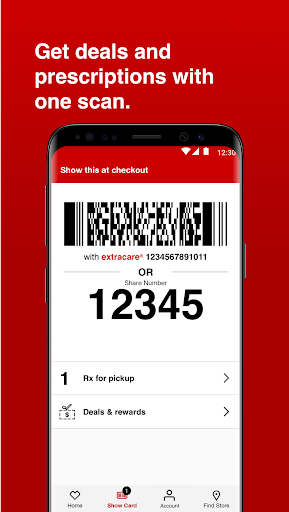
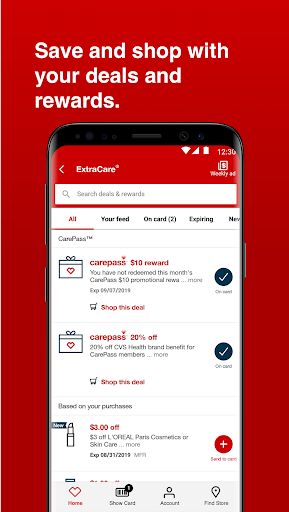
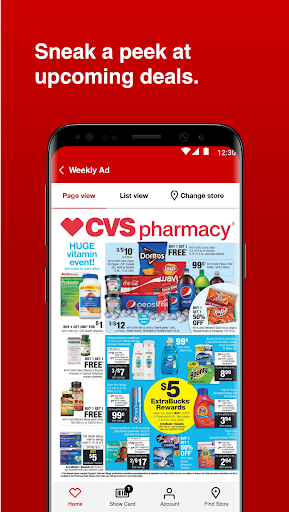
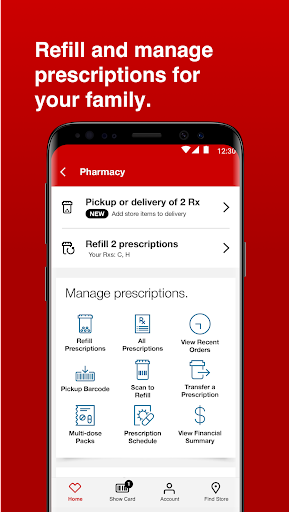
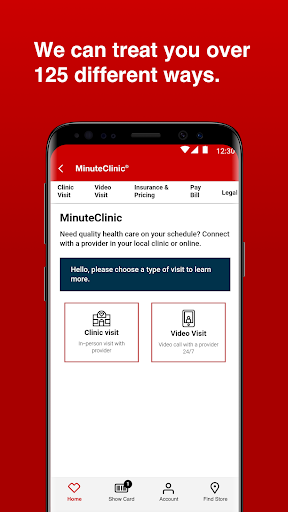
CVS Health is one of those apps that tries to be three things at once: a pharmacy tool, a health-care scheduling hub, and a retail loyalty app. After spending real time with it in that everyday, slightly chaotic way most people actually use pharmacy apps—checking whether a prescription is ready, pulling up a rewards barcode at the register, looking for coupons, and trying to get in and out quickly—I came away thinking it is genuinely useful, but not consistently elegant. At its best, the app solves the exact problems people open it for. Prescription management is the strongest part of the experience. Being able to check refill status, view medication history, and move toward pickup without making a phone call is the kind of convenience that still feels substantial. If your main relationship with CVS is the pharmacy counter, the app earns its place on your phone quickly. The pickup flow is especially practical: when everything is set up properly, you can lean on the in-app barcode and avoid the whole back-and-forth of confirming details out loud. That sounds minor until you do it a few times and realize how much friction it removes. The second thing the app gets right is consolidation. ExtraCare, coupons, rewards, prescription access, and store-related tasks all live in one place. In daily use, that matters more than flashy design. There is real value in opening one app and seeing your loyalty card, your offers, and your pharmacy information without hunting across separate services. I also liked that the home screen tends to surface the core actions people want most: refills, store scan, care scheduling, and deals. It gives the app a practical feel, even when the design itself is not especially memorable. The third clear strength is that the app can save both time and money if you are already a regular CVS shopper. Linking ExtraCare and managing app-based offers makes the experience feel more connected than using a physical card and paper coupons. Weekly ad browsing, rewards access, and deal discovery all make sense here. This is not the kind of app you install because it is beautiful; it is the kind you keep because it helps you avoid paying full price and cuts a few steps from routine errands. That said, CVS Health still has a frustrating habit of getting in its own way. The biggest issue is uneven navigation. During testing, the app sometimes felt smooth and direct, and other times it behaved like a storefront layered on top of several different systems that do not always hand off cleanly. Search, browsing, and moving between sections can be more awkward than they should be. There are moments where you tap into a product or offer, try to back out and continue browsing, and the app seems to lose your place or dump you somewhere less useful. It is not broken in a catastrophic sense, but it does interrupt flow. Coupon browsing is another weak spot. The value is there, but the experience can feel tedious. If you are the kind of shopper who wants to quickly scroll, compare, and clip multiple offers, the app can make that process more laborious than necessary. Instead of feeling like a smart savings tool, it sometimes feels like you are fighting the interface to get back to where you were. That kind of friction matters because coupons are supposed to be the fast, satisfying part. I also found that some parts of the app still feel like they were designed by separate teams with different priorities. The pharmacy side is generally more focused and dependable. The retail side is more variable. The health-care scheduling features are useful to have, especially if you want a single place to look for vaccines, clinic visits, or virtual care access, but they do not give the app a particularly seamless identity. CVS Health is functional first, polished second. That split personality affects who this app is really for. If you fill prescriptions at CVS, regularly pick up medications for yourself or your family, and already use ExtraCare, this app makes a lot of sense. It centralizes enough recurring tasks that the convenience outweighs the rough edges. It is also good for people who prefer handling routine pharmacy business quietly on their phone instead of calling or waiting in line to sort things out. Who is it not for? If you only shop at CVS occasionally, do not use its pharmacy, or have little patience for clunky browsing and imperfect navigation, the app will probably feel heavier than its benefits justify. You can absolutely use it casually for deals or store access, but its best features reveal themselves only when CVS is already part of your weekly routine. Overall, CVS Health is better than its middling rating might suggest, but it is not a hidden masterpiece. In regular use, it does the important things well enough to be worth keeping: refills are straightforward, pickup is faster, rewards are convenient, and health services are easier to reach. The trouble is that every time the app starts to feel genuinely polished, a slightly awkward transition, stubborn browsing flow, or annoying coupon experience reminds you that it still needs refinement. For committed CVS customers, that is a compromise worth making. For everyone else, it may feel more practical than pleasant.
Alternative apps