Apps Games Articles
Slack
Slack Technologies Inc.
Rating 3.7star icon
Editor's summary
Editor rating
star icon star icon star icon star icon
half star icon
4.5

One-line summary Slack is one of the best mobile team chat apps you can install if you want organized, searchable communication that mostly stays out of your way, but its occasional bugs and a few mobile rough edges keep it from feeling flawless.

  • Installs

    10M+

  • Developer

    Slack Technologies Inc.

  • Category

    Business

  • Content Rating

    Everyone

  • Latest version

    23.02.40.0

  • Package

    com.Slack

Screenshots
In-depth review
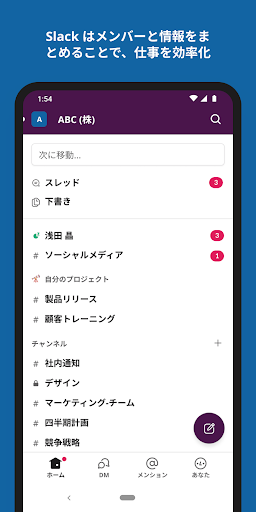
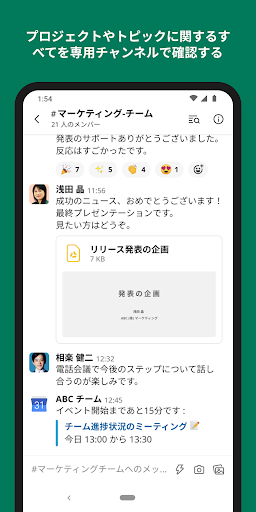
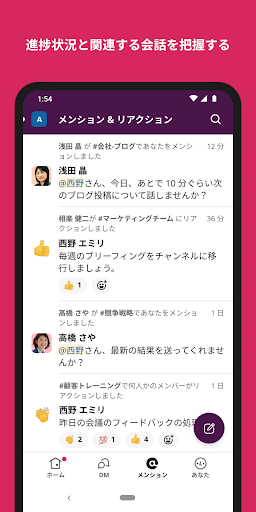
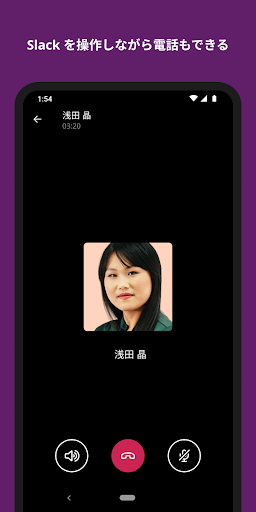
Slack remains one of the easiest ways to turn a messy stream of work messages into something that actually feels manageable. After spending time with the Android app as a daily communication tool rather than just a quick test install, what stands out most is how well it handles the basic rhythm of modern work: jump into a channel, reply in a thread, search for an old answer, send a file, react, move on. That core loop is fast, familiar, and usually polished enough that you stop thinking about the app and just use it. The biggest strength here is organization. Slack still does a better job than most chat apps at keeping conversations separated by topic instead of collapsing everything into one giant, chaotic inbox. Channels make sense, threads help contain side discussions, and the app generally makes it easy to move between workspaces and conversations without losing your place. On mobile, that matters more than on desktop, because screen space is limited and clutter becomes irritating very quickly. Slack’s structure helps prevent the app from becoming a wall of unread noise. Search is another highlight. In real-world use, it is good enough that you trust it. That may sound like faint praise, but anyone who has used workplace messaging apps knows how valuable that is. Looking up a shared file, a decision from last week, or a detail buried in an old thread feels reasonably quick and reliable. For teams that live in chat all day, this gives Slack a real edge. It also works well as a personal capture tool in a pinch. Even outside active team conversations, the app is useful for saving notes, snippets, reminders, and quick ideas that you want synced and searchable later. A third thing Slack gets right is that it does not feel especially heavy in everyday use. For an app that can sit open for hours, deliver notifications, handle files, and support multiple workspaces, it generally behaves well. Battery impact and overall performance were better than expected during routine use. That makes a difference if you rely on it throughout the day and do not want your communication app acting like a resource hog. The app also deserves credit for how close it feels to the desktop experience. Not every advanced workflow is equally comfortable on a phone, but Slack on Android usually gives you enough of the core experience that you do not feel stranded when you step away from your computer. Reading updates, checking threads, responding to mentions, joining quick calls, and reviewing shared content all feel natural enough on mobile. The interface is busy, because Slack is a busy app by nature, but most of the navigation choices are sensible once you settle in. That said, Slack is not free from friction. The first weakness is stability at the edges. In normal use, the app is solid, but every so often you run into behavior that breaks the smoothness: a thread error, an odd loading delay, an occasional screen issue, or content that does not open as cleanly as it should. These moments are not constant, but they are annoying precisely because the rest of the app is so dependable. When Slack stumbles, it tends to interrupt active work rather than just inconvenience you for a second. The second weakness is that some mobile interactions still feel less refined than they should. Long channels can be cumbersome to navigate, especially when you want to jump straight to the newest message or quickly orient yourself in a busy conversation. Slack is powerful, but not every common action feels effortless on a phone. There are times when the app makes you do a little more scrolling or tapping than necessary, and on crowded workspaces that friction adds up. The third weakness is feature sprawl. Slack’s ambition is obvious: chat, files, docs, meetings, app integrations, AI features, project tools. In theory that sounds excellent. In practice, the app can sometimes feel like it is trying to be your entire work operating system. If your team embraces that ecosystem, it is useful. If not, parts of the interface can feel overbuilt for someone who mainly wants dependable messaging. Some tools also depend on paid upgrades or add-ons, so not every appealing capability is necessarily available when you tap into it. Who is Slack for? It is best for teams, classrooms, project groups, and distributed organizations that need persistent conversation spaces and searchable history. It is especially strong for people juggling multiple projects or multiple groups, because the channel-based structure keeps communication from turning into a pileup. It also works surprisingly well for individuals who like using chat-style tools for notes and saved information. Who is it not for? If you want a dead-simple messenger with almost no learning curve, Slack may feel busier than necessary. If your group only needs occasional casual chat, the app’s structure and depth can be more than you need. And if you are easily frustrated by intermittent mobile bugs, Slack’s occasional rough patch may stand out more than its many strengths. Overall, Slack on Android is still one of the most capable communication apps in its category. It combines strong organization, genuinely useful search, and a desktop-like feature set in a mobile app that is mostly pleasant to live in every day. It is not perfect, and its rough edges show up just often enough to be noticed, but the fundamentals are strong enough that I would still readily recommend it to anyone who needs a serious team communication app on their phone.