Apps Games Articles
Secure Folder
Samsung Electronics Co., Ltd.
Rating 3.4star icon
Editor's summary
Editor rating
star icon star icon star icon
half star icon
empty star icon
3.8

One-line summary Secure Folder is easy to recommend if you want a built-in, low-friction way to separate private apps and files on a Samsung phone, but it's harder to love if you expect a universally smooth, flexible experience across every Android device.

  • Installs

    1B+

  • Developer

    Samsung Electronics Co., Ltd.

  • Category

    Business

  • Content Rating

    Everyone

  • Latest version

    1.1.07.6

  • Package

    com.samsung.knox.securefolder

Screenshots
In-depth review
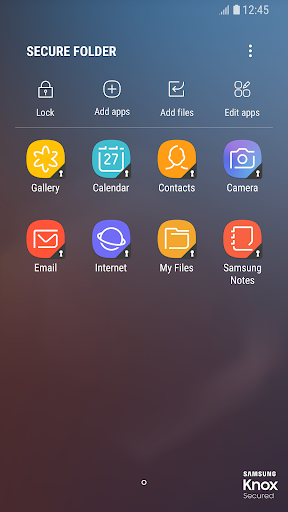
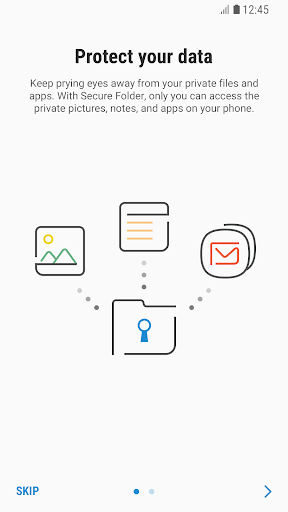
Secure Folder feels less like a standalone app and more like a hidden second room inside your phone. After spending time with it in daily use, that is the clearest impression it leaves: this is a privacy tool that works best when you stop thinking of it as another utility and start using it as a separate personal space. For the right person, that can be genuinely useful. The basic appeal is obvious the moment you set it up. Instead of just locking a few files behind a password, Secure Folder creates a cleaner separation between your normal phone environment and the things you would rather keep private. In practical use, that makes a real difference. Sensitive photos, personal documents, and selected apps feel tucked away rather than merely hidden. That psychological sense of separation is one of the app's biggest strengths, because it changes how comfortable you feel storing private material on your phone in the first place. In everyday use, Secure Folder is at its best when you want simple privacy without having to rethink your whole device. Opening it, moving content into it, and launching protected apps is generally straightforward. Samsung has clearly aimed for something mainstream rather than intimidating, and that shows. The interface is approachable, the concept is easy to understand, and you do not need to be especially technical to get value from it. That ease of use is the second major strength. A lot of privacy tools create friction by design; Secure Folder mostly tries to stay out of your way. The third strength is how well the app fits into a routine once it is configured. If you regularly keep work-related files separate from personal ones, or you want a private copy of certain apps away from your main home screen, Secure Folder can become part of your flow very quickly. We found that the appeal is not just security for dramatic situations; it is day-to-day convenience. Having a private compartment for documents, screenshots, notes, or app activity can make your phone feel more organized as well as more secure. That said, Secure Folder is not a universally elegant experience. The first frustration is that it can feel more tied to Samsung's ecosystem than to Android as a whole, and that limits its appeal immediately. If you are already using a compatible Samsung device, that integration is a plus. If you are not deeply inside that world, the app loses some of its charm because it is simply not a broadly flexible privacy solution for everyone. This is less a fault in how the app works and more a limitation in who can realistically benefit from it. The second weakness appears once the novelty wears off and you start using it several times a day: any extra layer of access control creates friction, and Secure Folder is no exception. Even when the security steps are quick, they are still steps. If you need to jump in and out of protected apps constantly, the experience can start to feel repetitive. That is the trade-off at the heart of the app. The barrier that protects your content is also the barrier that occasionally slows you down. For some users, that will feel reassuring; for others, it will feel like just enough inconvenience to become annoying. The third issue is that Secure Folder can sometimes feel more functional than delightful. It does its job, but it does not always make private content management feel especially elegant or modern. There is a slight sense that you are maintaining a second environment, and that can add small bits of complexity: remembering what lives inside it, deciding what should be moved there, and managing duplicate app contexts. None of that breaks the experience, but it does mean the app works best for people who actively want compartmentalization. If you are the sort of user who prefers everything to live in one seamless place, Secure Folder may feel like more structure than you want. Who is it for? It is best for Samsung users who value privacy in a practical, everyday way rather than a highly technical one. If you share your phone with family members, keep sensitive media or documents on your device, or simply want a protected space for certain apps, Secure Folder makes immediate sense. It is also a good fit for people who like the idea of digital boundaries: one area for ordinary daily phone use, another for things they would rather keep separate. Who is it not for? It is not ideal for someone who wants a privacy solution that works the same way across all Android devices, or for users who hate any extra taps between themselves and their apps. It is also not the best match for people who do not actually need compartmentalization. If your main goal is quick access and simplicity above all else, Secure Folder may feel like an added layer you never fully warm to. Overall, Secure Folder lands in a good-but-not-unquestionable place. It is useful, thoughtfully integrated, and genuinely practical when its model fits your habits. It provides a reassuring sense of control without demanding expert knowledge, which is no small achievement. But it also asks you to accept a little inconvenience and a more segmented phone experience in return. On a Samsung device, that trade can absolutely be worth it. Outside that ideal context, its appeal narrows fast. We came away seeing it as a strong built-in privacy tool rather than an essential app for everyone.
Alternative apps