Apps Games Articles
Google Gemini
Google LLC
Rating 4.6star icon
Editor's summary
Editor rating
star icon star icon star icon star icon
half star icon
4.5

One-line summary Google Gemini is one of the most useful all-purpose AI assistants on Android thanks to its fast, flexible mix of writing help, brainstorming, and Google integration, but its occasional response errors and fussy voice turn-taking still keep it from feeling fully dependable.

  • Installs

    1B+

  • Developer

    Google LLC

  • Category

    Productivity

  • Content Rating

    Teen

  • Latest version

    1.0.869192867

  • Package

    com.google.android.apps.bard

In-depth review
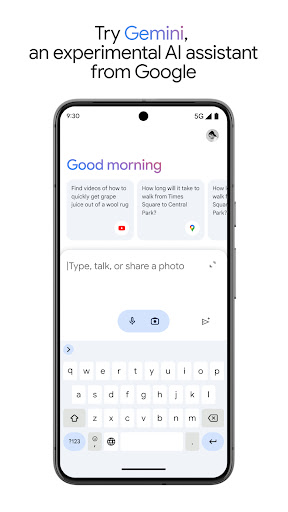
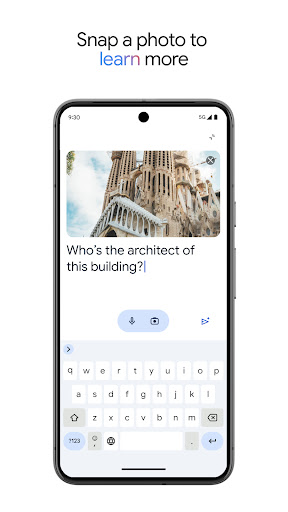
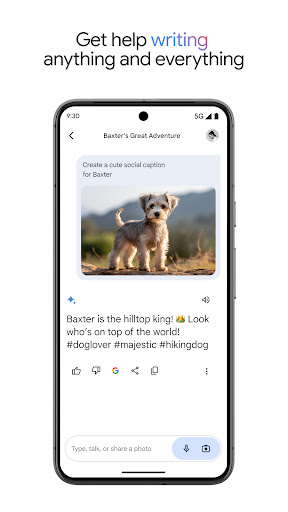
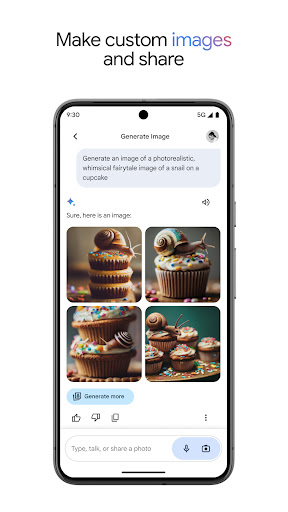
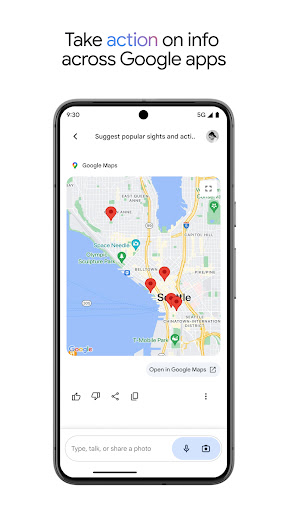
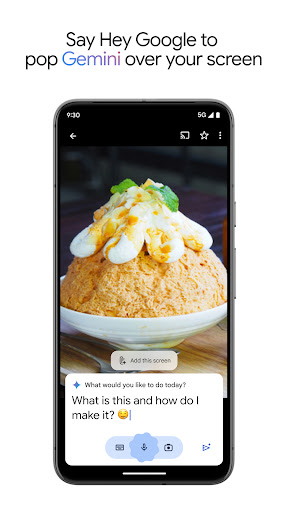
Google Gemini feels less like a novelty app and more like a tool you can actually work into your day. After spending serious time with it for writing, casual research, planning, and image-related prompts, my biggest takeaway is simple: this is one of the easiest AI apps to keep coming back to. It is approachable enough for quick everyday questions, but it also has enough range to handle more creative and structured tasks without immediately feeling shallow. The first thing Gemini gets right is friction. You open it, ask for something, and it gets out of the way. The interface is clean, readable, and generally less intimidating than many AI apps that try too hard to look futuristic. That matters more than it sounds. An assistant app lives or dies by how quickly it lets you move from thought to answer, and Gemini is usually excellent here. I found it especially strong for draft writing, idea generation, rewriting text in different tones, and helping organize messy thoughts into something usable. If you are the kind of person who starts with a rough idea and needs help shaping it into an email, outline, study guide, or creative concept, Gemini is very good at meeting you halfway. It also does a nice job of feeling useful across different levels of intent. Sometimes I wanted a direct answer. Sometimes I wanted a collaborator. Gemini can handle both modes reasonably well. Ask it for a summary, and it tends to produce something clean and digestible. Ask it to help brainstorm, and it is willing to riff without becoming completely unfocused. For writers, students, and people who think by talking things through, that versatility is a real strength. In practice, I found myself using it as a sounding board as much as an answer engine. A second major strength is how naturally it fits into the Google ecosystem. This is one of those advantages that is hard to appreciate until you use it for a while. Gemini feels like it belongs on an Android phone rather than like a standalone chatbot awkwardly dropped into it. The app’s connections to familiar Google services make the experience feel more grounded in real tasks, not just prompt experiments. Even when you are only using it in simple ways, that sense of integration adds convenience and lowers the barrier to habitual use. The third big positive is range. Gemini is not locked into one narrow use case. It can help with study prep, generate flashcard-style material, explain topics in simpler language, assist with image prompts, and support planning tasks such as trips or to-do structures. I also liked that it can be fun without becoming frivolous. There is room here for curiosity, casual Q and A, and light creative play. That broader personality gives the app more staying power than a tool that only shines in work mode. That said, Gemini is not flawless, and the weaknesses are noticeable because the app is so close to being truly excellent. The most frustrating issue is reliability. Most of the time, Gemini responds quickly and capably. But every so often, it stumbles with generic error messages or failed attempts that break the flow. That matters because AI assistants are at their best when they feel conversational and continuous. When you are in the middle of refining an idea and the app suddenly tells you something went wrong, it does not feel like a minor hiccup; it feels like the floor dropped out of the session. It is not constant, but it happens often enough to be memorable. Voice interaction is another area that still needs work. On paper, talking to Gemini should be one of the app’s headline experiences, and in the right moment it is genuinely convenient. But in actual use, the conversation rhythm can feel too jumpy. I ran into cases where the app seemed a little too eager to decide I was done speaking. That makes natural conversation harder than it should be, especially if you pause briefly to think or speak in a measured way. A voice assistant should reduce friction, not make you rush your sentences. The third weakness is that Gemini can occasionally feel uneven depending on the task. It is often smart, polished, and context-aware, but not every answer lands with the same confidence. For quick ideation and structured help, it is impressive. For requests that need steadier precision or a very specific output style, I sometimes had to rephrase prompts or guide it more than I wanted. That is not unique to Gemini, but it does mean the app works best when you are willing to steer rather than just delegate. Who is this app for? It is a strong fit for Android users who want an AI assistant that can handle everyday productivity, writing support, study help, brainstorming, and general curiosity in one place. Students, writers, professionals who draft a lot of text, and people already living inside Google’s ecosystem will probably get the most out of it. It is also good for users who want an assistant that feels lighter and more conversational than a pure search tool. Who is it not for? If you need absolute consistency, perfectly stable voice interaction, or highly specialized output without any prompt tuning, Gemini may still feel a little too unpredictable. And if you dislike AI tools that occasionally require retrying or rewording, its rough edges will stand out more than its convenience. Overall, Google Gemini earns its place as one of the most compelling AI apps on Android because it is genuinely useful, not just technically impressive. At its best, it feels like a smart, flexible companion for thinking, writing, and organizing. At its worst, it reminds you that AI assistants still have moments of brittleness. But taken as a whole, this is an app I would readily keep installed and actually use, which is the most meaningful compliment I can give it.