Apps Games Articles
Chatbot AI - Search Assistant
Codespace Dijital
Rating 4.4star icon
Editor's summary
Editor rating
star icon star icon star icon star icon empty star icon
4.2

One-line summary Chatbot AI - Search Assistant is easy to recommend if you want a fast, flexible everyday AI helper for writing, brainstorming, and quick answers, but I’d hesitate if you’re sensitive to subscription friction or expect a flawless premium experience.

  • Installs

    10M+

  • Developer

    Codespace Dijital

  • Category

    Productivity

  • Content Rating

    Everyone

  • Latest version

    3.0.27

  • Package

    com.codespaceapps.aichat

In-depth review
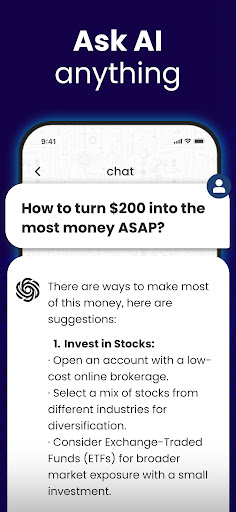
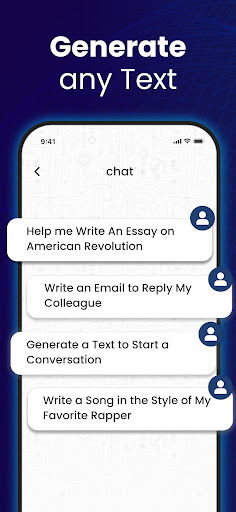
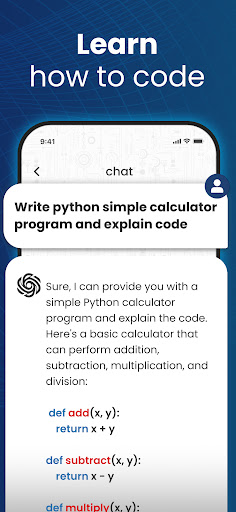
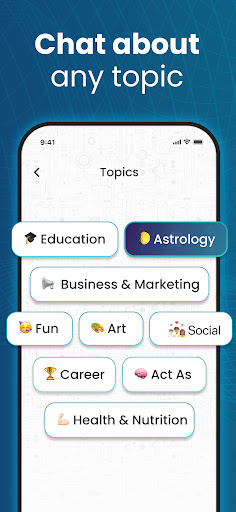
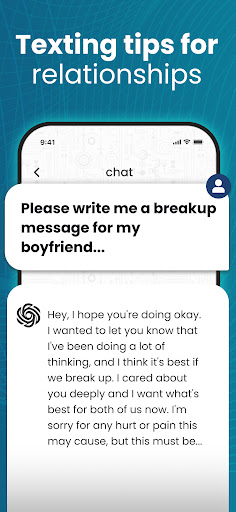
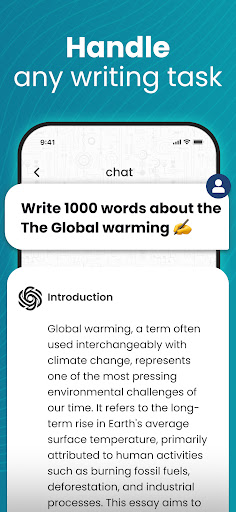
After spending real time with Chatbot AI - Search Assistant, my biggest takeaway is that this is one of those apps that understands exactly why most people download an AI assistant in the first place: they want help immediately, without ceremony. You open it, type a question or a task, and it gets to work. That simplicity is a huge part of the appeal. This is not an app that feels built only for power users or prompt engineers. It feels aimed at regular people who want an all-purpose assistant for writing, summarizing, planning, studying, and the occasional “I need this solved right now” moment. In day-to-day use, the app’s strongest quality is responsiveness. Whether I was asking for a polished email draft, a quick summary of a long chunk of text, or help organizing ideas into bullet points, it generally responded with the kind of speed that makes an AI tool feel useful rather than novel. That matters more than flashy marketing copy. A chatbot can promise everything under the sun, but if it feels sluggish or clumsy during normal use, you stop trusting it. Here, the flow is smooth enough that I found myself returning to it for small tasks throughout the day, which is usually the best sign that an assistant app is doing its job. The second thing the app gets right is breadth. It is genuinely useful across a wide range of casual and practical tasks. Writing is an obvious strong suit. It can help draft messages, brainstorm topics, rewrite text in a cleaner tone, and produce usable first drafts quickly. Students and professionals will probably get the most out of the summarization and explanation side of the app. Dropping in a dense topic and getting back a simplified version is one of the most convincing use cases here, especially when you do not need perfection so much as momentum. I also found that it works well as a “thinking partner.” If you are outlining a project, exploring an idea, or trying to unstick your own thinking, it has the right kind of conversational rhythm to keep things moving. A third strength is accessibility. The app feels designed for people who may not care what model is underneath or what AI terminology is trendy this month. The interface appears approachable, and the learning curve is low. That matters because a lot of AI apps still feel like they are built for enthusiasts first and everyone else second. This one is more inviting. It gives off the sense that you can just ask for what you need in plain English and usually get something useful back. That said, this is not a flawless experience, and the gaps show up most clearly once the novelty wears off. The first weakness is that the premium and subscription side of the app seems more awkward than it should be. In an app like this, trust is everything, and anything that creates confusion around trials, upgrade options, or cancellation quickly becomes part of the product experience. Even if the core assistant is good, friction around subscriptions can leave a bad aftertaste. This is especially important for an AI app, where many users are trying it casually before deciding whether it deserves a recurring payment. The second weakness is that not every advertised capability feels equally mature. General chat, writing help, and summaries seem to be the most dependable parts of the experience. But once you start stretching into more specialized territory, the polish can feel uneven. Creative generation features, especially anything visual, do not always seem as refined as the core text experience. That does not make them useless, but it does make the app feel stronger as a productivity assistant than as a fully rounded creative suite. The third issue is that quality can flatten out in longer or more demanding interactions. For quick prompts, the app is often impressive. For sustained back-and-forth on a nuanced topic, it can start to feel more generic, more repetitive, or less precise than you want. That is not unusual for this category, but it is worth noting because the app is at its best when you treat it like a smart helper, not an infallible expert. It can give structure, momentum, and decent first drafts; it is less convincing when you expect consistently deep reasoning without supervision. Who is this app for? It is for people who want an AI assistant woven into everyday life: students summarizing material, writers generating drafts, professionals cleaning up emails, curious users asking research-style questions, and anyone who likes having a quick idea partner in their pocket. It is also a good fit for people who value convenience over tinkering. If you want something approachable and broad rather than highly specialized, this lands well. Who is it not for? If you need a highly transparent, deeply customizable AI tool with clear power-user controls, this may feel a bit too generalized. It is also not the best pick for users who are wary of trial mechanics or who expect every premium feature to feel equally polished. And if your main interest is advanced image generation or a fully voice-centered experience, you may find the app less satisfying than the marketing suggests. Overall, Chatbot AI - Search Assistant succeeds because it feels useful in the moments that matter most. It lowers the barrier to using AI, handles common writing and brainstorming tasks well, and delivers enough speed and clarity to become part of a routine. Its weaknesses are real, especially around subscription friction and uneven feature depth, but they do not erase the fact that the core experience is solid. I came away thinking of it less as a breakthrough app and more as a dependable general-purpose assistant—one that earns its place when you need quick, capable help without overcomplicating the process.