Apps Games Articles
Big Keyboard: Easy Homescreen
SwipeTap Apps
Rating 4.5star icon
Editor's summary
Editor rating
star icon star icon star icon star icon empty star icon
4.3

One-line summary Big Keyboard: Easy Homescreen is easy to recommend if you want a genuinely larger, easier-to-hit keyboard and a simplified phone layout, but I’d hesitate if you dislike launcher changes or any app that pushes its own search and home-screen ecosystem.

  • Installs

    1M+

  • Developer

    SwipeTap Apps

  • Category

    Personalization

  • Content Rating

    Everyone

  • Latest version

    1.1.50

  • Package

    com.bigkeyboardeasylauncher.biggerkeybuttonandroidlauncherapp

Screenshots
In-depth review
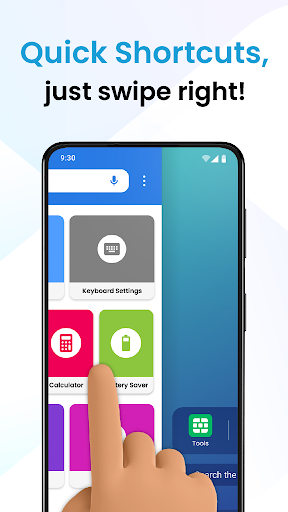
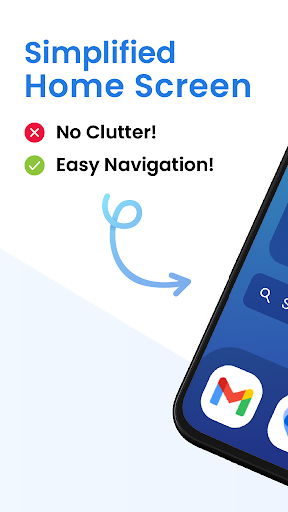
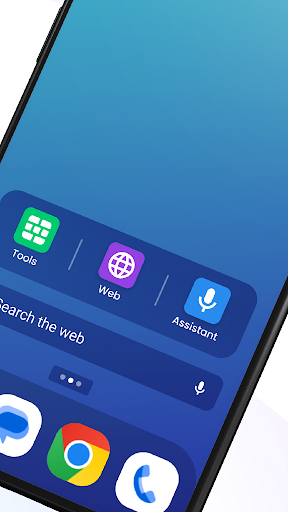
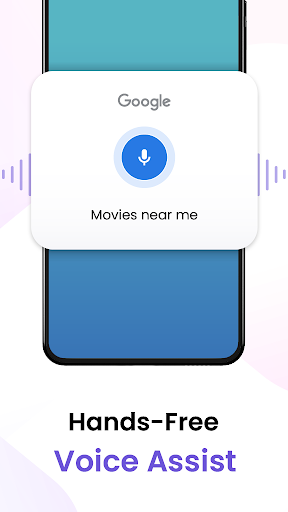
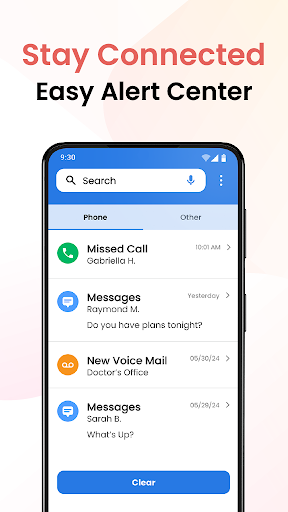
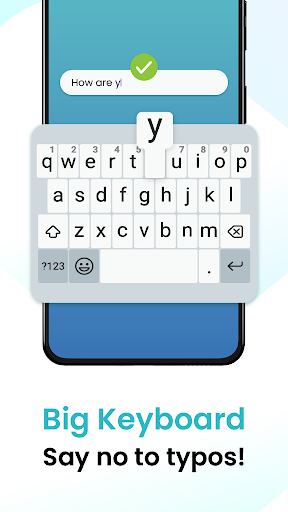
Big Keyboard: Easy Homescreen is one of those accessibility-focused Android apps that makes its case within minutes. After using it as both a keyboard solution and a home screen replacement, the main appeal is obvious: it is trying to make a phone feel less fiddly. Not flashier, not smarter in a buzzword-heavy way, just easier to see, easier to tap, and less stressful to use. The best part of the app is the feature in its name. The keyboard really does feel meaningfully larger than a standard Android keyboard, and that size increase is not just cosmetic. In day-to-day use, typing is more relaxed. I made fewer accidental taps, needed the backspace key less often, and spent less time correcting simple mistakes. If you have vision issues, shaky hands, larger fingers, or just a low tolerance for cramped mobile typing, this app immediately feels like it was built for a real problem rather than for marketing copy. It is especially effective in messaging, search, and any task where speed usually collapses because of typo cleanup. The second thing that stood out during use is that this is not only a keyboard app. It also wants to reshape the general phone experience through an easier home screen. That approach has benefits. The interface is cleaner than many default launchers, and the shortcut-driven layout makes common actions feel closer at hand. Quick access to calling, messaging, search, and a few utility tools gives the app a senior-friendly, accessibility-first personality. For someone who finds modern Android home screens cluttered or visually noisy, this simpler presentation can be genuinely calming. I also liked that the app bundles practical extras instead of random filler. The magnifier and flashlight combination is a sensible inclusion, not a gimmick. Being able to use the phone to inspect small print, labels, menus, or dimly lit text fits the app’s overall mission. The wallpapers and display-access shortcuts are less essential, but they help tie the package together as a broader ease-of-use utility instead of a single-purpose keyboard tweak. That said, the all-in-one design is also where the app becomes more divisive. My biggest frustration is that it can change more of your phone than you may expect if you only came here for larger keys. The home screen component is not subtle; it wants to be part of your daily device flow. If you install it hoping for “just a big keyboard,” the launcher behavior can feel intrusive until you understand what has changed and how to switch your default home screen settings if needed. Once that is sorted out, the app becomes much easier to live with, but the initial experience can be confusing. The second drawback is that the app’s search experience is clearly part of its ecosystem, and that will not appeal to everyone. Search is functional, and voice-assisted search can be handy, but the overall package sometimes feels like it is steering you toward its preferred setup rather than simply improving the parts of Android you already use. This is not a dealbreaker, but it does add a layer of “app platform” energy to something many people may want to be a straightforward accessibility tool. Ads are another point worth mentioning. Since this is a free app and the store listing indicates ads, that tradeoff is part of the experience. The app’s core value is still strong enough that the free model makes sense, but if you are setting up a phone for someone who is easily confused by extra prompts, interruptions, or app-driven nudges, any ad presence can become more annoying here than it would in a casual utility. There is also a mild learning curve around how its features fit together. The keyboard itself is simple, but the broader package includes launcher options, search, accessibility shortcuts, tools, and customization. None of that is especially hard, yet the app is at its best once you spend a little time tailoring it. Out of the box, it may feel like it is doing too much. After adjustment, it feels considerably better. Who is this for? It is a strong choice for older adults, users with visual impairments, people with tremors or dexterity issues, and anyone who regularly mistypes on standard Android keyboards. It also suits users who want a simplified, less cluttered home screen without digging through advanced Android settings. Who is it not for? If you love your current launcher, prefer a minimalist keyboard app with no ecosystem attached, or dislike apps that replace defaults, this may feel heavier than necessary. Power users who want granular control and zero hand-holding will probably find it too opinionated. Overall, Big Keyboard: Easy Homescreen succeeds because its core promise is real. The larger keyboard is not a gimmick; it changes how comfortable the phone feels. The simplified launcher and accessibility tools add honest value for the right audience. Its weaknesses mostly come from ambition: by trying to be a keyboard, launcher, search surface, and utility hub all at once, it occasionally overreaches. Even so, if your main problem is that your phone has become harder to read, harder to tap, or more frustrating to navigate, this app does a very good job of making Android feel friendly again.