Apps Games Articles
Music Player & MP3 Player
InShot Inc.
Rating 4.8star icon
Editor's summary
Editor rating
star icon star icon star icon star icon
half star icon
4.6

One-line summary If you want a fast, clean offline player for the music you already own, this is one of the easiest apps to recommend—just be prepared to tolerate a few ads and the occasional rough edge in library handling.

  • Installs

    100M+

  • Developer

    InShot Inc.

  • Category

    Audio

  • Content Rating

    Everyone

  • Latest version

    2.14.4.118

  • Package

    musicplayer.musicapps.music.mp3player

In-depth review
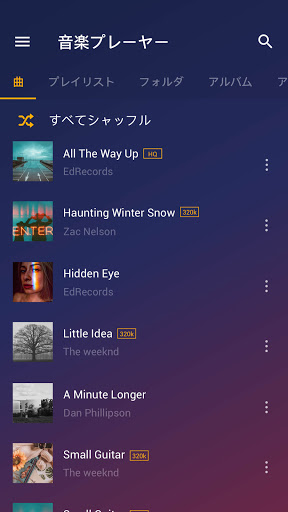
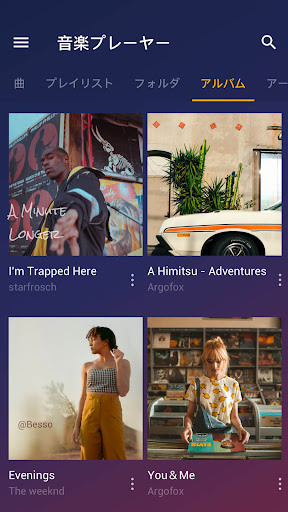
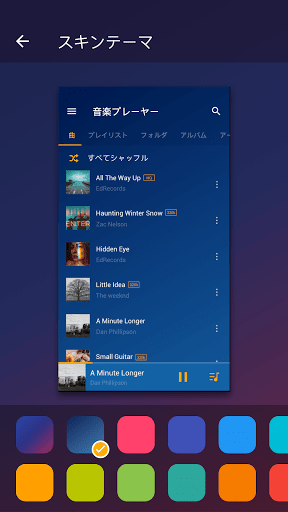
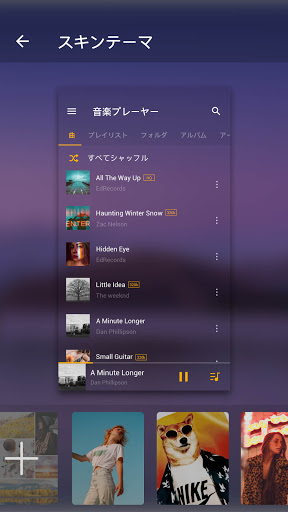
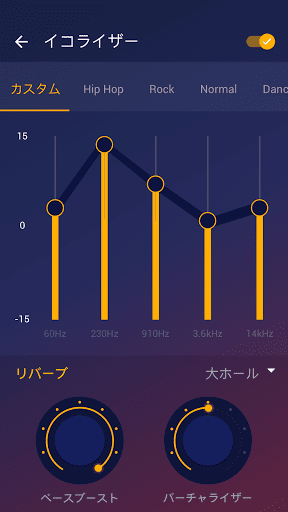
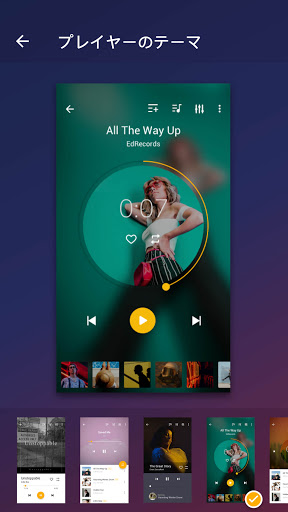
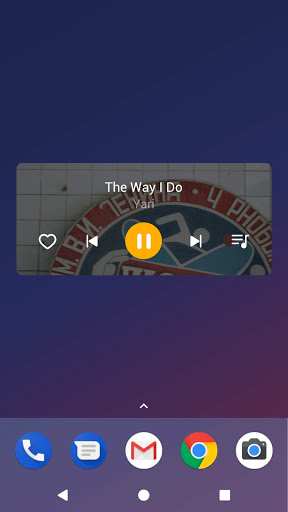
Music Player & MP3 Player is the kind of app that solves a very specific modern annoyance: a lot of phones no longer come with a satisfying local music player, and many big-name audio apps keep nudging you toward streaming, subscriptions, or cloud syncing. This app takes the opposite approach. After spending time with it as a day-to-day offline player, the biggest takeaway is simple: it gets out of the way and lets you listen to your own files. That sounds basic, but it matters. The first good impression comes from setup. Drop a library of MP3s and other audio files onto the device, open the app, and it scans quickly. In use, it feels much closer to the old idea of a phone music player than a bloated modern media hub. Songs appear where you expect them, sorting is straightforward, and browsing by tracks, artists, albums, folders, and playlists makes it easy to move through a local collection without friction. If your main goal is “play the music on my phone without drama,” this app understands the assignment. The interface is one of its strongest assets. It is not revolutionary, but it is clean, readable, and easy to learn in minutes. I never had the sense that basic actions were buried for the sake of looking flashy. Search is useful, playlists are simple to build, and the app does a good job of keeping common controls close at hand. It also helps that playback continues reliably in the background, with lock screen and notification controls behaving as they should. That sounds like table stakes, but a surprising number of Android music apps still manage to stumble there. The second major strength is customization. This app gives local music listeners more control than many free players do. The built-in equalizer is not just a decorative checkbox feature; it genuinely adds flexibility if you like adjusting bass, shaping your sound, or compensating for weak headphones or speakers. On top of that, being able to edit tags and artwork from within the app is a big convenience. For people with large personal libraries, metadata is often the difference between a satisfying collection and a mess. Here, changing a cover image or cleaning up song information feels approachable rather than technical. Another thing the app gets right is restraint around ad intrusion. Yes, this is an ad-supported free app, and no, it is not ad-free in spirit. You will notice banners and the occasional pop-up or short interruption around app launch or interface use. But in my time using it, the ads felt more annoying than destructive. The important point is that playback itself is largely respected. Once music is going, the app mostly stays focused on being a player instead of hijacking the experience every few minutes. That makes a huge difference for long listening sessions, workouts, commutes, or background playback at work. Still, this is not a perfect app, and some of its compromises are very visible. The biggest weakness is that ad tolerance will vary from person to person. If you are especially sensitive to banners, opening prompts, or anything that cheapens an otherwise polished interface, the free version will occasionally test your patience. The ads are not catastrophic, but they are part of the experience, and that means this app never feels quite as elegant as the best paid-only local players. The second issue is that some library behavior can be a little finicky. In testing, the app was generally fast and dependable, but this is still the sort of player where edge cases can show up—very short audio files, unusual organization, or metadata oddities may require a settings tweak or manual cleanup. Most users with a normal song library will probably be fine, but collectors with highly specific tagging habits or lots of nonstandard files may run into the app’s limits faster. Third, while the interface is pleasant, it occasionally reveals that this is a utility-first app rather than a truly premium one. Some features are more practical than elegant, some menus are easier than others, and a few advanced touches feel more like nice additions than deeply refined tools. It is polished enough to enjoy, but not so polished that every corner feels meticulous. Who is this app for? It is for Android users who keep music files on their device, want quick scanning, dependable background playback, playlist support, and a pleasant UI without being pushed into a streaming ecosystem. It is especially good for people replacing an old built-in music app, reviving a personal MP3 library, or wanting an offline player for commuting, travel, workouts, or patchy-signal areas. Who is it not for? It is not for listeners expecting an all-in-one music discovery platform, a downloader, or a streaming replacement that fetches songs for you. And if you insist on a completely ad-free experience without paying, this app may not be your favorite. Likewise, users who obsess over perfect library handling for unusual files may prefer something more niche. In the end, Music Player & MP3 Player succeeds because it remembers what a local music app is supposed to do: find your songs quickly, play them reliably, and make organizing them painless. It is not glamorous, and it is not entirely free of annoyances, but it nails the core experience better than many apps that try to do much more. For most people who simply want their downloaded music to work well on Android, this is an easy recommendation.
Alternative apps